Recruitment Platform
Explore a variety of blog posts on our site.


Explore a variety of blog posts on our site.

18 Sep, 2026
4 Min Read
A recruiter opens a blank document every single time a new role needs a skills test, spending an hour writing questions from scratch before candidates can even start applying. Multiply that across dozens of open roles a year, and it becomes hours of repeated, avoidable work. Assessment question banks exist to remove exactly that bottleneck. […]


What happens when hiring teams need speed but cannot afford to lose human judgment? That is where the comparison between AI recruitment vs traditional recruitment becomes important. Traditional recruitment depends on recruiters for sourcing, screening, scheduling and interviews. AI recruitment supports the same process with automation, analytics and assessment tools.
Both approaches solve different hiring problems. Traditional recruitment brings context and human understanding. AI recruitment brings speed and structure. The best hiring process connects both so recruiters can save time without losing the judgment needed to choose the right candidate.
TL;DR
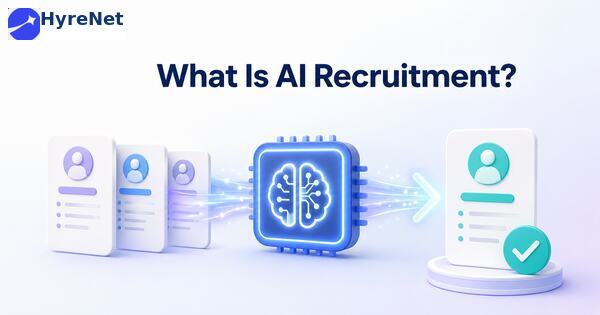
AI recruitment uses artificial intelligence and automation tools to support different stages of hiring. These tools can help recruiters source candidates, screen resumes, schedule interviews, send updates and analyze recruitment data.
For example, an AI resume screening tool can scan applications against job-related criteria. A chatbot can answer basic candidate questions. A recruitment analytics dashboard can show candidate conversion, assessment completion and candidate drop-off across the recruitment funnel.
Traditional recruitment relies on recruiters to handle tasks such as sourcing, resume screening and interview scheduling manually.
It gives teams greater control and supports direct candidate relationships. However, managing high application volumes can become a major recruitment challenge. Manual screening can also lead to inconsistent evaluation between recruiters.
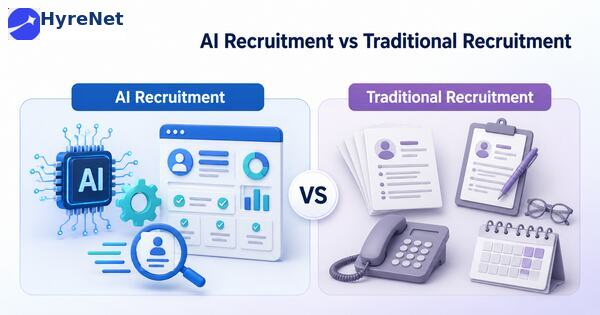
| Area | AI recruitment | Traditional recruitment |
| Resume screening | Uses AI tools to organize and shortlist profiles | Recruiters manually review applications |
| Candidate communication | Automated messages and chatbots support updates | Recruiters send emails and calls manually |
| Interview scheduling | Candidates choose available slots through tools | Scheduling depends on back-and-forth communication |
| Recruitment analytics | Dashboards track hiring metrics and trends | Data may be scattered across systems |
| Candidate screening | Uses predefined rules and assessments | Depends mainly on recruiter review |
| Speed | Faster for repetitive stages | Slower during high-volume hiring |
| Human judgment | Needed for review and final decisions | Central across every stage |
| Scalability | Easier to manage large applicant pools | Requires more recruiter time |
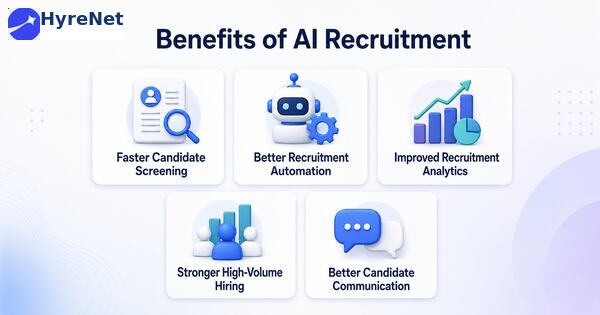
Manual resume screening can take several hours for a single role.
AI tools can organize applications based on predefined job requirements. Recruiters can then review a focused shortlist instead of starting with every resume manually.
This saves time and helps teams move qualified candidates forward faster.
Recruitment automation reduces repetitive administrative work.
Tools can send assessment links, schedule interviews and update candidates automatically. This allows recruiters to focus on interviews, hiring manager alignment and candidate engagement.
Automation also supports consistency because the same workflow can be applied to candidates at the same stage.
AI recruitment tools can collect data from different hiring stages.
Recruiters can track recruitment KPIs such as time to hire, cost per hire, source of hire and offer acceptance rate. They can also monitor assessment completion and candidate drop-off.
These insights help teams identify weak stages in the recruitment funnel.
Companies hiring for multiple roles often receive hundreds or thousands of applications.
AI recruitment helps organize this volume. It can prioritize candidates based on relevant criteria and reduce the pressure on recruiters.
This is useful for campus hiring, customer support roles, sales hiring and technical recruitment.
Candidates often leave the hiring process when they do not receive timely updates.
Automated messages can confirm applications, remind candidates about assessments and share interview instructions. This improves transparency and reduces unnecessary follow-ups.
Make modern hiring smarter with HyreNet’s AI-driven recruitment platform. Compare AI recruitment and traditional recruitment with clearer candidate insights, faster screening, structured assessments, reduced manual workload, and data-backed hiring workflows that help teams identify the right talent with confidence.
Recruiters can understand candidate motivation, career goals and communication style through direct conversations.
This matters in senior hiring and roles where culture fit and leadership potential are important.
A resume may not tell the full story.
A candidate with a career gap may still have strong skills. A person changing industries may bring valuable experience from another field.
Human recruiters can interpret these details more carefully than automated systems.
Traditional recruitment allows recruiters to adjust conversations based on candidate responses.
This flexibility is useful for complex roles where standard screening criteria may not capture everything.
Recruiters often build long-term relationships with candidates.
A candidate may not be the right fit today but could be suitable for a future role. Traditional recruitment supports this relationship-building more naturally.
AI-based recruitment can improve hiring but only when implemented carefully.
AI tools depend on the data and rules behind them.
Poorly designed criteria can screen out suitable candidates or reinforce bias. Recruiters should review the logic behind automated recommendations and audit outcomes regularly.
A system can rank candidates but it cannot understand every human context.
Recruiters should not treat AI recommendations as final decisions. Important candidate progression decisions should include human review.
Too much automation can make hiring feel impersonal.
Candidates may feel frustrated when they only interact with chatbots or automated emails. Recruiters should remain available for important questions and sensitive updates.
AI recruitment tools process personal candidate data.
Companies must evaluate how vendors store and use applicant information. Clear data retention policies and access controls are important.
Manual screening, scheduling and follow-ups take time.
This can become a serious recruitment challenge when companies need to fill roles quickly or manage high application volumes.
Different recruiters may evaluate the same resume differently.
One recruiter may focus on education while another prioritizes experience. Structured criteria are needed to make candidate screening more consistent.
Traditional recruitment often lacks strong data tracking.
Recruiters may know how many candidates applied but not where candidates dropped off or which source produced the best hires.
Recruiters spend a large part of their time on repetitive tasks.
This can reduce the time available for strategic hiring conversations and candidate engagement.
AI recruitment is most useful in repetitive and data-heavy hiring stages.
It works well for:
A remote hiring assessment can also be managed more easily with technology. Recruiters can send assessments, track completions and compare scores through a structured platform. These use cases improve hiring speed without removing recruiters from final decisions.
Traditional recruitment works best when roles require deeper human evaluation.
It is useful for:
Human recruiters can understand nuance, motivation and context more effectively.
The better approach depends on hiring needs.
AI recruitment is stronger for speed, structure and scale. Traditional recruitment is stronger for judgment, relationships and personal candidate engagement.
Most hiring teams need both.
A company can use AI tools to manage repetitive work and use recruiters for deeper evaluation. For example, technology can organize resumes and send assessments. Recruiters can then review shortlisted candidates, conduct interviews and make final recommendations.
This blended model gives teams the efficiency of AI in recruitment and the reliability of human judgment.
Recruiters should decide what matters before using any tool.
The criteria should reflect the actual job requirements. This prevents both manual and automated screening from becoming inconsistent.
Technology should support decisions rather than replace accountability.
Recruiters should review candidate shortlists and investigate unusual screening patterns.
Hiring teams should measure results across the recruitment funnel.
Useful KPIs include time to hire, source of hire, cost per hire, assessment completion and offer acceptance. These metrics show whether the process is improving.
Recruitment teams should monitor where candidates leave the process.
Long applications, unclear assessment instructions and delayed interview scheduling can increase candidate drop-off. Automation can help with reminders but the process still needs to feel reasonable.
Recruitment analytics can show which sourcing channels and screening stages perform best.
Teams should use this data to improve specific parts of hiring instead of making broad process changes without evidence.
Automated updates are useful but they should not replace all human interaction.
Recruiters should personally handle feedback, complex questions and final-stage conversations.
| Tool name | Purpose |
| HyreNet | Supports AI-powered candidate screening, assessments and recruitment workflows. |
| HireVue | Supports video interviews and structured candidate evaluation. |
| Greenhouse | Tracks candidates and manages structured hiring pipelines. |
| Lever | Helps manage candidate relationships and hiring stages. |
| Paradox | Uses conversational AI for candidate communication and scheduling. |
| Eightfold AI | Supports talent matching and skills-based candidate discovery. |
| HackerRank | Provides coding assessments for technical hiring. |
| TestGorilla | Offers skills tests for pre-employment assessment. |
| Calendly | Helps schedule interviews without repeated emails. |
| Tableau | Builds recruitment analytics dashboards for hiring KPIs. |
AI recruitment and traditional recruitment are not direct opposites. They solve different hiring problems.
AI recruitment helps teams move faster, automate repetitive tasks and track recruitment KPIs more effectively. Traditional recruitment brings human judgment, personal connection and contextual understanding.
The best hiring process combines both.
Recruiters caAI recruitment is better for speed, automation and high-volume hiring. Traditional recruitment is better for relationship-building, contextual judgment and final candidate evaluation.
n use technology for sourcing, screening, assessments and analytics. They can then apply human judgment during interviews, decision-making and candidate engagement.
The future of hiring is not about choosing machines over people. It is about building a smarter process where technology handles routine work and recruiters focus on decisions that truly need human insight.

A candidate walks into the interview room, says all the right things, and gets hired. Six months later, they are struggling to do the actual job. Sound familiar? This gap between how someone interviews and how someone performs is exactly the problem talent assessment was built to solve.
Talent assessment is the structured process of measuring a candidate's skills, cognitive ability, and personality before making a hiring decision, instead of relying only on a resume and a gut feeling from an interview.
This guide covers what talent assessment actually measures, the different types recruiters commonly use, how to build a process that works, and the common mistakes to avoid along the way.
Talent assessment is not one single test. It covers a range of tools used to evaluate different parts of a candidate's fit for a role, and most recruiters end up combining more than one.
Used together, these pieces give recruiters a much fuller picture than a resume or interview alone ever could.
A resume tells you what someone claims to have done. It does not tell you how well they can actually do it, and interviews alone are surprisingly unreliable predictors of job performance. Interviewers can be swayed by confidence or communication style, neither of which reliably predicts actual job success.
Picture two candidates interviewing for the same analyst role. One tells a confident, polished story about a past project. The other is quieter but scores noticeably higher on a structured problem solving exercise. Without an assessment, the confident storyteller usually wins the room, even if the quieter candidate would perform better on the actual job.
| Hiring Signal | What It Actually Tells You | Reliability |
|---|---|---|
| Resume | What a candidate claims to have done | Low, since it is entirely self-reported |
| Unstructured interview | How confident and articulate someone is | Moderate, easily swayed by likability |
| Talent assessment | How a candidate actually performs on a relevant task | High, based on demonstrated ability |
Recruiters typically draw from a handful of talent assessment categories, and the right combination depends heavily on what the role actually requires day to day.
| Assessment Type | What It Tests | Best Used For |
|---|---|---|
| Skills based tests | Job specific abilities, like coding or writing | Roles with clear, hands-on technical output |
| Cognitive ability tests | Reasoning, memory, and problem solving speed | Roles that require fast learning on the job |
| Personality assessments | Collaboration style, adaptability, stress tolerance | Team-heavy or high pressure roles |
| Situational judgment tests | How a candidate responds to realistic work scenarios | Customer facing or leadership positions |
A customer facing role, for example, often benefits more from a situational judgment test paired with a personality check than from a pure coding exercise.
A good process starts with a clear picture of what success looks like in the role, before you even choose a test.
This is where a platform like HyreNet becomes genuinely useful. Instead of stitching together separate tools for skills testing, cognitive checks, and scoring, HyreNet brings the entire process into one place, making it easier for teams to run consistent, fair evaluations at scale.
Do check out HyreNet's breakdown of common recruitment challenges and how modern assessment platforms solve them to learn more about applying this in practice.
These mistakes show up often, even on otherwise well run hiring teams.
For a real example of this in action, do check out HyreNet's post on how their AI-powered assessments have helped companies cut hiring costs by up to 40 percent by reducing manual screening time and travel related expenses.
If your team is new to structured talent assessment, start small. Pick one role with a high volume of applicants or a history of mismatched hires, and introduce a focused, relevant assessment for that role first.
Measure the results over a few hiring cycles before expanding further. Track whether the candidates who scored well are actually performing well on the job months later. This feedback loop is what turns the process from a checkbox exercise into a genuinely useful part of your hiring strategy.
Platforms like HyreNet are built specifically to make this easier, offering ready to use assessment templates alongside the flexibility to build role specific tests, so recruiting teams do not have to start entirely from scratch.
Talent assessment, done well, is not about adding friction to hiring. It is about replacing guesswork with real signal, so recruiters can make faster, fairer, and more accurate decisions about who is actually the right fit for the job.
As hiring volumes grow and roles become more specialized, that kind of structured signal only becomes more valuable. Recruiters who invest the time to build a thoughtful process now tend to spend far less time later untangling bad hires and avoidable turnover.

How do you know a remote developer can actually solve the problems your role requires before you hire them? Resumes show experience. Interviews reveal communication. Neither always proves how well a developer can code under realistic conditions.
Coding assessments give hiring teams a more practical way to evaluate technical ability before moving candidates to final interviews. They can help recruiters compare developers using the same criteria while supporting remote hiring across different locations and time zones.
This guide explains how to hire remote developers using coding assessments and build a more structured technical hiring process.
Remote developer hiring creates a wider talent pool but it also makes evaluation more complex. Recruiters may receive applications from candidates with very different educational backgrounds and work histories. A resume alone may not show:
Technical interviews can provide more context but they require significant engineering time. Coding assessments help recruiters screen candidates earlier so technical teams can focus on stronger applicants.
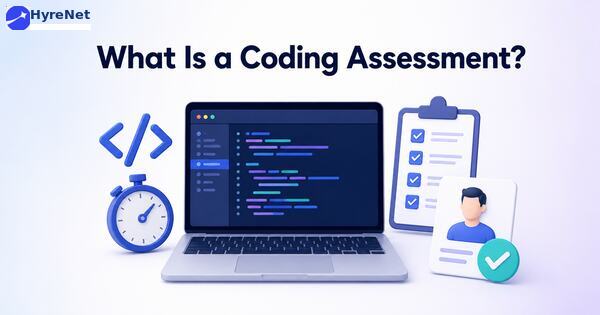
A coding assessment is a structured test that measures a candidate’s programming ability. The goal of this test is not simply to check whether a candidate knows syntax. A useful coding assessment should show how the developer approaches problems that resemble the work they would perform after joining.
Candidates may be asked to:
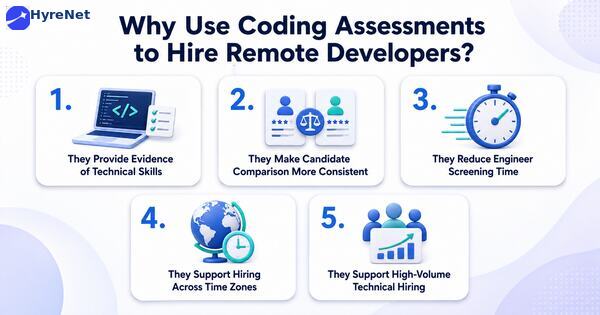
Remote candidates may come from different companies or education systems.
A coding assessment gives recruiters a common way to evaluate practical ability.
Instead of relying only on resume claims such as “proficient in Python” or “experienced in React,” recruiters can see how the candidate performs on relevant tasks.
Unstructured technical interviews may vary significantly between interviewers.
One interviewer may ask algorithm questions while another focuses on architecture.
A structured assessment gives candidates comparable tasks and scoring criteria.
This helps teams make more consistent shortlisting decisions.
Senior developers often spend hours interviewing candidates who do not meet basic technical requirements.
A coding assessment can identify stronger candidates before live interviews.
Engineering teams can then focus their time on candidates who have already demonstrated essential skills.
Live technical screening can be difficult when candidates and interviewers work in different regions.
Asynchronous coding assessments allow candidates to complete tasks within a defined window.
This makes remote hiring easier without requiring every early-stage evaluation to happen live.
Companies hiring several remote developers may receive hundreds of applications.
A structured remote hiring assessment can help organize this volume and identify candidates who meet predefined technical benchmarks.
This is especially useful for:
HyreNet can support remote technical hiring through structured candidate screening and coding assessments.
Recruitment teams can use a more organized workflow to:
Recruiters can then use assessment results to guide technical interviews rather than relying only on resumes. This creates a clearer connection between early screening and final hiring decisions.
Hire remote developers with more confidence using HyreNet’s smarter coding assessment workflows. Evaluate practical coding skills, compare candidates across locations, reduce interview workload, and build a structured remote hiring process that helps teams identify job-ready developers faster.
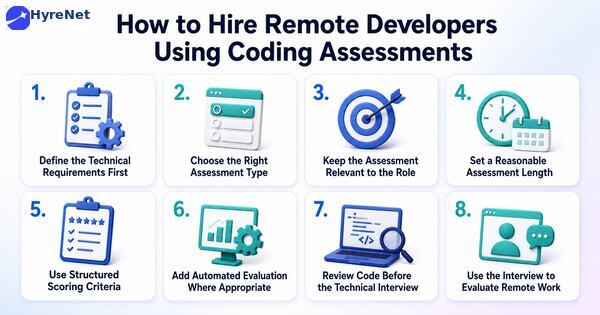
Recruiters and engineering managers should agree on what the developer must actually do in the role.
For example, a backend developer may need:
A frontend developer may require:
Clear requirements make it easier to design relevant assessments.
Different roles require different coding tasks. The assessment format should match the job.
These test logical reasoning and programming fundamentals.
They may be useful for:
They are less useful when the role depends heavily on frameworks or practical application development.
These simulate actual development work.
Examples include:
These assessments often provide stronger evidence of job readiness.
Candidates complete a larger task over several hours or days.
These can show:
Take-home projects should remain reasonably scoped. Excessive unpaid work can negatively affect candidate experience.
Candidates solve a problem while speaking with an interviewer.
These allow interviewers to observe:
Live coding works best later in the recruitment process after initial screening.
A strong online assessment should resemble actual work.
A developer being hired for API development should not be evaluated only through abstract puzzles.
Likewise, a frontend developer should not spend the entire assessment solving unrelated algorithm questions.
Recruiters should ask:
Tasks that do not answer these questions may add unnecessary friction.
Assessment length affects completion rates.
Early-stage assessments should usually focus on essential skills rather than testing everything at once.
A shorter screening assessment can identify baseline ability.
More detailed technical evaluation can happen later.
Recruiters should clearly communicate:
Clear instructions reduce confusion and candidate drop-off.
Coding assessments should use predefined evaluation criteria so every candidate is reviewed consistently. Passing test cases is important but it should not be the only factor. Recruiters should also consider how the candidate approaches the problem and whether the code is clear, efficient and maintainable.
A scoring framework may include:
| Evaluation Area | What to Review |
| Correctness | Does the solution work as expected? |
| Code quality | Is the code readable and organized? |
| Problem solving | Does the approach make technical sense? |
| Efficiency | Is the solution reasonably efficient? |
| Testing | Has the candidate considered edge cases? |
| Maintainability | Could another developer understand and modify the code? |
Automated test cases can quickly verify whether candidate code produces the expected results. AI in recruitment can also support this stage by helping teams process assessment results and identify candidates who meet predefined technical criteria.
Automation can help evaluate:
However, automated scoring should not replace all human review. Two candidates may produce working solutions with very different code quality and reasoning.
The assessment should inform the next interview. Technical interviewers can review the submission and ask candidates about:
This creates a more meaningful technical discussion than asking unrelated questions from scratch.
Technical ability is only one part of remote developer hiring. Remote developers also need to communicate clearly and work with limited direct supervision. The interview should therefore explore:
These skills should complement coding results rather than be mixed into the assessment score without clear criteria.
Assessments may evaluate:
Useful areas include:
A full-stack assessment may combine:
The scope should remain manageable.
Tasks may measure:
A traditional coding challenge may not be enough.
Assessments may instead involve:
A generic test may measure algorithm knowledge without reflecting actual job responsibilities.
This can produce high scores from candidates who are good at coding puzzles but weaker in practical development.
Large unpaid projects can discourage experienced candidates.
Recruiters should request only enough work to make a meaningful screening decision.
Sending a complex assessment immediately after someone applies can reduce participation.
Basic eligibility screening can happen first.
A high coding score does not automatically mean a candidate will perform well in the role.
Hiring decisions should also consider:
Candidates should understand why the assessment is required and what happens after completion.
Silence after a lengthy assessment can damage trust.
Custom tasks are harder to answer through memorized solutions.
Candidates can receive different problems from the same difficulty level.
Ask candidates to explain their solution.
Developers who completed the work themselves should usually be able to discuss their decisions clearly.
Interviewers can ask candidates to modify their solution or explain how it would change under different requirements.
This provides additional evidence of actual understanding.
Candidates should know whether documentation, search engines or AI tools are permitted.
Modern developers commonly use external tools at work. The assessment should test skills under realistic conditions rather than rely on unclear restrictions.
AI tools are now part of many developers’ normal workflows. Hiring teams should therefore decide what they actually want to measure. A company may choose to:
The rules should be stated before the assessment begins. The objective should be to measure relevant development capability rather than surprise candidates with hidden expectations.
Stage 1: Application Screening
Review essential experience and technical requirements.
Measure core programming skills.
Evaluate code quality and technical approach.
Discuss the candidate’s solution and explore deeper technical knowledge.
Evaluate communication and collaboration habits.
Combine assessment evidence with interview feedback.
This structure gives each recruitment stage a clear purpose.
Recruiters should measure whether coding assessments actually improve hiring.
| Metric | Why It Matters |
| Assessment completion rate | Shows whether candidates are completing the test |
| Assessment pass rate | Shows how many meet the technical benchmark |
| Candidate drop-off | Identifies friction in the hiring process |
| Time to technical interview | Measures screening efficiency |
| Interview-to-offer ratio | Shows shortlist quality |
| Offer acceptance rate | Indicates candidate interest |
| Time to hire | Measures total hiring speed |
| New-hire performance | Helps validate assessment quality |
Note: A very low assessment completion rate may indicate that the test is too long or introduced too early. A high assessment pass rate followed by poor interview performance may indicate that the test is not sufficiently relevant.
Best Practices for Remote Developer Coding Assessments
The challenge in remote technical hiring is not finding more applicants. It is identifying which developers can actually perform the work. Coding assessments provide practical evidence before recruiters invest time in several interview rounds.
The strongest assessments are short enough to respect candidate time and specific enough to reflect real job requirements. Structured scoring also makes candidate comparison more consistent.
Companies looking to hire remote developers should use assessments as one part of a broader process. Coding tasks can measure technical ability. Interviews can then evaluate deeper knowledge, communication and remote collaboration skills. This combination creates a more efficient and evidence-based remote hiring process.
Define the role clearly and use structured screening followed by job-relevant coding assessments and technical interviews.
Yes. Coding assessments help employers evaluate practical technical skills before committing engineering time to live interviews.
It should include tasks related to the actual role such as debugging, API development, frontend implementation or database work.
The assessment should be long enough to measure essential skills but short enough to respect candidate time. Early-stage tests should usually be more focused than final technical exercises.
Employers can allow or restrict AI depending on what they want to measure. The rules should be explained clearly before candidates begin.

A company may receive hundreds of applications and still struggle to fill the right position. High application numbers can look impressive but they reveal little about hiring speed, candidate quality or recruitment costs.
Recruitment KPIs give hiring teams a clearer picture. These measurable indicators show how effectively candidates move from sourcing and screening to interviews and eventual hiring.
The right KPIs can reveal slow recruitment stages and expensive sourcing channels. They can also show where qualified candidates leave the process. Hiring teams can then improve specific problems instead of relying on assumptions.
This guide explains the most important recruitment KPIs and how to use them to measure hiring performance.
Recruitment key performance indicators or recruitment KPIs are measurable values used to evaluate the effectiveness of a hiring process.
They can measure recruitment speed, cost, candidate progression and hiring outcomes. Companies can track them across individual positions or their complete recruitment process.
Common recruitment KPIs include:
Each KPI answers a different hiring question. The right combination provides a broader picture of recruitment performance.
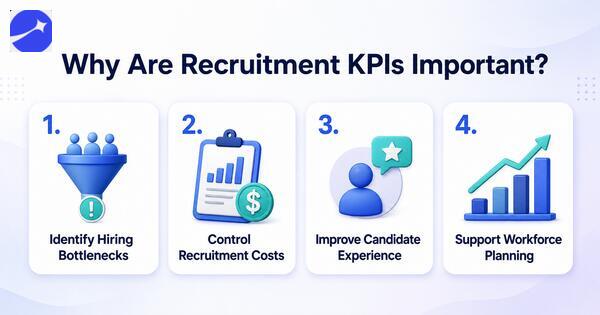
Recruiters can track how candidates move between different hiring stages.
A long delay between assessment and interview may show a scheduling problem. High candidate drop-off during assessments could indicate an unnecessarily lengthy test.
Job advertising, recruitment agencies and hiring technology all cost money. Managing these expenses can become a major recruitment challenge for growing teams.
Recruitment KPIs help companies compare spending with actual hiring outcomes. Teams can redirect resources when a channel repeatedly produces poor results.
Candidates notice slow communication and unnecessarily complicated hiring processes.
Metrics such as candidate drop-off and application completion can reveal where applicants encounter friction.
Historical recruitment data can help teams estimate how long certain positions usually take to fill.
Hiring managers can use this information when planning future recruitment needs.
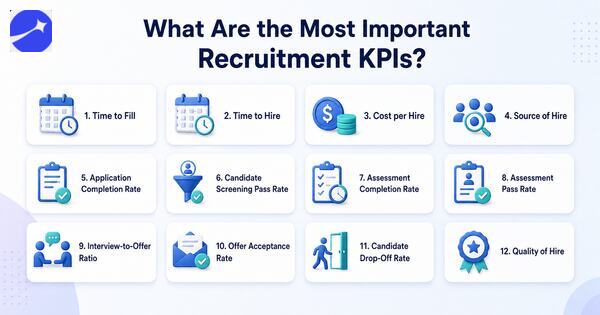
Time to fill measures the number of days between opening a position and successfully filling it.
Time to fill = Date offer is accepted − Date position is opened
This KPI provides insight into the overall efficiency of the recruitment process.
A consistently high time to fill may indicate sourcing difficulties or slow internal approvals. Specialized roles may naturally require longer hiring periods so teams should compare similar positions.
Time to hire focuses specifically on the candidate journey.
It measures the period between a candidate entering the recruitment process and accepting an employment offer.
Time to hire = Offer acceptance date − Candidate entry date
A long time to hire can increase the risk of losing strong candidates to other employers.
Recruiters can break this KPI down by stage to identify where candidates spend the most time.
Cost per hire measures the average recruitment spending required to make one successful hire.
A basic calculation is:
Cost per hire = Total recruitment costs ÷ Total number of hires
Costs may include job advertisements, recruitment agency fees, assessment platforms and other hiring expenses.
Tracking this KPI over time can help companies identify expensive recruitment processes and evaluate whether spending produces suitable hires.
Source of hire shows which recruitment channels produce successful candidates.
Common sources include employee referrals, job boards, career pages, recruitment agencies and professional networks.
Application volume alone should not determine source performance.
One platform may generate 1,000 applications but only two hires. Another may produce 100 applications and 10 hires. Comparing eventual outcomes gives recruiters a more meaningful view of source effectiveness.
Application completion rate measures how many candidates finish an application after starting it.
Application completion rate = Completed applications ÷ Started applications × 100
A low completion rate may indicate that the application is too lengthy or difficult to use.
Recruiters can review unnecessary questions and technical issues when candidates repeatedly abandon the process at this stage.
Candidate screening pass rate shows the percentage of applicants who progress beyond initial screening.
Screening pass rate = Candidates passing screening ÷ Candidates screened × 100
A very low pass rate may suggest that sourcing channels attract poorly matched candidates.
An unusually high rate may indicate that screening criteria are too broad to create a useful shortlist.
Many organizations use technical or job-specific assessments during candidate screening.
Assessment completion rate shows how many invited candidates finish the test.
Assessment completion rate = Completed assessments ÷ Assessment invitations × 100
Low completion deserves investigation. The assessment may be too long or instructions may be unclear. Delayed invitations and technical problems can also contribute to candidate drop-off.
Assessment pass rate measures how many candidates meet the predefined assessment criteria.
A very low pass rate may indicate a mismatch between sourcing criteria and actual job requirements. This can be especially important during a remote hiring assessment, where the test must closely reflect the role.
Recruiters should also review whether the assessment accurately reflects the job before changing candidate screening requirements.
Interview-to-offer ratio shows how efficiently screening produces candidates suitable for an employment offer.
Suppose recruiters interview 30 candidates and make five offers. The ratio is six interviews for every offer.
A consistently high ratio may indicate weak initial screening or unclear interview criteria.
Teams can examine earlier recruitment stages before simply adding more interviews.
Offer acceptance rate measures the percentage of employment offers candidates accept.
Offer acceptance rate = Accepted offers ÷ Total offers made × 100
Frequent offer rejection can indicate several problems.
Compensation may not match candidate expectations. The recruitment process may also take too long or fail to communicate important employment conditions early enough.
Tracking rejection reasons provides additional context.
Candidate drop-off rate shows where applicants voluntarily leave the recruitment process.
Drop-off can happen during applications, assessments or interview stages.
Candidate drop-off rate = Candidates leaving a stage ÷ Candidates entering that stage × 100
Recruiters should measure drop-off by stage rather than only across the entire recruitment funnel.
A sudden increase at one point can reveal a specific problem that needs attention.
Quality of hire attempts to measure how successfully new employees perform after recruitment.
Companies may combine several indicators such as early performance results, hiring manager feedback and retention.
There is no single quality-of-hire formula that works for every organization. Companies should define the metric based on measurable outcomes relevant to their positions.
Recruitment teams can then compare these outcomes with sourcing and screening data to understand which processes produce successful hires.
| Recruitment KPI | What it measures | Why it matters |
| Time to fill | Time required to fill a vacancy | Shows overall hiring efficiency |
| Time to hire | Candidate hiring journey | Identifies process delays |
| Cost per hire | Recruitment spending per hire | Measures cost efficiency |
| Source of hire | Channels producing hires | Improves sourcing decisions |
| Application completion | Completed applications | Reveals application friction |
| Screening pass rate | Candidates passing screening | Evaluates screening effectiveness |
| Assessment completion | Candidates completing tests | Identifies assessment drop-off |
| Interview-to-offer ratio | Interviews needed per offer | Evaluates shortlist quality |
| Offer acceptance | Accepted employment offers | Shows offer effectiveness |
| Candidate drop-off | Candidates leaving the process | Identifies funnel friction |
| Quality of hire | Post-hire outcomes | Connects recruitment with hiring results |
Recruitment KPIs become particularly valuable when mapped to different stages of the recruitment funnel.
At the sourcing stage, recruiters can measure source of hire and application volume. Application completion shows whether candidates successfully enter the process.
Screening pass rates reveal how well the initial candidate pool matches job requirements. Assessment completion and pass rates provide information about candidate engagement and skills.
Interview-to-offer ratios show whether earlier screening stages are producing suitable candidates. Offer acceptance then measures the final conversion before hiring.
Connecting these KPIs creates a complete picture of candidate movement rather than a collection of isolated numbers.
Make recruitment KPI tracking more accurate and actionable with HyreNet’s data-backed hiring platform. Measure hiring efficiency, candidate quality, funnel performance, assessment outcomes, and recruiter productivity through smarter workflows that help hiring teams make faster and better talent decisions.
Identify the question before selecting a KPI.
A team struggling with recruitment speed should examine time to hire and stage duration. A company receiving many unsuitable applications should focus on source quality and screening pass rates.
Teams should agree on when each metric starts and ends.
Time to hire becomes difficult to compare when different recruiters use different starting points.
Consistent definitions create more reliable recruitment reporting.
Hiring conditions differ significantly between positions.
A specialized technical role should not automatically be compared with an entry-level position. Benchmarking similar roles provides more meaningful information.
One recruitment cycle can produce unusual results.
Monitor KPIs over several hiring periods to identify patterns. A consistent decline in assessment completion deserves more attention than a temporary change during one recruitment campaign.
Every KPI should help answer a question or guide an improvement.
Collecting data without acting on it adds reporting work without improving hiring.
Recruitment metrics and recruitment KPIs are closely related but they are not always the same.
A recruitment metric measures an aspect of hiring. Application volume is one example.
A recruitment KPI is a metric connected to an important recruitment objective.
For example, application volume becomes particularly meaningful when the company’s goal is expanding its qualified candidate pool.
Teams may collect many recruitment metrics but should prioritize a smaller group of KPIs that reflect their main hiring goals.
Recruitment KPIs show what is working and where hiring needs improvement. Time to hire measures speed while cost per hire tracks efficiency. Candidate conversion and drop-off reveal movement through the funnel, and quality of hire connects recruitment with post-hire results.
The goal is simple: track the right KPIs, compare trends and use the findings to improve hiring decisions.

LinkedIn reports that companies making the most skills-based searches are 12% more likely to make a quality hire. This shows why hiring data matters beyond simply tracking applications.
Hiring teams collect information at almost every recruitment stage. They know where candidates come from, how long hiring takes and how applicants perform in assessments. The challenge is turning this data into better hiring decisions.
Recruitment analytics helps teams identify slow stages, compare sourcing channels and understand candidate progression. The goal is not to track every metric. It is to use the right data to answer specific recruitment questions.
This guide explains recruitment analytics, important metrics and practical ways to use recruitment data for better hiring decisions.
Recruitment analytics is the process of collecting and analyzing hiring data to understand recruitment performance.
It measures different parts of the candidate journey from sourcing and application to screening, interviews and hiring. Recruiters can then use these insights to identify patterns and improve their hiring process.
Consider a company receiving 1,000 applications for a technical position. Recruitment data may show that 400 candidates reach an assessment but only 100 complete it.
The completion rate tells recruiters where candidates are leaving. The next step is understanding why. The assessment may be too long or candidates may receive unclear instructions.
This is where recruitment analytics becomes useful. It turns hiring activity into measurable information that teams can investigate and improve.
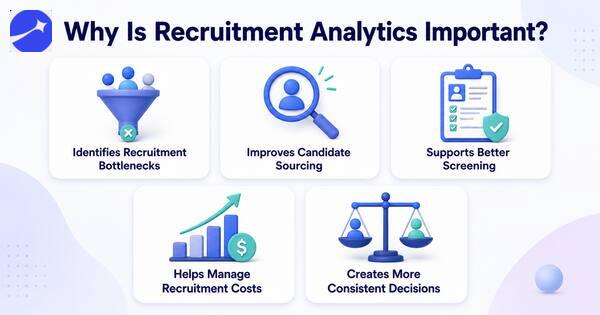
Recruitment analytics shows how long candidates spend at different stages.
A high time to hire may come from slow resume screening or delayed interviews. Identifying the exact stage allows recruiters to address the real problem.
Not every sourcing channel delivers the same results.
Recruiters can compare applications, qualified candidates, hiring assessment performance and eventual hires from job boards, referrals and other channels. This helps teams focus resources on sources that produce relevant candidates.
Screening data can reveal how candidates progress from applications to assessments and interviews.
A very low screening pass rate may indicate that the job advertisement is attracting unsuitable candidates. A very high pass rate may suggest that screening criteria are too broad.
Recruitment involves advertising costs, recruiter time and technology expenses.
Analytics helps companies understand what they spend to produce successful hires. Teams can then evaluate whether particular recruitment activities justify their cost.
Recruitment data gives hiring teams a common reference point.
Recruiters can use standardized assessment results and stage conversion data alongside interviews and other evidence. This reduces dependence on general impressions when evaluating the hiring process.
Make recruitment analytics more actionable with HyreNet’s data-backed hiring platform. Track key hiring metrics, improve candidate quality, reduce manual decision-making, identify recruitment bottlenecks, and build a smarter hiring workflow that helps teams make faster and more accurate talent decisions.
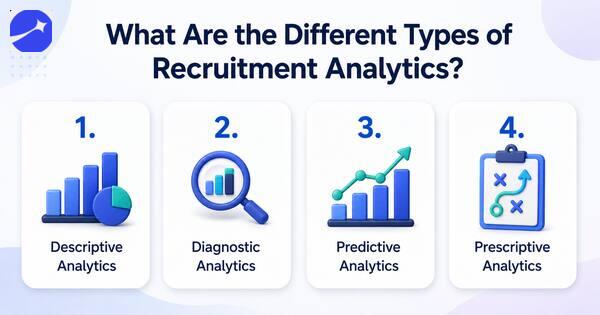
Descriptive analytics explains what has already happened.
It can answer questions such as:
This creates a baseline for understanding recruitment performance.
Diagnostic analytics examines why something happened.
Suppose assessment completion falls from 80% to 55%. Recruiters can investigate changes in assessment length, instructions or candidate communication.
This moves the analysis from identifying a problem to finding its possible cause.
Predictive recruitment analytics uses historical data and statistical models to estimate possible future outcomes.
For example, organizations may analyze previous hiring patterns to estimate future recruitment demand or expected time to fill.
Predictions should support planning rather than become automatic hiring decisions about individual candidates.
Prescriptive analytics focuses on possible actions.
Recruitment data may show that a particular sourcing channel produces qualified candidates at a lower cost. The team could then consider allocating more recruitment resources to that source.
Human judgment remains important when deciding how to act on these insights.
The right recruitment metrics depend on the question a hiring team wants to answer.
Several metrics are particularly useful for understanding overall recruitment performance.
Time to fill measures how long it takes to fill an open position.
It usually begins when a job is approved or opened and ends when a candidate accepts the offer.
A long time to fill can indicate sourcing difficulties or delays within the recruitment process.
Time to hire focuses on the candidate journey.
It measures the time between a candidate entering the hiring process and accepting an offer.
Tracking this metric helps teams understand how quickly suitable candidates move through screening, assessments and interviews.
Source of hire identifies where successful candidates originated.
Sources may include:
Recruiters can compare sources based on actual hiring outcomes rather than application volume alone.
Cost per hire measures the average recruitment cost associated with making a hire.
A simplified calculation is:
Cost per hire = Total recruitment costs ÷ Number of hires
Recruitment costs may include advertising, agency fees and recruitment technology expenses.
Candidate conversion rate measures how many applicants progress from one recruitment stage to another.
For example:
Stage conversion rate = Candidates reaching next stage ÷ Candidates entering current stage × 100
Suppose 200 candidates complete an assessment and 50 progress to interviews. The assessment-to-interview conversion rate is 25%.
Large changes between stages can highlight areas that need closer review.
Assessment completion rate measures how many invited candidates actually finish an assessment.
A low rate may indicate that the assessment is too long or poorly communicated. Technical problems can also affect completion.
This metric compares the number of candidates interviewed with the number receiving offers.
A team conducting 40 interviews to make two offers may need to examine its screening criteria.
Better early-stage screening can help recruiters spend interview time on more relevant candidates.
Offer acceptance rate measures the percentage of employment offers candidates accept.
A declining rate can indicate issues with compensation or hiring speed. Candidate expectations may also be misaligned earlier in the recruitment process.
Candidate drop-off measures how many applicants leave before completing a recruitment stage.
High drop-off during an application or assessment can become a major recruitment challenge. It may indicate that the process is too lengthy, unclear or difficult to complete.
| Recruitment metric | What it tells recruiters |
| Time to fill | How long positions remain open |
| Time to hire | How quickly candidates move through hiring |
| Source of hire | Which channels produce successful hires |
| Cost per hire | Average recruitment spending per hire |
| Conversion rate | How candidates progress between stages |
| Assessment completion | How many candidates finish assigned tests |
| Interview-to-offer ratio | How effectively screening produces strong interview candidates |
| Offer acceptance rate | How often candidates accept offers |
| Candidate drop-off | Where applicants leave the hiring process |
These metrics become more useful when analyzed together rather than separately.
Recruitment analytics can track performance across the entire hiring funnel.
At the sourcing stage, recruiters can compare candidate volume and source quality. During screening, they can monitor pass rates and processing time.
Assessment analytics can show completion rates and score distributions. Interview data can reveal how many candidates progress to offers.
Offer data then shows acceptance rates and hiring outcomes.
Connecting these stages gives recruiters a clearer view of the complete candidate journey.
For example, a sourcing channel may generate 500 applications but only five interviews. Another may generate 100 applications and produce 20 interviews.
The second source may provide greater value despite delivering fewer applicants.
Candidate screening generates valuable data about applicant progression.
Recruiters can analyze screening pass rates and assessment scores to understand whether their criteria are working as intended.
Suppose most applicants pass resume screening but fail the technical assessment. This could indicate that resume screening criteria do not accurately identify the required technical abilities.
Recruiters could then refine initial screening requirements or introduce a shorter skills check earlier.
Analytics therefore creates a feedback loop. Teams can measure results and adjust the process based on evidence.
AI can help recruitment teams process larger amounts of hiring data and identify patterns that may be difficult to spot manually.
AI-powered recruitment platforms may organize candidate data or identify unusual changes in recruitment metrics. Some tools can also summarize funnel performance and highlight stages with high drop-off.
However, AI-generated insights still require interpretation.
Recruiters should understand which data the system uses and how recommendations are generated. Human oversight becomes especially important when analytics influences decisions about individual candidates.
Collecting more data does not automatically improve recruitment.
Teams need a structured approach.
Define what you want to understand before selecting a metric.
A team struggling with slow hiring might focus on time to hire and stage duration. A team facing candidate drop-off may analyze application and assessment completion.
Metrics become difficult to compare when teams define them differently.
Establish consistent definitions for stages such as application, screening, assessment, interview and offer.
Avoid evaluating metrics in isolation.
High application volume may look positive until screening data reveals that most applicants are unsuitable.
Connecting sourcing, screening and hiring outcomes creates more useful insights.
A recruitment analytics dashboard can bring important metrics into one view.
Recruiters can monitor time to hire, candidate conversion and assessment completion without manually combining multiple spreadsheets.
Keep dashboards focused on metrics that support actual decisions.
A single month rarely provides enough context.
Compare recruitment performance across several hiring periods. Trends can reveal whether changes to screening, sourcing or remote hiring assessment workflows are producing sustained improvements.
Recruitment analytics relies on personal candidate information.
Organizations should establish appropriate access controls and retention policies. Teams should also understand how recruitment technology providers process and store candidate data.
Recruitment analytics turns hiring data into information recruiters can use to improve their processes.
Metrics such as time to hire, cost per hire and candidate conversion show what is happening across the recruitment funnel. Assessment completion and candidate drop-off can reveal where applicants encounter friction.
The strongest approach starts with a clear hiring question. Recruiters can then select relevant metrics and connect data across sourcing, screening, assessments and interviews.
Recruitment analytics is not about collecting the largest possible amount of data. It is about using the right data to make hiring processes more efficient and informed.

Hiring rarely happens in one step. A candidate may discover a vacancy today, apply tomorrow, and complete several screening stages before receiving an offer. Some candidates move forward while others leave or get screened out at different points.
A recruitment funnel helps employers understand this entire journey. It organizes hiring into measurable stages from attracting candidates to making successful hires.
Recruiters can use the funnel to see where candidates drop off and which stages create delays. They can then improve weak points instead of making changes across the entire hiring process.
This guide explains the recruitment funnel stages, important metrics and practical ways to build a more efficient hiring process.
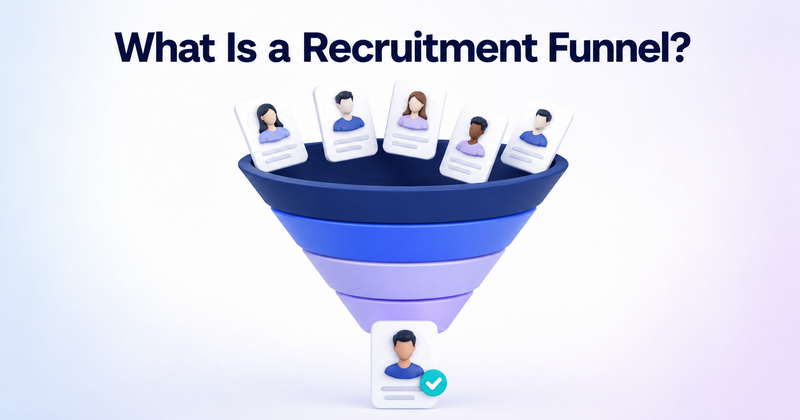
A recruitment funnel is a framework that represents how candidates move through different stages of the hiring process.
The funnel is wider at the top because many people may discover or apply for a position. It gradually becomes narrower as candidates are screened, assessed and interviewed. A smaller group eventually receives offers and joins the company.
A typical recruitment funnel includes:
Companies may combine or expand these stages based on their recruitment process. The purpose of the funnel is not simply to reduce candidate numbers. It helps recruiters understand how effectively suitable candidates move from one hiring stage to another.
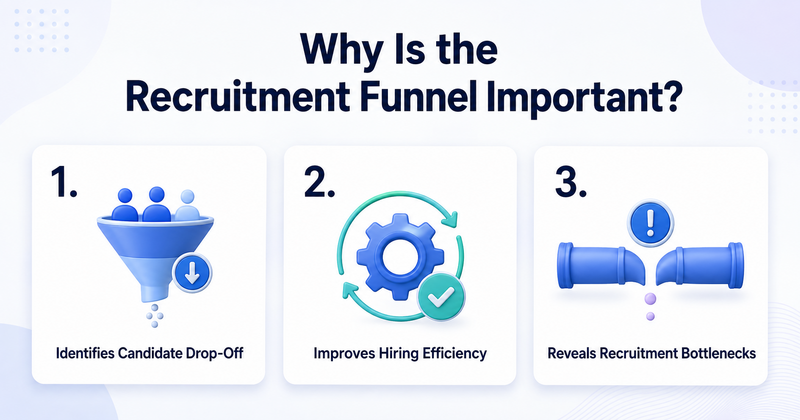
Candidates may leave during applications, assessments or interviews.
Tracking each stage shows where drop-off is highest. Recruiters can then investigate whether long forms, difficult assessments or slow communication are creating unnecessary friction.
A vacancy receiving 1,000 applications may appear successful. However, application volume means little when very few applicants meet the job requirements.
Recruitment funnel analysis helps teams evaluate the quality and movement of candidates instead of focusing only on volume.
Candidates may complete screening quickly but wait several days for an interview. This delay can become a major recruitment challenge when strong candidates are also considering other opportunities.
Funnel data makes these delays easier to identify. Recruiters can then focus on the stage responsible for slowing down the hiring process.
Make every stage of your recruitment funnel easier to track with HyreNet’s data-backed hiring platform. Monitor candidate movement, identify hiring bottlenecks, reduce drop-offs, improve screening accuracy, and build a structured recruitment workflow that helps teams hire faster with better talent decisions.
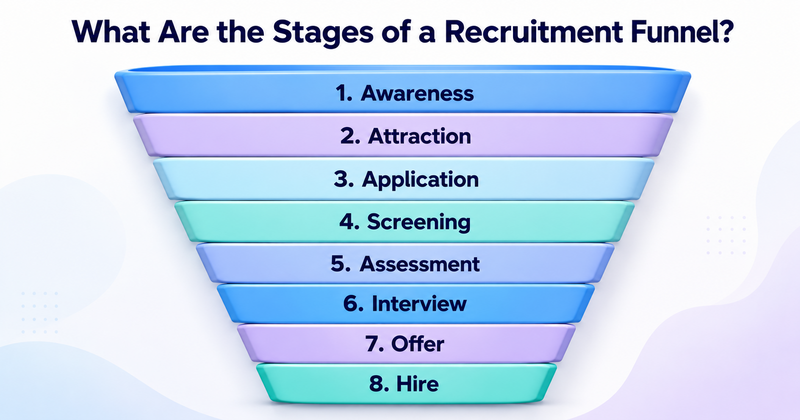
Every organization has a slightly different hiring process. However, most recruitment funnels follow several core stages.
The recruitment funnel begins before candidates apply.
Potential applicants first need to discover the company or vacancy. Awareness can come through job boards, social media, employee referrals, career pages or recruitment campaigns.
A clear employer presence helps potential candidates understand what the company offers and what opportunities are available.
Awareness does not automatically create applications.
Candidates need enough information to decide whether the position deserves their attention. Salary transparency, responsibilities, location and required skills can influence this decision.
Job descriptions should explain what the role actually involves. Vague descriptions may attract large numbers of unsuitable candidates or discourage qualified applicants.
Interested candidates enter the recruitment funnel by submitting an application.
This stage should be simple and accessible. Requiring candidates to repeatedly enter information already available on their resumes can create unnecessary friction.
Recruiters should collect enough information for initial screening without making the application unnecessarily long.
Candidate screening determines which applicants meet the essential requirements.
Recruiters may review resumes, application responses or basic eligibility criteria. Screening calls can also verify important information before candidates move forward.
Automated AI tools may help organize high application volumes. However, recruiters should maintain oversight when technology influences candidate progression.
Assessments provide evidence beyond the resume.
Depending on the role, candidates may complete:
The assessment should measure abilities that directly relate to the position.
A software developer might complete a coding challenge. A content writer may receive an editing exercise. A sales candidate could respond to a realistic customer scenario.
Candidates who meet the screening and assessment criteria progress to interviews.
Structured interviews work particularly well because each candidate receives the same core questions. Recruiters can compare responses against predefined criteria instead of relying entirely on general impressions.
Some companies use multiple interview rounds. Each round should have a clear purpose to avoid making the recruitment funnel unnecessarily long.
The strongest candidate or candidates receive an employment offer.
Recruiters should communicate salary, benefits, joining expectations and other important terms clearly.
Offer acceptance also provides useful recruitment funnel data. Frequent offer rejections may indicate problems with compensation, hiring speed or candidate expectations.
The funnel ends when the selected candidate accepts the offer and joins the organization.
However, recruitment teams can continue tracking early retention and onboarding outcomes.
A candidate who accepts an offer but leaves quickly may indicate a mismatch that began earlier in the recruitment process.
Consider a company hiring software developers.
| Recruitment funnel stage | Candidates |
| Job page visitors | 2,500 |
| Applications | 600 |
| Resume screening passed | 180 |
| Assessment completed | 130 |
| Assessment passed | 55 |
| Interviewed | 25 |
| Offers made | 8 |
| Offers accepted | 6 |
The numbers alone do not show whether the funnel is performing well.
Recruiters should examine conversion between stages.
A sharp decline between assessment invitations and completions may indicate candidate drop-off. A large number of interviews with very few offers could indicate weak screening or unclear interview criteria.
Recruitment funnel metrics help teams understand where hiring is working and where improvement is needed.
| Metric | What it measures |
| Application completion rate | Percentage of candidates who finish an application |
| Screening pass rate | Percentage progressing beyond initial screening |
| Assessment completion rate | Percentage completing assigned assessments |
| Assessment pass rate | Percentage meeting the required assessment score |
| Interview-to-offer ratio | Number of interviews required to produce an offer |
| Offer acceptance rate | Percentage of offers accepted |
| Candidate drop-off rate | Percentage leaving before completing a stage |
| Time to hire | Time between entering the hiring process and accepting an offer |
Teams should interpret these metrics together. A single number rarely explains the entire recruitment process.
Conversion rate shows how many candidates move from one stage to the next.
The basic calculation is:
Recruitment funnel conversion rate = Candidates reaching the next stage ÷ Candidates entering the current stage × 100
Suppose 200 candidates complete an assessment and 50 progress to interviews.
The assessment-to-interview conversion rate is 25%.
Recruiters can compare conversion rates across roles or hiring periods. Major changes can reveal problems that deserve closer investigation.
Candidate drop-off can happen at almost every stage.
Common causes include lengthy application forms, irrelevant assessments and unclear job descriptions. Slow recruiter responses can also cause strong candidates to accept opportunities elsewhere.
High drop-off should therefore trigger investigation rather than an immediate assumption that candidates lacked interest.
Recruiters can review candidate feedback and stage completion data to understand what is happening.
Recruitment funnel optimization focuses on removing unnecessary friction while maintaining hiring quality.
Set expectations before candidates apply.
Explain responsibilities, required skills and important employment conditions clearly. This can reduce unsuitable applications and improve the quality of the initial candidate pool.
Ask only for information needed during the early hiring stage.
Long application forms can discourage candidates before recruiters have an opportunity to evaluate them.
Define essential requirements before applications arrive.
Structured screening criteria help recruiters identify suitable candidates consistently and prevent unnecessary interviews.
Assessments should reflect real responsibilities.
Short and focused assessments can provide useful evidence without creating an excessive burden for candidates.
Every interview should answer a specific hiring question.
Multiple rounds covering the same information extend time to hire and may increase candidate drop-off.
Candidates should know where they are in the process.
Application confirmations, assessment instructions and interview updates can improve transparency. Automated communication can handle routine updates while recruiters remain available for important conversations.
Recruitment funnel optimization is an ongoing process.
Compare stage conversion rates and drop-off patterns over time. Look for stages where qualified candidates repeatedly leave or where processing takes unusually long.
Changes should target specific problems identified through the data.
Recruitment technology can connect different stages of the hiring process.
An applicant tracking system can centralize candidate information. Assessment platforms can automatically send role-based tests. Scheduling software can help qualified candidates book interviews without repeated email exchanges.
Recruitment analytics can then show how candidates progress across these stages.
Automation is most valuable for repetitive tasks and process visibility. Recruiters should remain responsible for decisions that require context and human judgment.
The terms recruitment funnel and recruitment pipeline are sometimes used interchangeably. However, they emphasize different aspects of hiring.
A recruitment funnel focuses on how candidate numbers narrow as applicants progress through hiring stages.
A recruitment pipeline focuses more on the movement and status of individual candidates throughout those stages.
Recruiters can use both concepts together. The funnel helps analyze overall hiring performance while the pipeline helps manage individual candidates.
A recruitment funnel turns hiring into a structured and measurable process. It shows how candidates move from initial awareness through applications, screening, assessments, interviews and offers before becoming hires.
The real value comes from analyzing what happens between these stages.
Recruiters should track conversion rates, candidate drop-off, assessment completion and offer acceptance. These metrics can expose unnecessary delays and weak screening stages.
A strong recruitment funnel does not simply produce more applicants. It helps qualified candidates move through a clear and efficient process while giving recruiters better evidence for hiring decisions.

A strong resume does not always mean a strong candidate. Applicants can have similar qualifications on paper yet perform very differently once they start working. Recruiters therefore need a reliable way to identify candidates who genuinely match the role.
Candidate screening helps hiring teams narrow a large applicant pool into a smaller group of qualified candidates. The process can include resume screening, skills assessments, screening calls, and structured evaluation methods.
Effective screening also saves time later in the hiring process. Recruiters can focus interviews on candidates who have already demonstrated relevant skills or experience.
This guide explains how candidate screening works and explores the best methods for identifying top talent:
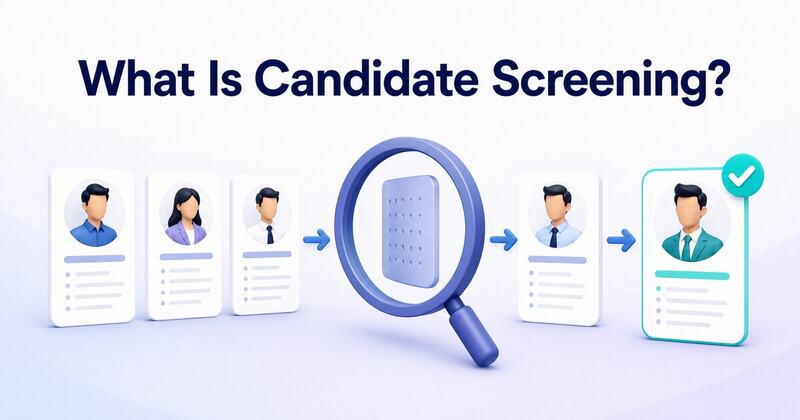
Candidate screening is the process of evaluating job applicants to determine who should move forward in the hiring process. It usually happens after applications are received and before detailed interviews begin.
Recruiters compare candidates against predefined job requirements. These requirements may include technical skills, relevant experience, qualifications or other role-specific competencies.
The goal is not simply to remove applicants. Effective screening identifies candidates who have meaningful evidence of their ability to perform the job.
A typical candidate screening process may involve:
Each stage should answer a specific question about the candidate’s suitability.
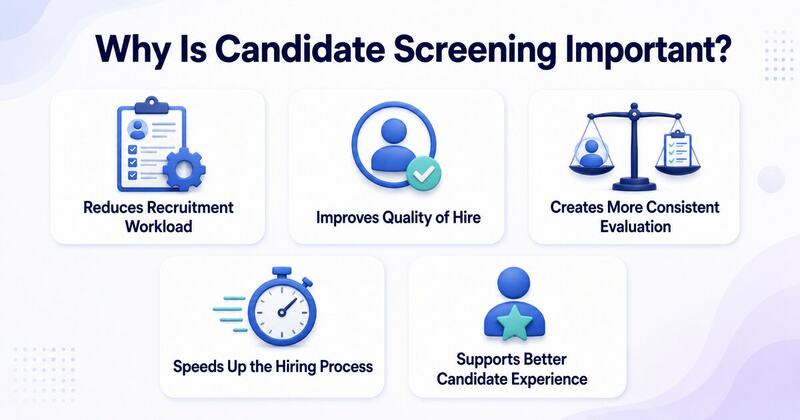
Screening helps recruiters identify unsuitable applications before investing time in detailed interviews.
This becomes particularly important during high-volume recruitment. Hiring teams can prioritize candidates who meet the essential requirements instead of reviewing every application with the same level of detail.
A candidate may have an impressive resume without possessing the practical skills required for the position.
Adding skills assessments, technical assessments and job-related screening methods gives recruiters more evidence before making interview decisions.
Unstructured screening can vary significantly between recruiters.
One recruiter may prioritize education while another focuses on previous employers. Clear screening criteria give hiring teams a common framework for evaluating candidates.
Poor screening can fill interview calendars with candidates who do not match the position.
Effective candidate screening narrows the applicant pool earlier. Recruiters can spend their interview time on candidates with stronger potential.
Long hiring processes can frustrate applicants.
Clear screening stages help candidates understand what comes next. Timely updates also prevent applicants from waiting unnecessarily for a decision.
Make candidate screening smarter and more accurate with HyreNet’s data-backed hiring platform. Screen applicants faster, identify top talent with structured assessments, reduce manual review, improve hiring efficiency, and build a reliable recruitment workflow that supports better hiring decisions.
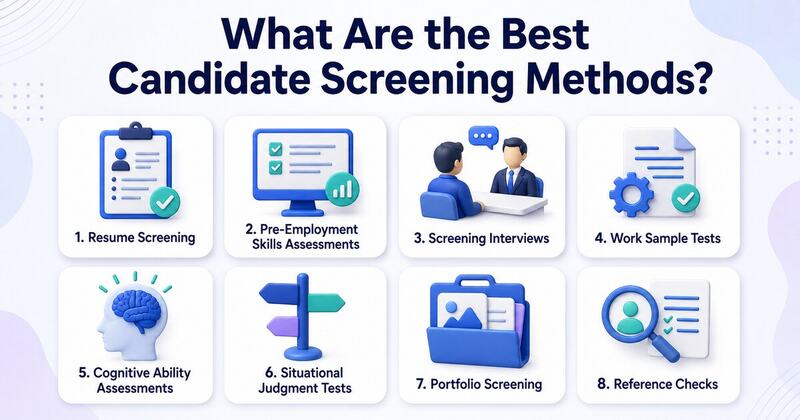
There is no single candidate assessment method that works for every job. The right approach depends on the skills and responsibilities associated with the position.
The following candidate assessment methods can provide recruiters with different types of evidence.
Resume screening is usually the first step.
Recruiters review applications for essential qualifications, relevant experience and job-related skills. Applicant tracking systems can also help organize resumes or filter applications using predefined requirements.
However, resumes should not become the only screening method.
A resume tells recruiters what candidates say they have done. It does not always demonstrate how well they can perform a task.
Recruiters should therefore use resume screening as an initial filter rather than a complete evaluation.
Skills assessments evaluate whether candidates can perform tasks related to the actual position.
A software developer might complete a coding assessment. A content writer could complete an editing exercise. A data analyst may need to interpret a dataset and explain the findings.
Assessments can measure:
The assessment should closely reflect the responsibilities candidates would handle after joining.
A short screening interview helps recruiters verify information before arranging a detailed interview.
These conversations can cover availability, relevant experience, role expectations and basic job requirements.
Recruiters should use a consistent set of core questions across candidates applying for the same position. This makes responses easier to compare.
Work samples ask candidates to complete a realistic task similar to something they would perform on the job.
A designer may create a small visual concept. A salesperson might prepare a mock sales pitch. A customer support candidate could respond to a sample customer complaint.
This method moves screening beyond claims on a resume.
Recruiters can see how candidates approach realistic work and evaluate the final output using predefined criteria.
The task should remain reasonable in scope. Screening exercises should not become unpaid project work.
Some positions require strong numerical reasoning, logical thinking or problem-solving ability.
Cognitive assessments can help measure these abilities through standardized questions.
These tests should only be used when the abilities being measured have a clear connection to job performance. Employers should avoid adding assessments simply because they are available.
Situational judgment tests present candidates with realistic workplace scenarios.
Candidates choose or describe how they would respond to each situation.
For example, a customer service candidate might receive a scenario involving an unhappy customer. The response can show how the applicant prioritizes communication and problem resolution.
These assessments can be useful for roles where workplace decisions form an important part of everyday responsibilities.
Portfolios provide direct evidence of previous work.
They are particularly valuable for writers, designers, developers and other professionals whose output can be demonstrated through completed projects.
Recruiters should evaluate portfolios against consistent criteria rather than relying entirely on personal preferences.
Reference checks usually happen later in candidate screening.
They can help verify employment details and provide additional context about previous responsibilities.
Reference checks work best as supporting evidence. They should not replace skills assessments or structured interviews.
Different screening methods answer different hiring questions.
| Screening Method | What It Evaluates | Best Used For |
| Resume screening | Experience and qualifications | Initial filtering |
| Skills assessment | Practical ability | Technical and skill-based roles |
| Screening interview | Basic suitability and expectations | Early candidate verification |
| Work sample | Realistic job performance | Practical and creative roles |
| Cognitive assessment | Reasoning and problem solving | Roles requiring analytical thinking |
| Situational judgment test | Workplace decision making | Customer-facing and operational roles |
| Portfolio review | Previous work quality | Creative and technical positions |
| Reference check | Previous employment information | Later-stage verification |
Automated candidate screening uses recruitment technology to support repetitive parts of the screening process.
An applicant tracking system may organize candidates based on predefined requirements. Assessment platforms can automatically send tests after applicants reach a certain stage. Scheduling tools can then invite shortlisted candidates to screening interviews.
Automation can be particularly useful when application volumes are high.
However, automated screening should not mean automatic decision-making.
Recruiters should understand the criteria being used and regularly review screening outcomes. Human oversight remains important when technology influences who progresses through the recruitment process.
Good candidate screening begins before the first resume arrives.
Start by identifying what successful performance actually requires.
Separate essential requirements from skills that can be learned after hiring. This prevents recruiters from rejecting promising candidates based on unnecessary criteria.
Decide how candidates will be evaluated before reviewing applications.
For example, a technical position may include minimum technical knowledge followed by a coding assessment and structured interview.
Using the same core criteria improves consistency.
Every assessment should have a purpose.
Do not give candidates a lengthy numerical reasoning test when numerical reasoning has little relevance to the role.
Job-related assessments produce more useful screening information and create a more reasonable candidate experience.
Define how responses or assessments will be scored before evaluation begins.
A work sample might be rated on accuracy, task completion and role-specific skills.
Structured scoring makes candidate comparisons clearer and reduces reliance on general impressions.
More screening does not automatically mean better screening.
Too many assessments or interview stages can increase candidate drop-off. Use only the steps needed to gather meaningful hiring evidence.
One screening method rarely provides a complete picture.
A resume may demonstrate experience while an assessment demonstrates practical ability. A structured interview can then provide additional context.
Combining relevant evidence can support a more informed decision.
Track what happens to candidates after they pass screening.
Recruiters can compare screening scores with interview performance and eventual hiring outcomes. This can reveal whether current screening methods are identifying suitable candidates.
| AI tool | How it supports candidate screening |
| AI resume parser | Extracts skills, education, experience and contact details from resumes in a structured format. |
| AI resume screening tool | Matches candidate profiles with job requirements and helps recruiters shortlist relevant applicants faster. |
| Applicant tracking system | Centralizes applications and tracks each candidate through the hiring pipeline. |
| Skills assessment platform | Sends role-based tests and compares candidate performance through standardized scores. |
| AI chatbot | Answers basic candidate questions and collects initial screening details before recruiter review. |
| Interview scheduling tool | Lets shortlisted candidates choose available slots and reduces back-and-forth emails. |
| Video interview analysis tool | Helps review recorded interviews with structured evaluation support. Recruiters should use it carefully with human oversight. |
| Recruitment analytics dashboard | Tracks screening metrics such as pass rates, drop-off points, time to screen and assessment completion. |
Even a structured process can become ineffective when screening criteria are poorly designed.
Technology can improve candidate screening through an AI-powered recruitment automation platform. It can parse resumes, match candidate profiles with job descriptions and rank applicants based on role-specific requirements.
A modern candidate assessment platform can also deliver coding tests, aptitude tests, communication tasks, domain-based quizzes and situational judgment tests. These assessments give recruiters measurable proof of skills instead of depending only on resumes.
Automation also helps with one common recruitment challenge. It reduces manual follow-ups by sending test links, reminders and status updates automatically. Recruiters can then track completion rates, scores and shortlisted profiles from one dashboard.
This makes screening faster and more structured. Recruiters still review the final context before making hiring decisions.
Candidate screening helps recruiters turn a large applicant pool into a focused shortlist of qualified candidates.
Resume screening can identify basic eligibility while skills assessments and work samples provide evidence of practical ability. Structured screening interviews and situational assessments can add further context.
The best approach combines relevant screening methods with clear evaluation criteria. It also keeps the process short enough to maintain candidate engagement.
Effective candidate screening is not about finding the most impressive resume. It is about identifying candidates who can demonstrate the skills and capabilities needed to succeed in the role.

Recruiters spend a significant part of their day on repetitive administrative work. They review applications, schedule interviews, send follow-ups and update candidate records. These tasks are essential but they can leave less time for meaningful candidate conversations and hiring decisions.
Recruitment automation changes this process by using software to handle repetitive and rule-based hiring tasks. It can help recruiters screen applications faster and maintain consistent communication throughout the hiring journey.
However, automation works best when it supports recruiters rather than replacing their judgment. Companies need to understand where automation adds value and where human involvement remains essential.
This guide explains recruitment automation, its benefits and challenges and the best practices for implementing it effectively.
Recruitment automation is the use of technology to automate repetitive tasks within the hiring process. These tasks can include candidate sourcing, resume screening, interview scheduling, assessment management and candidate communication.
Recruitment teams can define rules or workflows for specific hiring activities. The system then completes those activities automatically when certain conditions are met.
Consider a company that receives 2,000 applications for 20 open positions. Reviewing every resume manually can take considerable time. Recruitment automation software can organize applications and identify candidates based on predefined job requirements. Recruiters can then focus their attention on the most relevant profiles.
Automation can support different stages of recruitment without removing recruiters from the decision-making process.
Recruitment automation connects different hiring activities through predefined workflows and software tools.
A typical automated recruitment process may work like this:
Make recruitment automation more efficient and candidate-friendly with HyreNet’s smart hiring platform. Automate repetitive screening tasks, streamline candidate evaluation, reduce manual workload, improve hiring accuracy, and build a structured recruitment process that helps teams hire faster without losing quality.
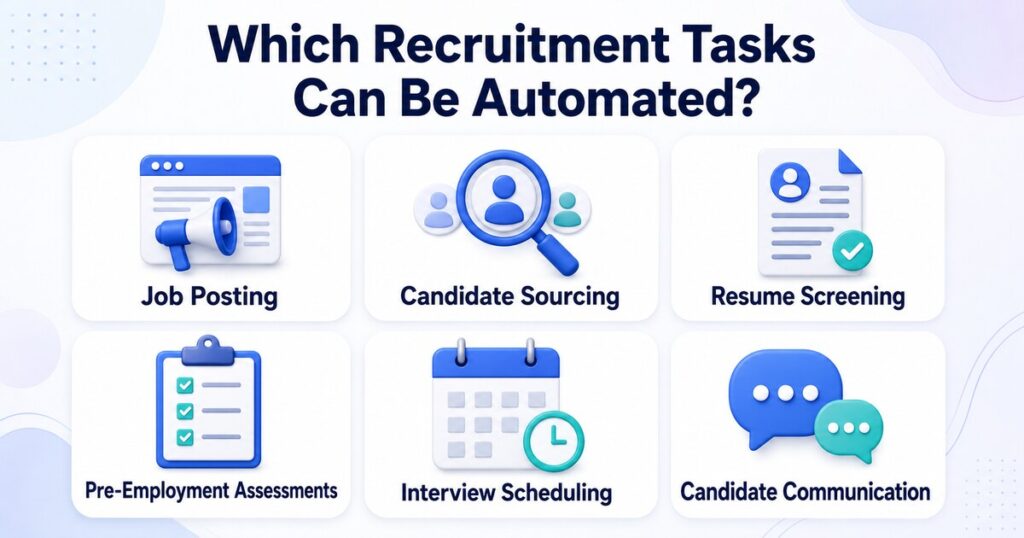
Not every recruitment activity should be automated. However, several repetitive tasks are well suited to automation.
Recruiters often advertise the same vacancy across several platforms. Recruitment automation tools can distribute job postings across selected channels from one system.
This saves time and helps teams maintain consistent job information across platforms.
Some recruitment tools can search talent databases or existing candidate pools based on predefined requirements.
Recruiters can use these recommendations as a starting point rather than searching every profile manually.
High-volume roles can attract hundreds or thousands of applications. Automated screening tools can organize applications based on job-related criteria such as skills, qualifications or experience.
Recruiters should still review shortlisted candidates before making important decisions.
Automation platforms can send technical, aptitude or job-specific technical assessments after candidates reach a particular recruitment stage.
Results can be collected within the same hiring workflow. This makes it easier for recruiters to compare candidates using consistent criteria.
Scheduling becomes complicated when recruiters need to coordinate multiple calendars.
Automated scheduling tools allow candidates to select available interview slots. Confirmation emails and reminders can also be triggered automatically.
Recruitment teams can automate application confirmations, interview reminders and basic status updates.
Candidates receive timely information while recruiters spend less time sending repetitive emails.
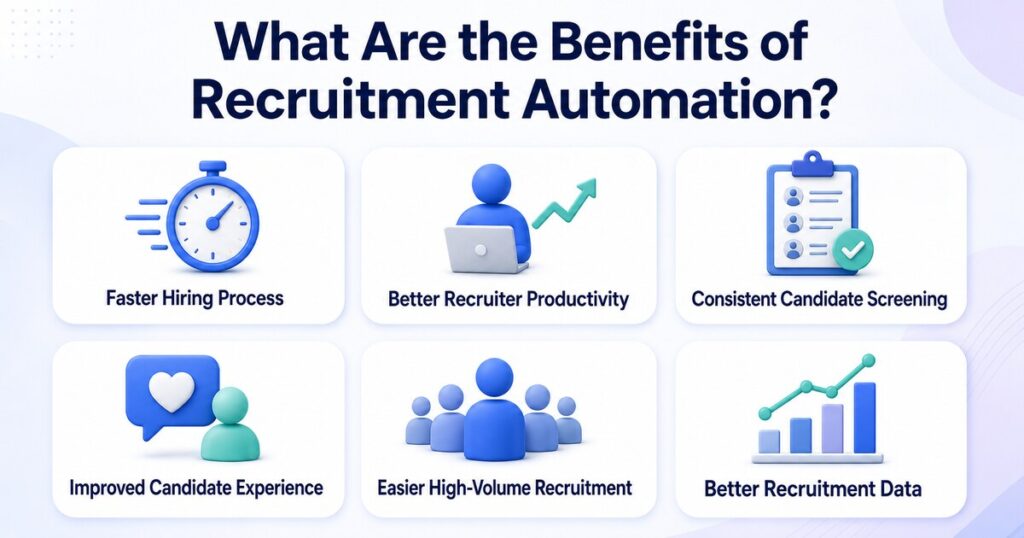
The value of recruitment automation goes beyond saving a few hours of administrative work. A well-designed system can improve several parts of the hiring process.
Manual screening and scheduling can create unnecessary delays.
Automation moves qualified candidates through routine recruitment stages more quickly. Recruiters can then spend more time evaluating applicants who require closer attention.
This can help reduce time to hire without rushing important hiring decisions.
Recruiters should spend their time understanding candidates and evaluating suitability rather than repeatedly updating spreadsheets or sending scheduling emails.
Automation handles many administrative tasks in the background. Recruiters can focus on interviews, candidate engagement and hiring strategy.
Different recruiters may interpret applications differently.
Structured automation can apply the same predefined screening criteria across applicants. A remote hiring assessment can also help teams evaluate candidates consistently across locations. This creates a more consistent initial evaluation process.
However, companies should regularly review those criteria to ensure they remain relevant and fair.
Candidates often become frustrated when they receive no updates after applying.
Automated confirmations and reminders can keep candidates informed throughout the recruitment process. Scheduling tools also reduce unnecessary back-and-forth communication.
A smoother process can create a more professional candidate experience.
Manual processes become difficult to manage when thousands of candidates apply within a short period.
Recruitment automation helps companies organize applications and assessments at scale. Recruiters can manage larger candidate pools without increasing repetitive administrative work at the same rate.
Automated recruitment systems can capture information across different hiring stages.
Teams can track metrics such as application volume, assessment completion, interview progression and time to hire. These insights can reveal bottlenecks within the recruitment funnel.
Recruitment automation can improve efficiency but poor implementation can create new problems.
Recruiters may assume an automated recommendation is always accurate.
A system can only work with the data and rules behind it. Poor criteria can lead to poor recommendations. Human review remains important for decisions that affect candidate progression.
Automated hiring systems may produce unfair outcomes when their underlying data or screening criteria contain bias.
Employers should regularly review screening rules and test automated systems for unintended patterns. Job-related criteria should guide candidate evaluation.
Automation can improve communication but excessive automation can make recruitment feel impersonal.
Candidates may become frustrated when every interaction is handled by templates or chatbots. Recruiters should remain available for questions and meaningful conversations.
Recruitment teams often use multiple platforms for sourcing, assessments, interviews and applicant tracking.
Poor integrations can create duplicate records or fragmented candidate information. Companies should evaluate compatibility before introducing another recruitment tool.
Recruitment systems process personal candidate information.
Companies need appropriate access controls and data retention policies. They should also understand how recruitment vendors collect, process and store candidate data.
The main difference lies in how repetitive work is managed.
| Area | Traditional Recruitment | Recruitment Automation |
| Resume screening | Primarily manual | Automated support with recruiter review |
| Interview scheduling | Emails and calls | Automated scheduling workflows |
| Candidate updates | Manually sent | Trigger-based communication |
| Assessments | Manually assigned | Automatically assigned |
| Data tracking | Spreadsheets or separate tools | Centralized workflow data |
| Scalability | Requires more manual effort | Handles higher volumes efficiently |
| Human involvement | Required across most tasks | Focused on higher-value decisions |
Automation does not remove the need for recruiters. It changes where recruiters spend their time.
Recruitment automation delivers better results when companies introduce it with a clear purpose.
Do not automate a process simply because automation is available.
Review the existing hiring workflow and identify where recruiters lose the most time. Common bottlenecks include resume screening, scheduling and repeated candidate follow-ups.
Start with the processes where automation can solve a measurable problem.
Technology can organize information and automate repetitive steps. It should not become the only decision-maker for hiring.
Recruiters should review candidate evidence before rejection or selection decisions. Human oversight becomes particularly important when automated systems influence candidate rankings.
Automated screening should focus on requirements that actually matter for the role.
A software developer may need specific programming knowledge. A customer support role may require communication and problem-solving skills.
Clear criteria make automated screening more meaningful.
Automated messages are useful for confirmations and reminders.
Sensitive conversations deserve direct human communication. Recruiters should personally handle complex questions, interview feedback and important hiring updates whenever appropriate.
Recruitment automation involves significant amounts of personal information.
Review vendor security standards before implementation. Define who can access candidate data and how long information should remain within the system.
Automation should produce measurable improvements.
Recruitment teams can monitor:
These metrics can show whether automation is solving the intended problem.
Hiring requirements change over time.
A screening rule that worked six months ago may no longer match the role. Teams should regularly review automated workflows and update criteria when job requirements change.
The best recruitment automation software depends on the company’s hiring volume and existing recruitment process.
Start by identifying the tasks that need improvement. A small company may primarily need automated scheduling and candidate communication. A large employer may require sourcing, screening, assessments and analytics within one workflow.
Evaluate each platform based on:
A long feature list does not automatically make a platform suitable. The right solution should reduce friction within the existing recruitment process.
Recruitment automation is becoming more intelligent as artificial intelligence becomes part of hiring technology.
AI tools can help recruitment teams organize candidate information and identify relevant skills. It can also support candidate matching and recruitment analytics.
The biggest opportunity is not removing recruiters from hiring. It is reducing administrative work so recruiters can spend more time on areas that require context and human judgment.
Organizations that combine structured automation with meaningful human involvement are more likely to create an efficient and candidate-friendly recruitment process.
Recruitment automation helps companies reduce repetitive hiring work and manage larger candidate pools more efficiently. It can support resume screening, assessments, interview scheduling, candidate communication and recruitment analytics.
However, automation should have clear boundaries. Poor screening rules or excessive reliance on automated recommendations can affect both hiring quality and candidate experience.
Start with genuine recruitment bottlenecks. Automate repetitive processes and measure the results. Keep recruiters involved wherever context, fairness and judgment matter.
The goal is not to automate recruitment completely. It is to give recruiters better tools so they can spend more time making better hiring decisions.

Nearly 79% of HR professionals believe skills assessment scores are as important as or more important than traditional hiring criteria. Yet many employers still rely heavily on resumes and interviews that may not reveal a candidate’s actual abilities.
A pre-employment assessment helps employers evaluate job-related skills, knowledge and workplace behaviour before making an offer. It supports faster screening and gives candidates a fair opportunity to demonstrate their abilities.
However, the assessment must reflect the actual role to deliver meaningful results. This guide explores the major types of pre-employment assessments along with their benefits and best practices.
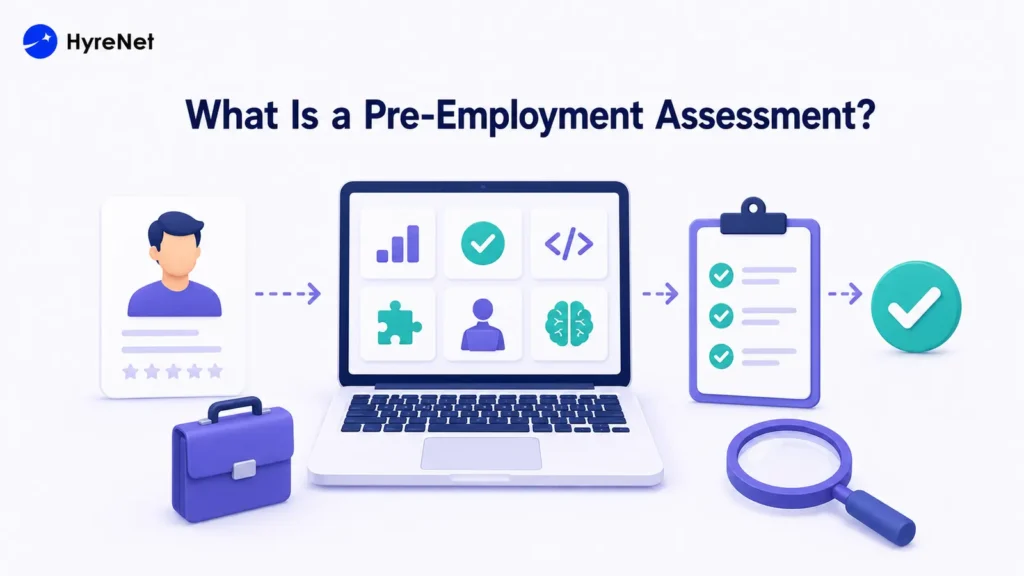
A pre-employment assessment is a structured test used to evaluate candidates before hiring. It measures job-related skills, knowledge, cognitive ability, communication or workplace judgment.
The assessment should reflect the role’s actual responsibilities. Employers should use it alongside resume screening, structured interviews and reference checks rather than as the only hiring method.
Resumes and interviews can be influenced by personal impressions. Different interviewers may also apply different standards.
A structured assessment gives candidates comparable tasks and uses predefined scoring criteria. This helps recruiters evaluate proven abilities and determine:
Assessment results help recruiters prioritize qualified candidates. Final decisions should also consider interviews, experience and other relevant evidence.
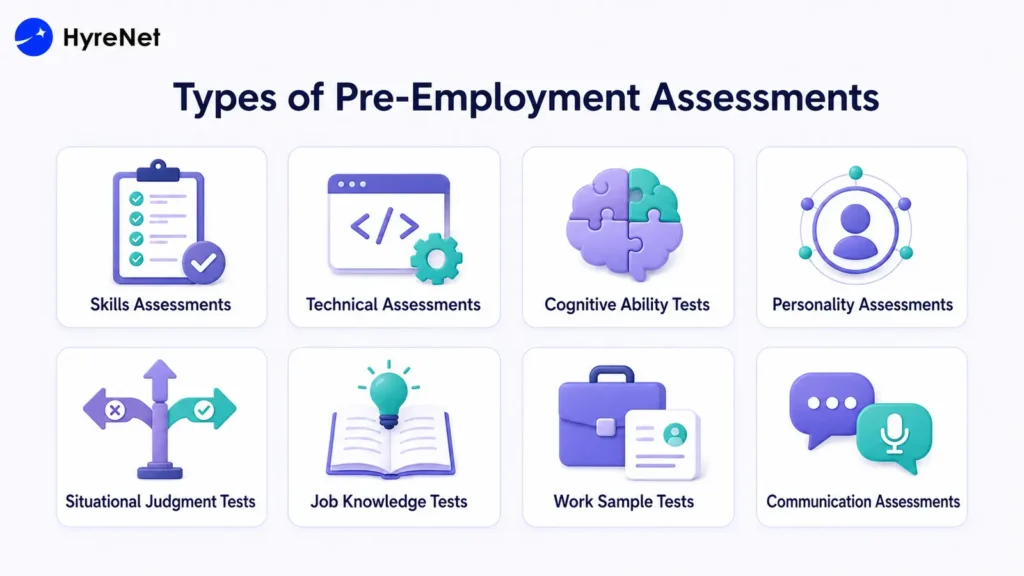
The right hiring assessment depends on the position. A developer may complete a coding test, while a customer service applicant may respond to support scenarios.
Skills assessments measure a candidate’s ability to complete practical job tasks.
Common examples include:
These assessments show whether candidates can apply their knowledge in realistic situations.
Technical assessments evaluate specialized knowledge required for roles in software development, engineering, cybersecurity, data science and IT.
They may include multiple-choice questions, coding challenges, debugging exercises or case studies. The difficulty should match the position’s seniority level.
Cognitive ability tests measure logical reasoning, numerical ability, verbal comprehension and problem-solving skills.
These tests can indicate how quickly candidates process information and learn new concepts. Questions should remain relevant to the role and avoid unnecessary complexity.
Personality assessments examine workplace preferences and behavioral tendencies such as dependability, adaptability and collaboration.
Employers should use these results as supporting evidence. Personality scores should not independently determine whether a candidate receives an offer.
Situational judgment tests present realistic workplace scenarios and ask candidates to select the most appropriate response.
They help measure decision-making, communication and conflict resolution. They also give applicants a clearer view of situations they may face in the role.
Job knowledge tests measure a candidate’s understanding of industry terms, regulations, procedures or professional practices.
They are most useful for positions that require candidates to possess essential knowledge before joining.
Work sample tests require candidates to complete a task similar to the actual job.
A marketer may create a campaign outline. A developer may build a small feature. An accountant may review a financial statement.
These tests provide direct evidence of job performance. Employers should keep assignments reasonable and avoid using unpaid candidate work commercially.
Communication assessments evaluate written or verbal communication for customer service, sales, marketing, leadership and remote roles.
Candidates may write an email, deliver a presentation or handle a simulated customer call. A scoring rubric should measure clarity, accuracy, tone and organization.
Build a smarter pre-employment assessment process with HyreNet’s data-backed hiring platform. Evaluate candidates with structured skill tests, improve hiring efficiency, reduce mis-hires, increase quality of hire, and create a more reliable recruitment workflow for better talent decisions.
Here are the most common types of pre-employment assessments employers use to evaluate candidates.
A pre-employment assessment gives employers clear evidence of a candidate’s job-related skills and knowledge. The assessment should match the role and use consistent scoring. It should also remain accessible and fair.
HyreNet helps businesses assess candidates at scale and identify qualified applicants faster. Combined with structured interviews and recruiter judgement, it supports more confident hiring decisions.

In today’s competitive job market, finding the right talent quickly and efficiently can be challenging. That’s where HyreNet’s recruitment platform steps in. As a leading AI-powered solution, HyreNet empowers companies to streamline their hiring processes, ensuring they attract and identify top talent with ease. Trusted by over 50 companies, HyreNet offers a suite of features designed to simplify recruitment while maintaining the highest standards of candidate evaluation. Here are five reasons why HyreNet is the go-to choice for businesses looking to enhance their talent acquisition strategies.
HyreNet provides tools to create role-specific assessments effortlessly. You can customize templates by importing questions via CSV, setting the duration, and shuffling questions to match your needs. Whether hiring for junior positions or senior roles, you can create and reuse templates across multiple tests, ensuring consistency and efficiency. HyreNet also offers a unique shuffling feature, where the order of questions varies for each candidate, enhancing the assessment's integrity.
Additionally, HyreNet offers lifetime free customized question generation. Questions are tailored to your company's requirements, covering various formats like objective, programming, and video questions. The platform also includes real-world project problem statements that candidates can develop using frameworks like React, Vue.js, and AngularJS, offering a deeper evaluation of their practical skills.
Integrity is crucial in recruitment assessments, and HyreNet takes this seriously with its AI-powered proctoring. The platform continuously monitors candidates’ faces during the test, capturing video throughout to ensure focus and prevent cheating. If multiple faces are detected on the screen or if someone else attempts to take the test, the system will flag the incident.
Additionally, if a candidate's face is not visible during the assessment, it will be detected, ensuring the authenticity of the test-taking process. HyreNet also detects if a candidate switches to another tab during the test, taking screenshots and logging the event for review. If programming content is copied from another site, it will be detected, and the copied content can be viewed in the report by recruiters. This comprehensive monitoring system ensures that genuine candidates succeed, giving you confidence in your hiring decisions.
HyreNet provides detailed insights into candidate performance through its robust reporting features. Access reports that include leaderboards, skill assessments, and other critical metrics. The platform also records candidate videos and captures screenshots of any suspicious activities, all compiled into a thorough report. These insights help you identify top talent and make informed, data-driven decisions.
Moreover, recruiters can take advantage of role-based access controls, ensuring that team members have the appropriate level of access based on their role, which helps maintain security and organization within the hiring process.
Managing recruitment assessments is simple with HyreNet’s integrated calendar, accessible directly from the dashboard. The calendar displays upcoming and completed tests, giving you a clear overview of your recruitment schedule. The dashboard also shows recent tests, the number of candidates who attended, and those hired, making it easy to track your recruitment progress. This feature helps you stay organized and ensures that your hiring process runs smoothly. In addition, HyreNet supports 15+ programming languages for programming tests. Recruiters can choose to include all languages or limit the assessment to a select few, ensuring that the tests align with the specific needs of the role.
HyreNet’s user-friendly interface makes it easy to navigate and manage your recruitment assessments. You can quickly import questions in bulk using CSV, streamlining the setup process. Additionally, HyreNet offers 24/7 technical support, so any questions or issues are resolved promptly.
This allows you to focus on finding the right talent without worrying about technical challenges. Furthermore, HyreNet provides lifetime support for its customizable question generation service, ensuring your assessments remain relevant and aligned with your evolving hiring needs.
HyreNet is not just another recruitment platform; it’s a comprehensive solution designed to transform your hiring process. With its customizable assessments, advanced AI features, and user-friendly interface, HyreNet ensures you’re equipped to make the best hiring decisions, quickly and efficiently. Ready to experience the future of talent acquisition? Don’t miss out on the opportunity to elevate your hiring strategy—schedule a demo today and see how HyreNet can help you secure the top talent your company needs to succeed.

Recruitment are the frontline of building a successful organization, yet they come with numerous obstacles. From attracting the right talent to ensuring a smooth and efficient hiring process, recruiters must overcome various recruitment challenges to secure the best candidates. Fortunately, modern assessment platforms provide effective solutions, helping companies streamline their recruitment efforts. Here are the top 10 recruitment challenges and how they can be addressed.
One of the most common recruitment challenges is reaching the right candidates. With a vast pool of applicants, it can be difficult to identify those who truly meet the specific needs of the role. This issue worsens when job descriptions are vague or overly broad, leading to many unqualified applicants. Ensuring job postings are clear, precise, and targeted is essential for attracting the right talent.
Solution: Crafting a detailed, accurate job description that precisely outlines the role's requirements attracts qualified candidates, streamlining the recruitment process.
Lengthy hiring processes can be detrimental to both the company and the candidates involved. Delays in filling positions can lead to increased workload for current employees, decreased productivity, and potential loss of top candidates who may accept offers elsewhere. Reducing the time-to-hire is crucial for maintaining operational efficiency and securing the best talent.
Solution: Efficient use of remote hiring options and platforms such as HyreNet speeds up the recruitment process, reducing time-to-hire significantly.
A candidate's decision to accept a job offer is heavily influenced by their hiring experience. A cumbersome or disorganized recruitment process can create a negative impression of the company, leading candidates to decline offers or speak poorly of the organization. Ensuring a smooth, efficient, and respectful hiring process is vital for maintaining a positive employer reputation.
Solution: Tailoring interview rounds to job requirements and rapidly announcing results ensures a smooth and positive hiring experience for candidates.
An efficient recruitment process is crucial for companies to attract top talent and stay competitive. Inefficiencies, such as lengthy decision-making or poor communication, can result in lost opportunities and higher costs. Streamlining recruitment workflows, from candidate sourcing to final selection, is necessary to improve hiring outcomes and reduce unnecessary expenses.
Solution: Conducting tests online, ranking candidates based on skills, supported by data visualization and efficient data management through platforms like HyreNet, streamlines the recruitment process.
Recruiting for multiple roles at once can lead to confusion and inefficiencies, particularly if follow-up procedures are not well-managed. Without proper tracking, candidates may be overlooked or the process may stall, leading to delays in filling crucial positions. Effective management of multi-role recruitment is necessary to ensure that all candidates are properly evaluated and the hiring process remains on track.
Solution: Using customizable assessment platforms like HyreNet helps manage multiple roles simultaneously by tracking hiring stages, candidate data, and test reports efficiently.
Maintaining fairness in recruitment is essential for fostering diversity and inclusion within an organization. Biases in the hiring process, whether conscious or unconscious, can lead to the exclusion of qualified candidates and create a homogenous workforce. Ensuring that recruitment practices are transparent and based on merit is crucial for attracting and retaining diverse talent.
Solution: Implementing transparent, skill-based recruitment with talent assessments ensures that all candidates are evaluated fairly and without bias.
Skill shortages present a significant hurdle in recruitment, particularly in specialized industries. When there is a lack of candidates with the necessary expertise, it becomes challenging to fill positions effectively. This shortage can slow down the hiring process and force companies to compromise on the quality of hires, ultimately impacting business performance.
Solution: Implementing tests and interviews tailored to assess role-specific skills helps identify candidates who can effectively meet the job's demands.
The rapid pace of technological advancement can pose challenges for recruitment, particularly for companies that struggle to keep up with new tools and platforms. Failure to adapt can lead to outdated hiring practices that hinder the ability to attract and evaluate candidates effectively. Staying current with technological trends is essential for maintaining a competitive edge in recruitment.
Solution: Customizing talent assessments according to the latest technology and role-specific needs ensures the recruitment process stays up-to-date and effective.
Recruitment can be a costly endeavor, particularly if the process is prolonged or inefficient. High expenses related to advertising, interviewing, and onboarding can strain a company’s budget. Implementing cost-effective recruitment strategies is essential for balancing the need to attract top talent with the necessity of maintaining financial health.
Solution: Leveraging remote hiring platforms reduces recruitment costs by streamlining the hiring process and eliminating unnecessary expenses.
A strong employer brand is key to attracting top talent, but building and maintaining this brand requires consistent effort. Candidates are drawn to well-regarded companies, not just for their products or services, but also for their workplace culture and values. Negative perceptions or lack of engagement can significantly deter potential applicants.
Solution: Engaging with people by responding to queries —whether positive or negative—helps to build a strong employer brand that attracts quality candidates.

In today’s competitive job market, reducing hiring costs without compromising on the quality of hires is more important than ever. Companies are seeking innovative solutions that not only streamline recruitment processes but also help reduce inefficiencies. HyreNet, an AI-powered assessment platform, offers a comprehensive and cost-effective solution, helping businesses save time, money, and resources while ensuring they hire the right candidates. Here's how HyreNet can help your company cut hiring costs by up to 40%.
The traditional hiring process is often expensive and time-consuming, requiring multiple rounds of interviews, travel expenses, and administrative costs. HyreNet's online assessments allow candidates to complete tests remotely, reducing these inefficiencies. Whether candidates are applying from the same city or a different continent, businesses can eliminate travel and logistics expenses by assessing candidates from anywhere. This drastically cuts down on the time and costs associated with manual interview scheduling, in-person assessments, and travel reimbursements. As a result, HyreNet helps companies reduce hiring costs and make faster, more informed decisions.
One of the main challenges in recruitment is filtering out unqualified applicants early in the process. HyreNet’s AI-driven assessments provide an efficient solution by automatically identifying candidates that meet specific criteria. This means recruiters can focus their time and resources on interviewing the most promising candidates, significantly reducing the time and money spent on screening unsuitable applicants. The platform’s AI technology also ensures that every candidate is evaluated fairly and objectively, resulting in better outcomes with lower hiring costs.
Managing and storing candidate data is a hidden expense that many companies fail to account for. The cost of organizing large volumes of candidate information and assessment results can add up, particularly for companies that handle a high volume of applicants. HyreNet simplifies this by offering centralized data storage and reporting, which ensures that all assessment results, candidate videos, and reports are stored in one easily accessible location. Not only does this eliminate the need for expensive third-party data storage solutions, but it also provides recruiters with actionable insights that help them make smarter hiring decisions. With built-in analytics and reporting, companies can easily track their hiring metrics and optimize their processes, further reducing costs.
For businesses of all sizes, managing recruitment costs effectively is crucial. Whether you’re hiring for one role or filling multiple positions across different departments, HyreNet offers flexible pricing options tailored to your specific needs. Companies only pay for what they use, making it a scalable solution for small, medium, and large enterprises alike. This flexibility ensures that businesses can maintain control over their hiring budget without sacrificing access to the powerful features HyreNet offers. As your company grows and hiring demands increase, the platform can scale with you, helping to reduce hiring costs while still providing top-tier assessment tools.
Building new assessments from scratch for every role can be both time-consuming and costly. HyreNet’s customizable templates allow recruiters to design assessments tailored to specific job roles and reuse them across different positions. This feature is especially valuable for companies that frequently hire for similar roles. By reducing the time and effort spent on creating and designing new assessments for each role, businesses can significantly lower the cost of recruitment. Moreover, the platform’s ability to shuffle questions, set durations, and adjust assessments on the fly enables recruiters to further optimize their hiring process, saving time and money at every stage.
Hiring the right candidate goes beyond assessing technical skills. Today, companies are looking for well-rounded individuals who also fit into the company culture. HyreNet’s comprehensive candidate reports offer detailed insights into a candidate’s skills, personality traits, and performance during assessments. This rich data allows recruiters to make more informed decisions, reducing the risk of a poor hire, which can be an expensive mistake. By providing all the necessary information upfront, HyreNet reduces the chances of needing to rehire for the same position, contributing to cost-effective recruitment.
One of the risks associated with remote assessments is the possibility of cheating. HyreNet’s AI-powered proctoring tools help ensure the integrity of every assessment, preventing candidates from gaining unfair advantages. This feature not only maintains the quality and reliability of test results but also saves costs by reducing the need for live proctors or in-person assessments. With AI proctoring, companies can confidently hire candidates who have passed a thorough and fair assessment, minimizing the risk of hiring underqualified individuals and the costs associated with mis-hiring.
Every day that a job remains vacant can cost a company money in lost productivity. HyreNet shortens time-to-hire by streamlining the entire recruitment process, from initial screening to final hiring decision. Faster hires mean companies can fill critical positions more quickly, reducing downtime and boosting productivity. In addition, by automating many aspects of the hiring process, HyreNet reduces the manual workload for HR teams, allowing them to process more candidates in less time, further cutting hiring costs.
With these features and capabilities, HyreNet helps businesses reduce hiring costs without compromising on quality, speed, or efficiency. Whether you're looking to save on travel expenses, reduce the time spent on interviews, or streamline data management, HyreNet provides a robust solution designed to meet the demands of modern recruitment.