Recruitment Challenges
Explore a variety of blog posts on our site.


Explore a variety of blog posts on our site.

18 Sep, 2026
4 Min Read
A recruiter opens a blank document every single time a new role needs a skills test, spending an hour writing questions from scratch before candidates can even start applying. Multiply that across dozens of open roles a year, and it becomes hours of repeated, avoidable work. Assessment question banks exist to remove exactly that bottleneck. […]

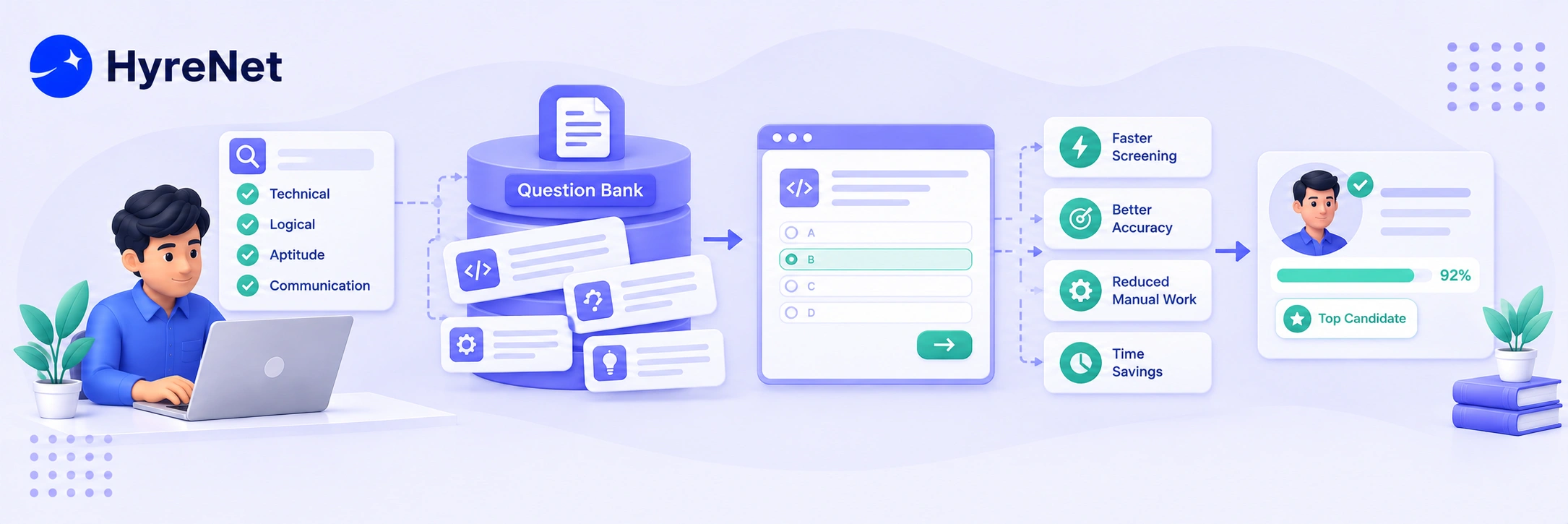
A recruiter opens a blank document every single time a new role needs a skills test, spending an hour writing questions from scratch before candidates can even start applying. Multiply that across dozens of open roles a year, and it becomes hours of repeated, avoidable work. Assessment question banks exist to remove exactly that bottleneck.
An assessment question bank is a curated, reusable library of test questions organized by role, skill, or difficulty level, ready to pull from whenever a new assessment needs to be built. Instead of writing every question from scratch, recruiters assemble a relevant test in minutes using questions that have already been reviewed and validated.
This blog looks at what makes a strong assessment question bank, how it actually speeds up hiring, and practical steps for building or maintaining one that keeps improving over time.
At its core, assessment question banks are structured libraries, not just a folder of old test questions.
The biggest efficiency gain assessment question banks deliver is obvious but still worth stating clearly. Building a new assessment from an existing bank takes minutes instead of the hour or more it takes to write one from scratch every time.
That time savings compounds fast across a busy hiring season. A recruiting team filling a dozen roles a month saves a meaningful chunk of a working week just by not rewriting the same kinds of questions repeatedly.
Consistency is the second major benefit. When every recruiter pulls from the same validated assessment question banks, candidates for similar roles get evaluated against comparable standards, instead of the quality of a test depending on which recruiter happened to write it that week.
Imagine a recruiting team fills 15 roles a month, and writing a fresh assessment from scratch takes roughly 90 minutes each time. That adds up to over 22 hours a month spent just writing test questions.
With a well organized assessment question bank, assembling a role-specific test from existing, validated content might take 10 to 15 minutes instead. Across the same 15 roles, that drops total time spent to around three hours a month.
That difference, close to 19 hours freed up monthly, can go toward interviewing, candidate communication, or sourcing instead of rewriting similar questions over and over.
A well rounded library covers more than one kind of question, matched to different hiring needs.
| Content Type | What It Covers | Why It Belongs in the Bank |
|---|---|---|
| Role-specific technical questions | Skills tied directly to a specific job function | Keeps assessments relevant instead of generic |
| Scenario-based questions | Realistic situations pulled from actual work | Tests judgment and real decision-making |
| General aptitude questions | Broader reasoning and problem-solving items | Useful across multiple roles with shared baseline needs |
| Difficulty-tagged variants | The same skill tested at junior, mid, and senior levels | Lets recruiters match difficulty to seniority quickly |
Do check out HyreNet's guide to choosing the best online assessment platform for more on what a strong question library should include.
These five steps cover the practical process for building a library that actually gets used.
Build out the bank for roles you hire for most often first, since that is where the time savings will show up fastest.
Base new entries on actual work your current team handles, rather than generic, borrowed test content that may not reflect your specific tools or process.
Good organization is what makes large assessment question banks actually usable. A pile of a thousand untagged questions is barely better than starting from scratch.
Run new questions past a few current high performers before adding them permanently, so you know they actually measure what you intend.
Review your assessment question banks once or twice a year, retiring outdated items and adding new ones as roles and tools evolve. Banks that never get refreshed slowly lose relevance.
Platforms like HyreNet support this process directly, since HyreNet's remote assessment best practices emphasize keeping question content current and closely tied to real job scenarios.
Seeing these five steps applied to one real role makes the process much easier to picture.
Step 1, pick the role. A recruiting team notices they hire customer support representatives more than any other position, roughly six times a year. This becomes the first entry in their assessment question banks.
Step 2, pull from real work. Instead of writing generic questions about "customer service skills," the team gathers three anonymized support tickets their team actually handled last quarter, including one tricky refund dispute and one confused first-time user.
Step 3, tag by role and difficulty. Each question gets labeled "Customer Support," "Entry Level" or "Senior," and tagged by the specific skill it tests, like written communication or de-escalation.
Step 4, validate with top performers. The team asks their two strongest current support reps to answer the draft questions. Both handle the refund dispute question smoothly, confirming it is fair and well calibrated rather than a trick question.
Step 5, schedule a refresh. The team sets a reminder to revisit this section of their assessment question banks in six months, since support tools and common ticket types tend to shift as the product changes.
Within a single afternoon, this team has a validated, reusable set of questions ready for the next six support hires, instead of writing a new test from scratch each time a role opens.
These mistakes quietly undermine even well built assessment question banks over time.
For more on building a consistent, well documented hiring process around this kind of structured content, do check out HyreNet's breakdown of common recruitment challenges.
Assessment question banks turn a repeated, time-consuming task into a fast, consistent process recruiters can rely on across every open role.
The efficiency gains come from not rebuilding the wheel every time, while the accuracy gains come from using questions that have actually been validated against real job performance.
Start with your highest-volume roles, build from real tasks rather than generic content, and commit to reviewing the bank regularly. That ongoing maintenance is what keeps a question bank genuinely useful instead of slowly becoming outdated.
1. How often should an assessment question bank be updated? Once or twice a year is a reasonable baseline for most assessment question banks, though a major shift in tools or role requirements is a good trigger to review it sooner.
2. Can a small recruiting team benefit from a question bank? Yes. Even modest assessment question banks covering your two or three most common roles save meaningful time compared to writing every assessment from scratch.
3. Should every role use the exact same set of questions? No. Reusing identical content across very different roles weakens the signal, so assessment question banks should be tagged and matched to specific role requirements.
4. What is the fastest way to start building a question bank? Begin with your highest-volume role, pull questions from real tasks your current team handles, and expand to other roles once that first set is validated.
5. Do question banks reduce hiring bias? They can help, since every candidate for a given role is evaluated against the same validated, consistent set of questions rather than one written on the fly.
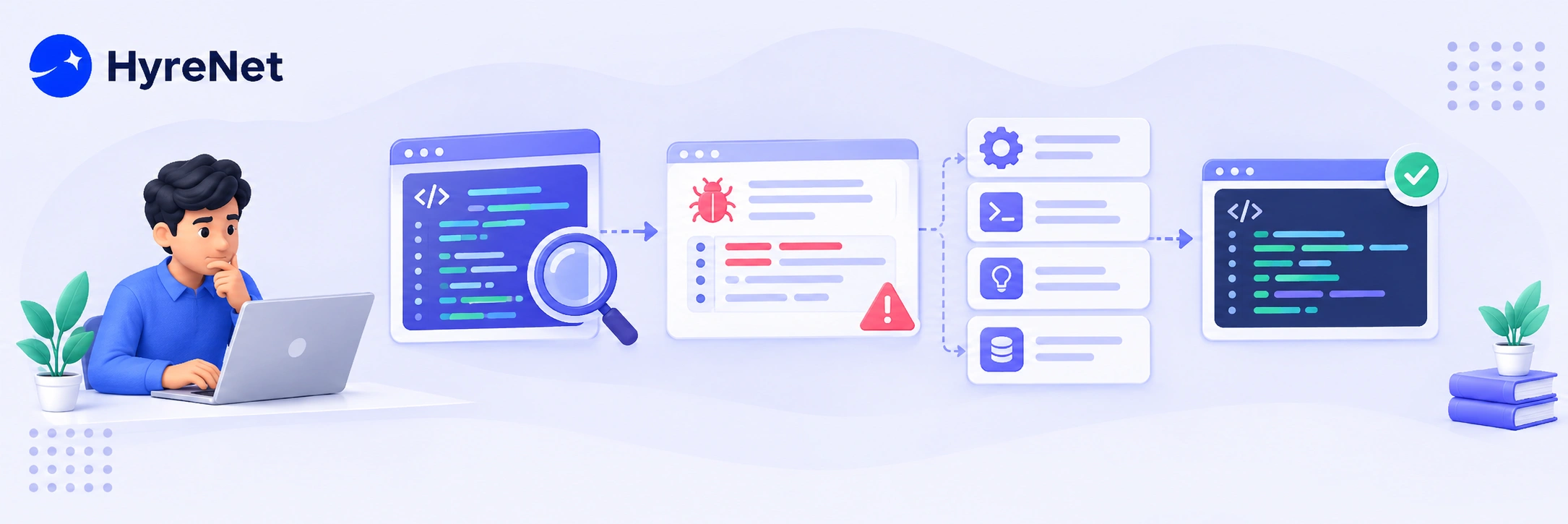
A candidate writes flawless code from scratch during an interview, then completely stalls when handed a broken function with a single subtle bug hiding in it. That moment reveals more about how someone will actually perform on the job than almost any other part of a technical interview. Debugging skills, not just the ability to write new code, are often what separate a strong hire from a rough one.
Debugging skills refer to a developer's ability to locate, understand, and fix problems in existing code, often under time pressure and with incomplete information. Unlike writing code from a blank page, debugging requires reading someone else's logic, forming hypotheses, and testing them systematically, which is exactly what most real engineering work actually looks like day to day.
This blog covers why debugging skills deserve more attention in your hiring process, practical ways to evaluate them, and a step-by-step method for building a debugging assessment that actually predicts job performance.
Most day-to-day engineering work involves reading and fixing existing code, not writing brand new systems from a blank file, which is exactly where debugging skills come into play. Yet many technical interviews still focus almost entirely on writing fresh algorithms.
Debugging exercises flip that focus, testing whether a candidate can reason through someone else's logic under realistic conditions. This maps far more closely to what the job actually demands than a classic whiteboard algorithm question.
Debugging also reveals traits that a clean coding exercise often hides, like patience, systematic thinking, and how someone handles the frustration of not immediately knowing the answer.
Evaluating debugging skills well starts with knowing what good debugging behavior looks like in practice, not just whether the bug gets fixed.
Testing different bug types gives you a fuller picture of a candidate's debugging skills than relying on just one scenario.
| Bug Type | What It Tests | Example Scenario |
|---|---|---|
| Syntax and logic errors | Basic code reading and careful attention to detail | A function returning the wrong value due to an off-by-one error |
| Runtime errors | Ability to trace an error back to its actual cause | A null reference crash buried a few function calls deep |
| Performance issues | Understanding of efficiency and system behavior | A function that works but runs far slower than expected on large input |
| Intermittent or flaky bugs | Systematic thinking under uncertainty | A bug that only appears under specific, hard-to-reproduce conditions |
Do check out HyreNet's guide to choosing the best online assessment platform for more on structuring technical assessments like this one.
These five steps cover a practical, repeatable process for evaluating this skill fairly.
Pull broken code from real, anonymized examples your team has actually encountered, rather than inventing artificial puzzles unrelated to your actual stack.
Include a syntax issue, a logic error, and at least one bug that requires tracing through multiple functions, so you see more than one dimension of ability.
Request that candidates explain their reasoning as they work, since the thought process often matters more than whether they land on the fix quickly.
Rate specific behaviors, like hypothesis testing and verification, not just whether the final answer was correct, so scoring stays consistent across interviewers.
Give candidates a genuinely hard bug and observe what they do when their first few attempts fail. This often reveals more than an easy bug ever could.
Platforms like HyreNet support this kind of structured evaluation directly, since HyreNet's remote assessment best practices emphasize realistic, role-specific tasks over generic algorithm puzzles.
Imagine handing two candidates the same broken function, one that is supposed to calculate a running total but returns the wrong number on the final item in a list.
Candidate A immediately starts changing lines of code at random, hoping something works, without first confirming where the calculation actually goes wrong.
Candidate B adds a few print statements, narrows the bug down to a loop boundary issue within two minutes, and only then makes a targeted, one-line fix.
Both candidates might eventually reach the same fix, but only one of them demonstrated the systematic debugging skills that translate reliably to real, more complex production issues.
These mistakes quietly weaken how well an interview actually measures debugging skills.
For more on building a consistent, well documented technical assessment process, do check out HyreNet's breakdown of common recruitment challenges.
Debugging skills often reveal more about how a candidate will actually perform on the job than a pure coding exercise ever will. The process of reasoning through broken code mirrors real engineering work far more closely than writing an algorithm from scratch.
Build your evaluation around realistic bugs, watch the reasoning process closely, and score consistently against a defined rubric. That approach turns a technical interview into a genuine predictor of who will actually thrive once they are debugging real production issues on your team.
1. How long should a debugging exercise take in an interview?
Around 20 to 30 minutes is usually enough to see meaningful reasoning without exhausting the candidate or running out of interview time.
2. Should debugging exercises replace algorithm questions entirely?
Not necessarily. A mix of both gives a fuller picture, though debugging exercises often map more closely to daily engineering work.
3. What if a candidate never finds the bug?
That is still useful information. How they approached the problem, even without a fix, reveals real signal about their process and persistence.
4. Should candidates use their preferred debugging tools?
Yes, when possible. Letting candidates use familiar tools like print statements or a debugger shows how they actually work, not how they perform under artificial constraints.
5. How do I keep debugging assessments fair across different interviewers?
A shared rubric scoring specific behaviors, like hypothesis testing and verification, keeps evaluations consistent regardless of who is conducting the interview.
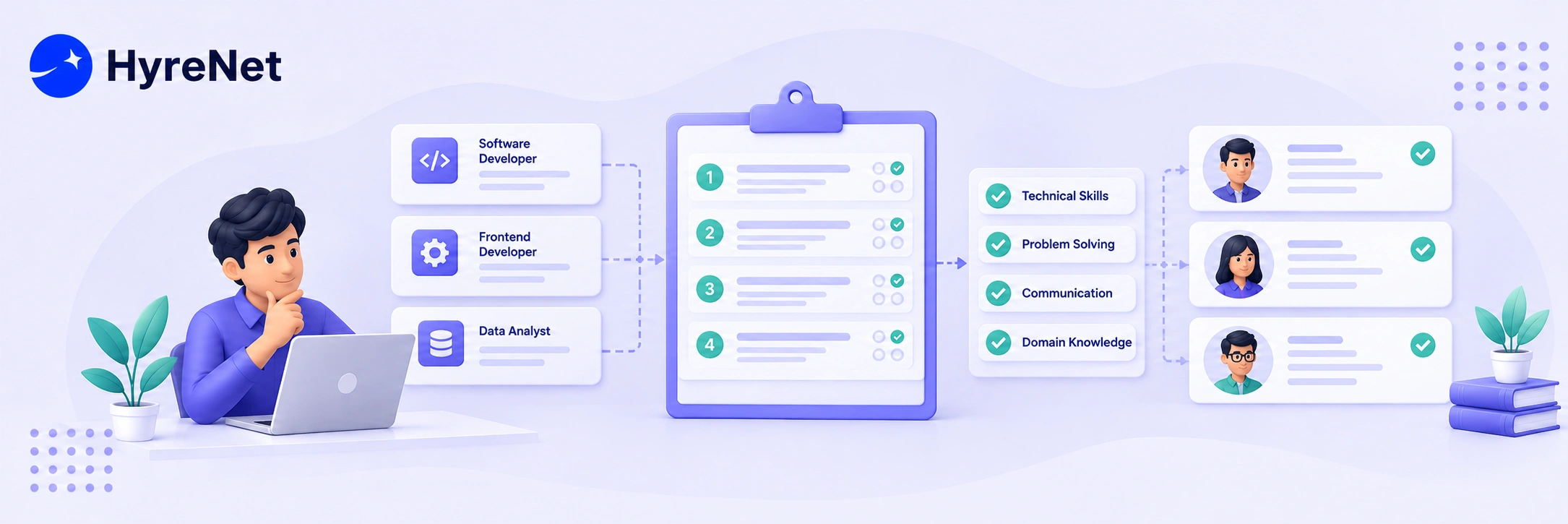
A candidate aces a trivia-style question about a programming language's release history, then completely freezes when asked to debug a simple piece of real code. That mismatch happens constantly, and it usually comes down to one thing: the assessment was testing memory instead of ability. Writing genuinely job-relevant questions is how you avoid that gap.
Job-relevant questions are assessment items built directly from the actual tasks, decisions, and challenges someone will face in the role, rather than generic trivia or textbook theory. They exist to predict real performance, not just measure who studied the right material beforehand.
This blog walks through what makes a question genuinely job-relevant, the research behind why this matters so much, and a practical process for writing questions that actually predict who will succeed on the job.
Not every technically correct question belongs in a hiring assessment. The difference between filler and genuinely job-relevant questions comes down to what the question is actually measuring.
The research on why job-relevant questions work is fairly clear. Behavior-based, job-related interview questions have shown notably stronger validity in predicting job performance compared to unstructured, casual interview questions in large scale studies.
Real-world, task-based scenarios follow the same pattern. Asking a candidate to actually solve a problem, write an email, or handle a customer scenario consistently outperforms asking them to describe, in the abstract, how they might handle something similar.
This makes intuitive sense once you think about it. Watching someone do the actual work tells you far more than watching them talk about doing the work.
Imagine hiring a customer support representative. A generic question might ask the candidate to define what "active listening" means in a support context.
A job-relevant version instead gives the candidate an actual, anonymized customer complaint and asks them to write a real response. The first question tests vocabulary. The second tests whether the candidate can actually do the job on day one.
This same shift applies across almost every role. Trading a definition-based question for a task pulled from real work usually reveals far more about genuine ability.
Different formats work best for different situations, and most strong assessments mix more than one.
| Question Type | What It Looks Like | Best Used For |
|---|---|---|
| Scenario-based | A realistic situation pulled from actual work, asking how the candidate would respond | Roles involving judgment, customer interaction, or problem solving |
| Task-based | A real, hands-on task, like writing code, drafting a document, or building a spreadsheet | Roles with clearly demonstrable technical output |
| Behavioral | Asking about a specific past experience, often using a structure like situation, task, action, result | Assessing how someone has actually handled similar challenges before |
| Multiple choice | A focused question with defined correct and incorrect answers | Quickly checking foundational knowledge at scale |
Do check out HyreNet's guide to choosing the best online assessment platform for more on matching question formats to the right kind of role.
These six steps cover the practical process for building questions grounded in real work.
List the specific tasks, decisions, and challenges someone in this role handles weekly. This becomes your raw material for every question you write.
Base scenario questions on real, anonymized situations, not invented ones. Real incidents naturally carry the texture and complexity a made-up scenario often misses.
Combine a few scenario or task-based questions with a smaller number of multiple choice items. This keeps the assessment efficient while still testing real ability.
A confusing question tests reading comprehension under stress, not the actual skill you care about. Keep the wording clear and direct so your job-relevant questions measure ability, not test-taking savvy.
Run your draft questions past a few people already succeeding in the role. If your strongest performers struggle with a question, it may be poorly worded rather than genuinely hard.
Roles change as tools, processes, and priorities shift. A question that was job-relevant two years ago may already be outdated today.
Platforms like HyreNet make this process easier, since HyreNet's remote assessment best practices emphasize building questions around real work scenarios instead of generic, one-size-fits-all test banks.
These mistakes quietly undermine even well intentioned attempts at writing job-relevant questions.
For more on building a consistent, well documented assessment process, do check out HyreNet's breakdown of common recruitment challenges.
Writing genuinely job-relevant questions is less about clever test design and more about staying grounded in what the role actually demands. The research is consistent: questions built from real tasks and real behavior predict performance far better than generic or abstract ones.
Start by mapping out the actual work, pull scenarios from real situations, and validate your questions against people already doing the job well. That process is what turns an assessment from a formality into a genuine predictor of who will actually succeed.
1. How many job-relevant questions should a typical assessment include?
Around three to five well designed scenario or task-based job-relevant questions is often enough, paired with a smaller set of multiple choice items to check foundational knowledge.
2. Are behavioral questions as effective as task-based ones?
Both work well, though task-based questions tend to reveal actual ability more directly, while behavioral questions reveal how someone has handled similar situations before.
3. Can generic, purchased question banks ever work well?
They can serve as a starting point, but they rarely reflect your specific tools, workflows, or team context as closely as questions built from your own real situations.
4. How do I know if a question is actually job-relevant?
Ask whether the skill being tested is something the person will genuinely use in the role. Job-relevant questions always trace back clearly to a real task, and if the connection feels indirect, the question likely needs revising.
5. How often should assessment questions be updated?
Reviewing them every year or two is a reasonable baseline, though a major change in tools, responsibilities, or team structure is a good trigger to revisit them sooner.
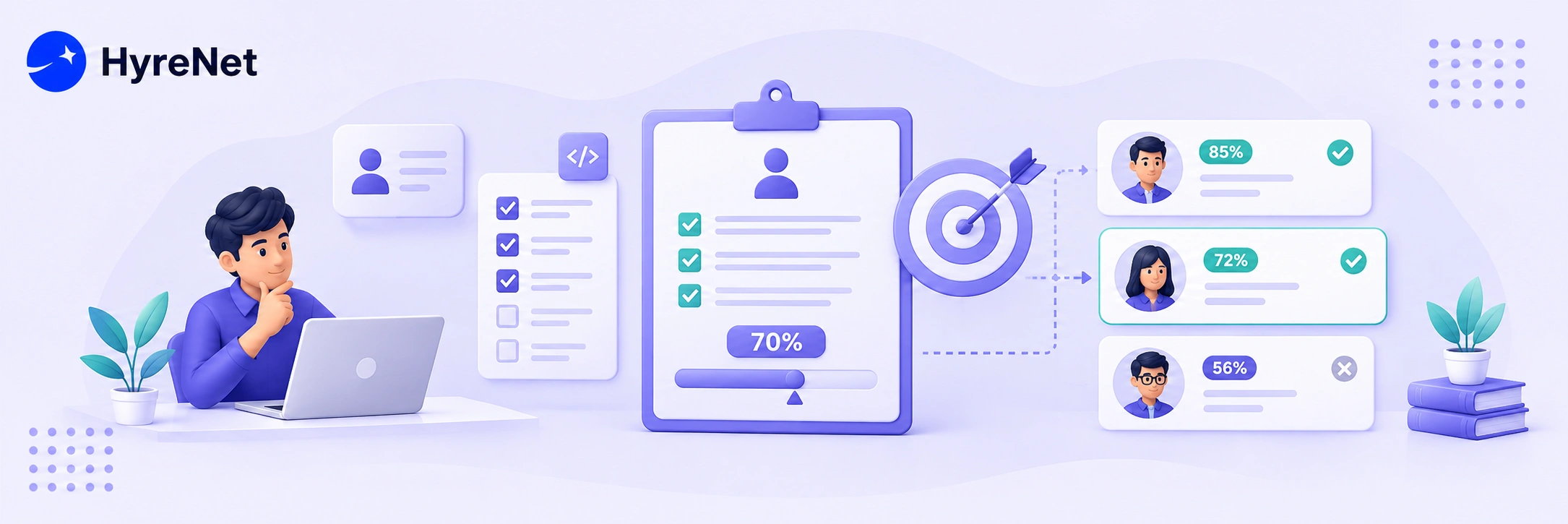
A hiring team once set their coding test cutoff at 70 percent because it "sounded about right." Six months later, they had rejected several strong developers who scored 68, while candidates who barely cleared 71 struggled badly on the job. That gap between a number that sounds reasonable and one that actually predicts success is exactly why passing scores for candidate assessments deserve real thought.
Passing scores for candidate assessments are the minimum thresholds a candidate must reach on a test to move forward in your hiring process. Set them too high, and you lose good candidates. Set them too low, and the assessment stops filtering anyone out at all.
This blog walks through how to actually set passing scores for candidate assessments, the different methods recruiters use, the legal and fairness risks to watch for, and practical steps to build a threshold you can defend and trust.
Passing scores for candidate assessments are not just a number pulled from thin air, at least not when done well. They represent the minimum level of performance your team considers acceptable for someone to succeed in the role.
There is no single universal formula, but a few well established methods for setting passing scores for candidate assessments cover most situations recruiters actually face.
| Method | How It Works | Best Used When |
|---|---|---|
| Criterion-referenced | Sets the cutoff against a fixed standard of acceptable performance | You have a clear definition of "good enough" for the role |
| Norm-referenced | Sets the cutoff based on how a comparison group of candidates scored | You want to rank candidates relative to each other |
| Utility-based | Sets the cutoff based on the expected cost and benefit of each hiring decision | You need to justify the threshold in business terms |
| Angoff method | Subject matter experts estimate how a minimally qualified candidate would perform on each question | You need a defensible, expert-driven cutoff for a formal test |
Choosing between these approaches depends heavily on how much historical data you have and how formally your passing scores for candidate assessments need to be justified.
Do check out HyreNet's blog for more on how modern assessment platforms help apply these methods in practice.
These six steps cover the practical process most recruiting teams follow.
Get specific about which skill or competency actually matters, and whether the score will screen candidates out, rank them, or just inform a later conversation.
Running your assessment on people already succeeding in the role gives you a real, grounded reference point instead of guessing at a number.
If you need 30 candidates from an expected 150 applicants, you need roughly a 20 percent pass rate, putting your cutoff around the 80th percentile. Setting it much higher risks leaving you with too few candidates to fill the role.
Review whether your chosen passing scores for candidate assessments disproportionately screen out any demographic group. Higher cutoffs tend to widen these gaps, so this step matters more as your threshold rises.
Write down the reasoning behind your passing scores for candidate assessments, tied to job performance evidence, not intuition. This documentation protects you if the decision is ever challenged.
Revisit your passing scores for candidate assessments every few hiring cycles. Roles change, candidate pools shift, and a cutoff that worked well a year ago may need adjusting today.
Platforms like HyreNet support this process directly, since HyreNet's remote assessment best practices emphasize reviewing full candidate reports rather than relying on a single raw score alone.
Passing scores for candidate assessments work best as one input among several, not the entire decision. A raw score is genuinely one of the least useful outputs an assessment can produce on its own.
Two candidates can land on the exact same number for very different reasons.
Getting passing scores for candidate assessments wrong is not just a hiring quality problem, it can also become a legal one.
For a closer look at building assessments that support fair, consistent scoring at scale, do check out HyreNet's guide to choosing the best online assessment platform.
These mistakes show up again and again when teams set passing scores for candidate assessments without a clear process.
Setting passing scores for candidate assessments well is part data, part judgment, and part ongoing maintenance. The number itself matters less than the reasoning behind it and the willingness to revisit it as your hiring needs change.
Start with a method that fits your situation, test it against real performance data where you can, and treat the resulting number as a starting point for a conversation, not a final verdict on its own.
If you want a platform built to support this kind of structured, defensible scoring, HyreNet combines assessment creation with detailed candidate reporting to make that process considerably easier.
1. What is a reasonable starting point when setting passing scores for candidate assessments?
There is no universal number, but testing a small sample of current employees in the role gives a far more grounded starting point than picking a round percentage.
2. How often should a passing score be reviewed?
Every few hiring cycles is a reasonable cadence, though a sudden shift in role requirements or candidate pool size is also a good trigger to revisit it sooner.
3. Does a higher passing score always mean better hires?
Not necessarily. Very high cutoffs can filter out capable candidates and shrink your pool too much, especially in competitive hiring markets.
4. What is adverse impact, and why does it matter here?
It refers to a cutoff disproportionately screening out a demographic group. High, unchecked thresholds can widen this effect, creating real legal exposure.
5. Should passing scores be the only factor in a hiring decision?
No. Pairing passing scores for candidate assessments with a full candidate report, structured interview, or follow-up conversation gives a far more complete and fair picture than a number alone.

A candidate answers a genuinely hard coding question in under ten seconds, with a flawless, textbook-perfect solution. No hesitation, no typos, no thinking out loud. That speed, not the answer itself, is often the first thing AI Cheating Detection systems are trained to catch.
AI Cheating Detection refers to the technology recruiters use to catch candidates who lean on tools like ChatGPT, hidden overlays, or a second person off-screen during a remote assessment. It combines behavioral analysis, screen monitoring, and identity checks to flag suspicious sessions without needing a human to watch every candidate live.
This blog explains how AI Cheating Detection actually works, what signals it looks for, how common this cheating really is in 2026, and what recruiters can do to build assessments that are harder to cheat on in the first place.
This is not one single tool, it is a mix of signals that, together, paint a picture of whether a candidate is doing the work themselves.
The scale of the problem AI Cheating Detection was built to solve has grown fast, and the numbers from 2026 make that clear.
| Data Point | What It Shows |
|---|---|
| Cheating and fraud-attempt rates on proctored technical tests roughly doubled from 2024 to 2025 | AI-assisted cheating is accelerating, not slowing down |
| Entry-level assessment fraud rates nearly tripled over the same period | Newer job seekers are adopting AI cheating tools the fastest |
| One large study flagged over a third of AI-led interviews for suspected AI assistance | This is no longer a rare, edge-case problem |
| A majority of flagged candidates in that same study still scored above the passing bar | Skilled-sounding answers do not guarantee the candidate did the work |
| Software engineering roles showed far higher flag rates than sales roles | Technical assessments face the heaviest pressure from AI-assisted cheating |
These numbers point to something important. AI Cheating Detection is not solving a hypothetical problem, it is responding to a real, fast-growing gap between how candidates perform on paper and what they can actually do unaided.
One of the clearest signals inside these systems is what recruiters call a flatline response, an answer to a genuinely hard question that arrives almost instantly, with little to no visible hesitation.
Real problem-solving usually shows a natural rhythm. A candidate reads the question, pauses, tries something, maybe deletes it, and adjusts.
A candidate quietly copying an AI-generated answer skips almost all of that, since the model has already produced a polished response for them to read and retype.
This is exactly why response timing has become one of the most reliable individual signals feeding into modern AI Cheating Detection systems, even though it is never used entirely on its own.
Platforms like HyreNet build this layered approach directly into their assessment flow, combining AI Cheating Detection with structured, role-relevant testing so recruiters get a clearer, more reliable signal on real candidate ability.
For more on how modern platforms are solving these exact integrity challenges, do check out HyreNet's breakdown of common recruitment challenges.
AI Cheating Detection exists because the gap between a polished answer and genuine ability has never been easier to fake. Gaze tracking, response timing, screen monitoring, and identity checks each catch a different piece of the puzzle, and none of them work well alone.
The recruiters getting AI Cheating Detection right are not chasing a single perfect tool.
They are layering smart assessment design with proctoring technology and keeping a human in the loop for anything flagged as suspicious, which is exactly the balance that keeps hiring both fast and fair.
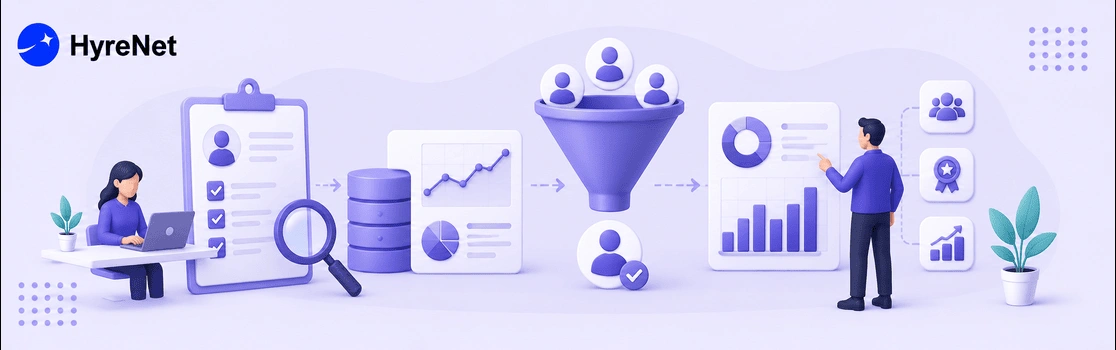
A hiring manager once told a recruiter to "just trust the gut feeling" after an interview. Six months later, that gut-feeling hire was gone, and nobody could explain what went wrong or how to avoid it next time. That is the exact gap data-driven hiring exists to close.
Data-Driven Hiring means using real numbers, like conversion rates, time-to-hire, and source quality, to guide hiring decisions instead of relying purely on instinct. It turns recruiting from a series of one-off judgment calls into a process you can actually measure, test, and improve over time.
This blog walks through what data-driven hiring actually looks like in practice, which metrics matter most, and how to build this into your process step by step, even if you are starting from a completely manual system today.
This approach is not about removing human judgment from recruiting entirely. It is about backing that judgment with real evidence instead of relying on it alone.
The pressure on hiring teams has grown, and the numbers back that up. A large majority of HR leaders now say analytics are essential to strategic planning.
Organizations that lean into a data-driven approach report notably better business outcomes than those still relying mostly on instinct.
At the same time, many companies report that time-to-hire actually got longer through 2025 and into 2026, not shorter, despite more tools being available than ever. That gap between having data and actually using it well is exactly where data-driven hiring makes the biggest difference.
Without clear metrics, it is nearly impossible to tell whether a slow hiring process is a sourcing problem, a screening problem, or an interview scheduling problem. Data-Driven Hiring turns that vague frustration into a specific, fixable answer.
These five numbers form the backbone of most data-driven hiring systems, no matter the size of your team.
| Metric | What It Tracks | Why It Matters |
|---|---|---|
| Time-to-hire | Days from application to accepted offer | Reveals where delays are actually happening |
| Source quality | Which channels produce the best hires, not just the most applicants | Helps you invest sourcing budget where it actually pays off |
| Conversion rate by stage | Percentage of candidates advancing at each funnel stage | Pinpoints exactly where good candidates are dropping off |
| Quality of hire | Post-hire performance, retention, and manager satisfaction | Confirms whether your process is picking the right people, not just filling seats fast |
| Offer acceptance rate | Percentage of offers candidates actually accept | Signals whether your offers are competitive and your process felt fair |
If you want to see how structured assessments feed clean data into this kind of process, do check out HyreNet's blog on common recruitment challenges and how modern platforms solve them.
Imagine two sourcing channels feeding the same open role. Channel A brings in 200 applicants, and 8 get hired. Channel B brings in only 40 applicants, but 6 get hired.
Looking only at raw applicant volume, Channel A looks stronger. But Channel B converts applicants into hires at 15 percent, compared to just 4 percent for Channel A.
That single comparison is data-driven hiring in its simplest form, using real conversion numbers instead of assuming more applicants automatically means a better channel.
Once you start comparing numbers like this across sourcing channels, interview formats, and even individual recruiters, patterns emerge that gut feeling alone would never catch.
Platforms like HyreNet are built to make this easier, generating structured candidate data from assessments automatically, so recruiting teams are not stuck manually compiling numbers from scratch.
Even teams excited about data-driven hiring tend to fall into a few predictable traps early on.
For more on how modern platforms are helping companies close these data gaps, do check out this blog on why HyreNet's recruitment platform stands out.
Data-Driven Hiring is not about turning recruiting into a spreadsheet exercise. It is about giving recruiters and hiring managers a shared, honest picture of what is actually working, so decisions stop relying purely on gut feeling.
Start small, track a handful of metrics consistently, and let the data guide where you invest more time and budget next. Over time, that steady discipline is what separates a data-driven hiring process that keeps improving from one that keeps repeating the same mistakes.
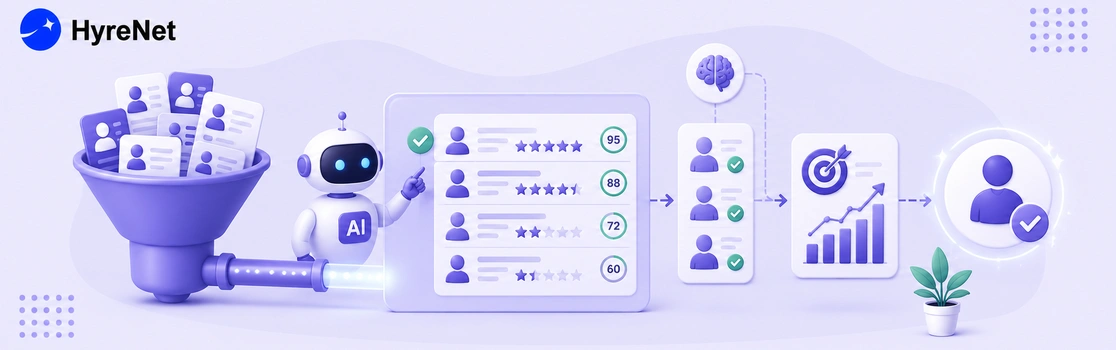
A recruiter used to spend an entire afternoon going through 300 resumes for one role, skimming fast and hoping nothing important got missed. Today, that same batch gets sorted in minutes, with a shortlist waiting before the coffee even finishes brewing. That shift is what ai shortlisting actually looks like in practice.
AI shortlisting is the use of algorithms to scan, score, and rank job applications based on how closely they match a role's requirements, so recruiters spend their time on the strongest candidates instead of the full pile. It pulls from resume data, skills, and sometimes assessment results to narrow a large applicant pool down to a manageable, ranked shortlist.
This blog looks at how ai shortlisting actually improves hiring accuracy, what the current data shows, where it can go wrong, and how recruiters can use it responsibly without losing the human judgment that still matters most.
At its core, ai shortlisting replaces manual resume skimming with a structured, repeatable scoring system.
The accuracy gains here come from consistency, not magic. A human reviewer gets tired, distracted, and inconsistent across a long stack of resumes. A scoring system applies the same criteria to candidate number one and candidate number three hundred.
Current data backs this up clearly. Resume parsing tools now reach roughly 94 percent accuracy, and skill matching tools land around 89 percent, a meaningful jump from where these tools stood just a few years ago.
Teams using structured, AI-supported screening report 24 to 30 percent higher assessment consistency compared to unstructured methods.
The retention numbers are even more telling. Companies using AI-assisted matching report 25 to 35 percent higher first-year retention, which suggests better shortlisting is not just faster, it is genuinely picking stronger long-term fits.
| Data Point | What It Shows |
|---|---|
| Roughly 82 percent of large companies use AI for resume screening and shortlisting | This has become a mainstream, not experimental, part of hiring |
| Resume parsing accuracy sits around 94 percent | Structured data extraction has gotten genuinely reliable |
| Skill matching accuracy sits around 89 percent | Matching candidates to role requirements is nearly as strong |
| Time-to-shortlist drops by up to 75 percent for high-volume roles | Speed gains are just as significant as accuracy gains |
| Only around 26 percent of candidates trust AI to evaluate them fairly | Candidate trust still lags well behind adoption |
That last number matters more than it might seem. Strong accuracy on the recruiter's side does not automatically translate into candidate confidence, which is exactly why transparency about how ai shortlisting works remains important.
Say 250 people apply for a data analyst role. A recruiter reviewing every resume by hand might realistically give each one 30 to 60 seconds of attention, if time allows at all.
A scoring system instead checks every resume against the same criteria, like required tools, years of experience, and relevant keywords, producing a ranked list in minutes. The top 20 candidates move forward for human review, while borderline cases get flagged rather than silently dropped.
The recruiter still makes every final call. What changes is that their limited time now goes toward the strongest and most uncertain candidates, instead of being spread evenly and thinly across all 250 resumes.
Do check out this post on why HyreNet's recruitment platform stands out for a closer look at how structured evaluation data supports this kind of accuracy.
Roughly one in five organizations report AI unintentionally passing over good candidates, which is exactly why this step should narrow the pool, not make the final call alone.
Platforms like HyreNet are built around this exact balance, combining AI-powered shortlisting with structured skills assessments so recruiters get a shortlist backed by real ability, not just resume keywords.
For more on how modern platforms are solving these exact challenges, do check out HyreNet's post on common recruitment challenges and how assessment platforms solve them.
AI shortlisting genuinely improves hiring accuracy when it is used to narrow the pool, not replace human judgment entirely. The data is clear that structured, consistent scoring outperforms manual resume skimming on both speed and long-term retention outcomes.
The recruiters getting the most value from this technology are pairing it with real skills assessments, auditing it regularly for bias, and staying transparent with candidates about how it works. That combination is what turns a faster process into a genuinely more accurate one.
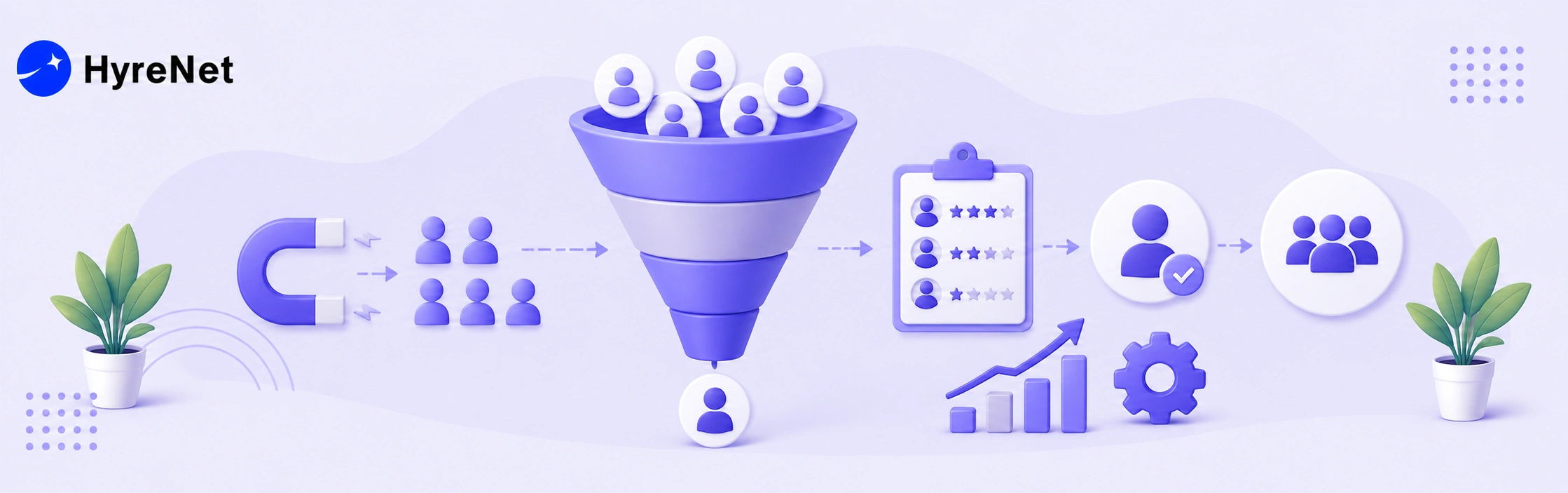
Out of every 100 people who apply for a role, fewer than one actually gets hired. That sounds harsh, but it is the honest math behind hiring in 2026, and understanding why requires understanding your recruitment funnel.
A recruitment funnel is simply the journey a candidate takes from seeing your job posting to accepting an offer, broken into stages, with a percentage of people dropping off at each one. Think of it the same way a sales team thinks about their pipeline.
This blog walks through the stages of a recruitment funnel, the benchmark numbers you should actually expect, and practical ways to fix the stages where you are quietly losing good candidates.
Every funnel follows roughly the same shape, even though the exact steps vary by company.
Each stage naturally loses people, and that is expected. The real question is not whether people drop off, it is whether they are dropping off for the right reasons or because of a broken process.
These numbers vary by role, industry, and company size, but they give a useful starting benchmark for most recruitment funnel stages in 2026.
| Stage | Typical Conversion Rate | What It Means |
|---|---|---|
| Job view to application | Roughly 5 to 10 percent | Most viewers do not apply, which is normal |
| Application to screen | Roughly 12 to 20 percent | Many applicants do not meet basic requirements |
| Screen to interview | Roughly 30 to 50 percent | This stage often has the most room for improvement |
| Interview to offer | Roughly 15 to 36 percent | Wide range depending on role and interview rigor |
| Offer to acceptance | Roughly 70 to 85 percent | Most candidates accept if the process went smoothly |
Multiplying every stage together gives you the full recruitment funnel conversion rate, from first application to accepted offer, which often lands well under 2 percent across most industries.
The formula behind every recruitment funnel stage is the same, and it is simpler than it sounds.
Conversion rate equals the number of candidates who advanced to the next stage, divided by the number who entered that stage, multiplied by 100.
For example, if 300 people apply and 45 make it to screening, that stage converts at 15 percent.
Do this for every stage, and you get a clear, numbers-based picture of exactly where your recruitment funnel is strongest and weakest, instead of relying on gut feeling.
Let's walk through one complete example to make this concrete. Say 500 people view your job posting.
Multiplying these stages together shows that out of 500 initial viewers, exactly one hire results, an end-to-end conversion rate of 0.2 percent. Seeing the math laid out this way makes it much easier to spot which single stage would have the biggest impact if improved.
Most recruiting teams focus heavily on sourcing more applicants, but the bigger win is usually fixing whichever stage of the recruitment funnel is leaking the most qualified people.
Platforms like HyreNet help directly at the screening stage, using structured, role-relevant assessments to filter candidates by real ability before they reach the interview stage, which tightens the middle of the recruitment funnel considerably.
These mistakes show up again and again, even on teams that genuinely care about hiring well.
For more on how modern platforms address these exact funnel problems, do check out HyreNet's breakdown of common recruitment challenges.
A recruitment funnel is not just a diagram, it is a practical tool for finding out exactly where your hiring process is losing good candidates. Once you start tracking conversion rate stage by stage, the fixes usually become obvious.
Start small. Pick your weakest stage, apply one focused fix, and measure the change before moving to the next one. That steady, stage-by-stage approach beats trying to rebuild your entire recruitment funnel all at once.

A candidate applies, waits three weeks with zero updates, gets ghosted after the final interview, and finally posts about it on social media. That story plays out every single day, and it is exactly why candidate experience has become one of the most talked about topics in recruitment.
Candidate experience is simply how a job seeker feels about your company throughout the entire hiring journey, from the first job listing they see to the final decision, whether that is an offer or a rejection. It shapes whether they accept your offer, apply again, or recommend your company to someone else.
This blog looks at why candidate experience matters so much right now, what the current data actually shows, and practical ways to improve it without slowing down your hiring process.
This is not a single moment. It builds up across every touchpoint a candidate has with your company during hiring.
The job market has shifted, and candidates now have more visibility into how companies actually treat applicants, often through reviews, social media, and word of mouth.
Current data shows the gap between expectation and reality is wide. Only about a quarter of candidates in recent surveys say they had a genuinely great experience, while a meaningful share describe theirs as outright poor.
That poor experience does not stay contained to one candidate either. People who had a bad run are noticeably less likely to apply again, refer others, or even continue purchasing from that company as a customer.
Communication failures sit at the center of most of these bad experiences. Nearly half of candidates say poor communication alone would make them withdraw from a hiring process entirely, and a large share report being outright ghosted after making it deep into interviews.
| Data Point | What It Shows |
|---|---|
| Around 1 in 4 candidates report a great experience | Most companies still fall short of candidate expectations |
| Nearly half say poor communication would make them withdraw | Communication gaps are the top reason candidates disengage |
| A large share of candidates report being ghosted after interviews | Post-interview silence remains one of the most damaging failures |
| Companies focused on candidate experience report notably lower turnover | The impact extends well beyond the hiring stage itself |
| Only a small fraction of organizations formally track candidate satisfaction | Most companies are not measuring the problem at all |
These numbers point to a clear pattern. This is not a soft, feel-good metric, it directly connects to offer acceptance, retention, and even how people feel about your company as customers, not just as applicants.
If you want to see how a structured, well designed hiring process addresses this directly, do check out HyreNet's breakdown of common recruitment challenges, including how disorganized processes damage candidate experience and employer reputation.
Platforms like HyreNet are built with this in mind, combining fast, structured skills assessments with automated candidate communication, so recruiters can move quickly without sacrificing candidate experience along the way.
Most candidates check a company's reputation before ever applying, often looking at reviews or asking around before submitting an application. That reputation is built, largely, from how past candidates were treated during hiring.
A company that consistently delivers a respectful, well communicated process earns a stronger employer brand over time, which in turn attracts more applicants without needing to spend more on sourcing.
The reverse is also true. A pattern of ghosting or disorganized interviews spreads just as quickly through reviews and word of mouth, quietly shrinking the pool of people willing to apply in the first place.
For more on how modern platforms help fix these exact gaps, do check out how AI-powered assessments help companies hire faster while keeping the process respectful of candidates' time.
Candidate experience is no longer a nice-to-have layered on top of recruitment, it is a core part of whether your hiring process actually works.
The data is clear that most companies still fall short, and the cost of getting it wrong shows up in declined offers, lost referrals, and damaged employer reputation.
The good news is that fixing candidate experience rarely requires a bigger team or budget. Clear communication, respectful timelines, and a process that does not waste people's time go a long way on their own.

In today’s competitive job market, finding the right talent quickly and efficiently can be challenging. That’s where HyreNet’s recruitment platform steps in. As a leading AI-powered solution, HyreNet empowers companies to streamline their hiring processes, ensuring they attract and identify top talent with ease. Trusted by over 50 companies, HyreNet offers a suite of features designed to simplify recruitment while maintaining the highest standards of candidate evaluation. Here are five reasons why HyreNet is the go-to choice for businesses looking to enhance their talent acquisition strategies.
HyreNet provides tools to create role-specific assessments effortlessly. You can customize templates by importing questions via CSV, setting the duration, and shuffling questions to match your needs. Whether hiring for junior positions or senior roles, you can create and reuse templates across multiple tests, ensuring consistency and efficiency. HyreNet also offers a unique shuffling feature, where the order of questions varies for each candidate, enhancing the assessment's integrity.
Additionally, HyreNet offers lifetime free customized question generation. Questions are tailored to your company's requirements, covering various formats like objective, programming, and video questions. The platform also includes real-world project problem statements that candidates can develop using frameworks like React, Vue.js, and AngularJS, offering a deeper evaluation of their practical skills.
Integrity is crucial in recruitment assessments, and HyreNet takes this seriously with its AI-powered proctoring. The platform continuously monitors candidates’ faces during the test, capturing video throughout to ensure focus and prevent cheating. If multiple faces are detected on the screen or if someone else attempts to take the test, the system will flag the incident.
Additionally, if a candidate's face is not visible during the assessment, it will be detected, ensuring the authenticity of the test-taking process. HyreNet also detects if a candidate switches to another tab during the test, taking screenshots and logging the event for review. If programming content is copied from another site, it will be detected, and the copied content can be viewed in the report by recruiters. This comprehensive monitoring system ensures that genuine candidates succeed, giving you confidence in your hiring decisions.
HyreNet provides detailed insights into candidate performance through its robust reporting features. Access reports that include leaderboards, skill assessments, and other critical metrics. The platform also records candidate videos and captures screenshots of any suspicious activities, all compiled into a thorough report. These insights help you identify top talent and make informed, data-driven decisions.
Moreover, recruiters can take advantage of role-based access controls, ensuring that team members have the appropriate level of access based on their role, which helps maintain security and organization within the hiring process.
Managing recruitment assessments is simple with HyreNet’s integrated calendar, accessible directly from the dashboard. The calendar displays upcoming and completed tests, giving you a clear overview of your recruitment schedule. The dashboard also shows recent tests, the number of candidates who attended, and those hired, making it easy to track your recruitment progress. This feature helps you stay organized and ensures that your hiring process runs smoothly. In addition, HyreNet supports 15+ programming languages for programming tests. Recruiters can choose to include all languages or limit the assessment to a select few, ensuring that the tests align with the specific needs of the role.
HyreNet’s user-friendly interface makes it easy to navigate and manage your recruitment assessments. You can quickly import questions in bulk using CSV, streamlining the setup process. Additionally, HyreNet offers 24/7 technical support, so any questions or issues are resolved promptly.
This allows you to focus on finding the right talent without worrying about technical challenges. Furthermore, HyreNet provides lifetime support for its customizable question generation service, ensuring your assessments remain relevant and aligned with your evolving hiring needs.
HyreNet is not just another recruitment platform; it’s a comprehensive solution designed to transform your hiring process. With its customizable assessments, advanced AI features, and user-friendly interface, HyreNet ensures you’re equipped to make the best hiring decisions, quickly and efficiently. Ready to experience the future of talent acquisition? Don’t miss out on the opportunity to elevate your hiring strategy—schedule a demo today and see how HyreNet can help you secure the top talent your company needs to succeed.

Recruitment are the frontline of building a successful organization, yet they come with numerous obstacles. From attracting the right talent to ensuring a smooth and efficient hiring process, recruiters must overcome various recruitment challenges to secure the best candidates. Fortunately, modern assessment platforms provide effective solutions, helping companies streamline their recruitment efforts. Here are the top 10 recruitment challenges and how they can be addressed.
One of the most common recruitment challenges is reaching the right candidates. With a vast pool of applicants, it can be difficult to identify those who truly meet the specific needs of the role. This issue worsens when job descriptions are vague or overly broad, leading to many unqualified applicants. Ensuring job postings are clear, precise, and targeted is essential for attracting the right talent.
Solution: Crafting a detailed, accurate job description that precisely outlines the role's requirements attracts qualified candidates, streamlining the recruitment process.
Lengthy hiring processes can be detrimental to both the company and the candidates involved. Delays in filling positions can lead to increased workload for current employees, decreased productivity, and potential loss of top candidates who may accept offers elsewhere. Reducing the time-to-hire is crucial for maintaining operational efficiency and securing the best talent.
Solution: Efficient use of remote hiring options and platforms such as HyreNet speeds up the recruitment process, reducing time-to-hire significantly.
A candidate's decision to accept a job offer is heavily influenced by their hiring experience. A cumbersome or disorganized recruitment process can create a negative impression of the company, leading candidates to decline offers or speak poorly of the organization. Ensuring a smooth, efficient, and respectful hiring process is vital for maintaining a positive employer reputation.
Solution: Tailoring interview rounds to job requirements and rapidly announcing results ensures a smooth and positive hiring experience for candidates.
An efficient recruitment process is crucial for companies to attract top talent and stay competitive. Inefficiencies, such as lengthy decision-making or poor communication, can result in lost opportunities and higher costs. Streamlining recruitment workflows, from candidate sourcing to final selection, is necessary to improve hiring outcomes and reduce unnecessary expenses.
Solution: Conducting tests online, ranking candidates based on skills, supported by data visualization and efficient data management through platforms like HyreNet, streamlines the recruitment process.
Recruiting for multiple roles at once can lead to confusion and inefficiencies, particularly if follow-up procedures are not well-managed. Without proper tracking, candidates may be overlooked or the process may stall, leading to delays in filling crucial positions. Effective management of multi-role recruitment is necessary to ensure that all candidates are properly evaluated and the hiring process remains on track.
Solution: Using customizable assessment platforms like HyreNet helps manage multiple roles simultaneously by tracking hiring stages, candidate data, and test reports efficiently.
Maintaining fairness in recruitment is essential for fostering diversity and inclusion within an organization. Biases in the hiring process, whether conscious or unconscious, can lead to the exclusion of qualified candidates and create a homogenous workforce. Ensuring that recruitment practices are transparent and based on merit is crucial for attracting and retaining diverse talent.
Solution: Implementing transparent, skill-based recruitment with talent assessments ensures that all candidates are evaluated fairly and without bias.
Skill shortages present a significant hurdle in recruitment, particularly in specialized industries. When there is a lack of candidates with the necessary expertise, it becomes challenging to fill positions effectively. This shortage can slow down the hiring process and force companies to compromise on the quality of hires, ultimately impacting business performance.
Solution: Implementing tests and interviews tailored to assess role-specific skills helps identify candidates who can effectively meet the job's demands.
The rapid pace of technological advancement can pose challenges for recruitment, particularly for companies that struggle to keep up with new tools and platforms. Failure to adapt can lead to outdated hiring practices that hinder the ability to attract and evaluate candidates effectively. Staying current with technological trends is essential for maintaining a competitive edge in recruitment.
Solution: Customizing talent assessments according to the latest technology and role-specific needs ensures the recruitment process stays up-to-date and effective.
Recruitment can be a costly endeavor, particularly if the process is prolonged or inefficient. High expenses related to advertising, interviewing, and onboarding can strain a company’s budget. Implementing cost-effective recruitment strategies is essential for balancing the need to attract top talent with the necessity of maintaining financial health.
Solution: Leveraging remote hiring platforms reduces recruitment costs by streamlining the hiring process and eliminating unnecessary expenses.
A strong employer brand is key to attracting top talent, but building and maintaining this brand requires consistent effort. Candidates are drawn to well-regarded companies, not just for their products or services, but also for their workplace culture and values. Negative perceptions or lack of engagement can significantly deter potential applicants.
Solution: Engaging with people by responding to queries —whether positive or negative—helps to build a strong employer brand that attracts quality candidates.

In today’s competitive job market, reducing hiring costs without compromising on the quality of hires is more important than ever. Companies are seeking innovative solutions that not only streamline recruitment processes but also help reduce inefficiencies. HyreNet, an AI-powered assessment platform, offers a comprehensive and cost-effective solution, helping businesses save time, money, and resources while ensuring they hire the right candidates. Here's how HyreNet can help your company cut hiring costs by up to 40%.
The traditional hiring process is often expensive and time-consuming, requiring multiple rounds of interviews, travel expenses, and administrative costs. HyreNet's online assessments allow candidates to complete tests remotely, reducing these inefficiencies. Whether candidates are applying from the same city or a different continent, businesses can eliminate travel and logistics expenses by assessing candidates from anywhere. This drastically cuts down on the time and costs associated with manual interview scheduling, in-person assessments, and travel reimbursements. As a result, HyreNet helps companies reduce hiring costs and make faster, more informed decisions.
One of the main challenges in recruitment is filtering out unqualified applicants early in the process. HyreNet’s AI-driven assessments provide an efficient solution by automatically identifying candidates that meet specific criteria. This means recruiters can focus their time and resources on interviewing the most promising candidates, significantly reducing the time and money spent on screening unsuitable applicants. The platform’s AI technology also ensures that every candidate is evaluated fairly and objectively, resulting in better outcomes with lower hiring costs.
Managing and storing candidate data is a hidden expense that many companies fail to account for. The cost of organizing large volumes of candidate information and assessment results can add up, particularly for companies that handle a high volume of applicants. HyreNet simplifies this by offering centralized data storage and reporting, which ensures that all assessment results, candidate videos, and reports are stored in one easily accessible location. Not only does this eliminate the need for expensive third-party data storage solutions, but it also provides recruiters with actionable insights that help them make smarter hiring decisions. With built-in analytics and reporting, companies can easily track their hiring metrics and optimize their processes, further reducing costs.
For businesses of all sizes, managing recruitment costs effectively is crucial. Whether you’re hiring for one role or filling multiple positions across different departments, HyreNet offers flexible pricing options tailored to your specific needs. Companies only pay for what they use, making it a scalable solution for small, medium, and large enterprises alike. This flexibility ensures that businesses can maintain control over their hiring budget without sacrificing access to the powerful features HyreNet offers. As your company grows and hiring demands increase, the platform can scale with you, helping to reduce hiring costs while still providing top-tier assessment tools.
Building new assessments from scratch for every role can be both time-consuming and costly. HyreNet’s customizable templates allow recruiters to design assessments tailored to specific job roles and reuse them across different positions. This feature is especially valuable for companies that frequently hire for similar roles. By reducing the time and effort spent on creating and designing new assessments for each role, businesses can significantly lower the cost of recruitment. Moreover, the platform’s ability to shuffle questions, set durations, and adjust assessments on the fly enables recruiters to further optimize their hiring process, saving time and money at every stage.
Hiring the right candidate goes beyond assessing technical skills. Today, companies are looking for well-rounded individuals who also fit into the company culture. HyreNet’s comprehensive candidate reports offer detailed insights into a candidate’s skills, personality traits, and performance during assessments. This rich data allows recruiters to make more informed decisions, reducing the risk of a poor hire, which can be an expensive mistake. By providing all the necessary information upfront, HyreNet reduces the chances of needing to rehire for the same position, contributing to cost-effective recruitment.
One of the risks associated with remote assessments is the possibility of cheating. HyreNet’s AI-powered proctoring tools help ensure the integrity of every assessment, preventing candidates from gaining unfair advantages. This feature not only maintains the quality and reliability of test results but also saves costs by reducing the need for live proctors or in-person assessments. With AI proctoring, companies can confidently hire candidates who have passed a thorough and fair assessment, minimizing the risk of hiring underqualified individuals and the costs associated with mis-hiring.
Every day that a job remains vacant can cost a company money in lost productivity. HyreNet shortens time-to-hire by streamlining the entire recruitment process, from initial screening to final hiring decision. Faster hires mean companies can fill critical positions more quickly, reducing downtime and boosting productivity. In addition, by automating many aspects of the hiring process, HyreNet reduces the manual workload for HR teams, allowing them to process more candidates in less time, further cutting hiring costs.
With these features and capabilities, HyreNet helps businesses reduce hiring costs without compromising on quality, speed, or efficiency. Whether you're looking to save on travel expenses, reduce the time spent on interviews, or streamline data management, HyreNet provides a robust solution designed to meet the demands of modern recruitment.