Recruitment Challenges
Explore a variety of blog posts on our site.


Explore a variety of blog posts on our site.

18 Sep, 2026
4 Min Read
A recruiter opens a blank document every single time a new role needs a skills test, spending an hour writing questions from scratch before candidates can even start applying. Multiply that across dozens of open roles a year, and it becomes hours of repeated, avoidable work. Assessment question banks exist to remove exactly that bottleneck. […]

A recruiter may receive 300 resumes for one open position. Reading each application can take several hours. It also leaves less time for interviews and candidate communication.
AI Resume Screening helps hiring teams manage this workload. It reads resumes and compares candidate information with the role’s requirements. The system then highlights applicants whose skills and experience appear relevant.
AI can make early screening faster. However, it should support recruiters rather than make final hiring decisions alone.

AI Resume Screening is the use of artificial intelligence to review and organize job applications.
The software extracts information from resumes and compares it with predefined hiring criteria. It may identify:
The system may then score, rank or group candidates. Recruiters can use these results to decide which applications need closer review.
For example, a company hiring a Python developer may look for Python, Django, APIs and database experience. The AI screening tool can identify resumes that mention these skills and place them higher in the review list.
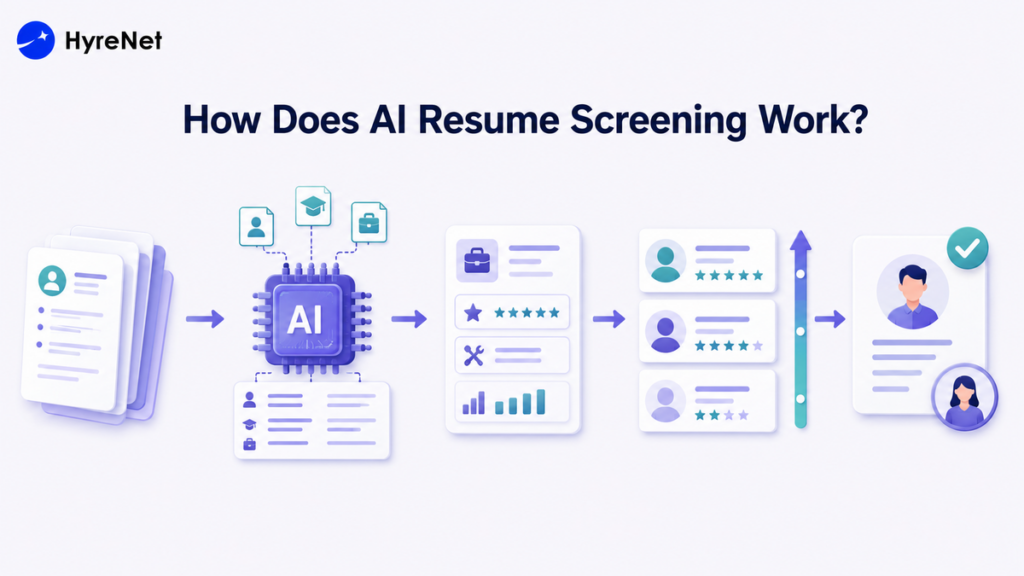
AI Resume Screening usually follows a structured process.
The hiring team first identifies the essential requirements for the position.
These may include:
Clear requirements produce more useful results. A vague job description may cause the system to recommend unsuitable candidates.
Applicants upload resumes through a careers page or applicant tracking system.
The screening software reads each document and converts the information into structured data. It may separate details into sections such as skills, education and work history.
The software looks for information connected with the job requirements.
For example, a resume for a digital marketing role may be checked for:
The system may also recognize similar terms. For instance, it may connect “search optimization” with “SEO” depending on how advanced the tool is.
The system compares candidate information with the criteria selected by the recruiter.
It may check:
This comparison helps the system estimate candidate relevance.
Applicants may receive a match score based on the screening criteria.
A candidate with several relevant skills may receive a higher score. Another applicant may receive a lower score because important qualifications are missing.
The score should guide the recruiter. It should not automatically prove that one candidate is better than another.
Recruiters review the recommended candidates before moving them forward.
They may also check lower-ranked applications to identify:
Make AI resume screening more accurate and recruitment-ready with HyreNet’s smart hiring platform. Screen resumes faster, shortlist qualified candidates, reduce manual review, improve hiring efficiency, and support better talent decisions with structured workflows built for modern recruitment teams.
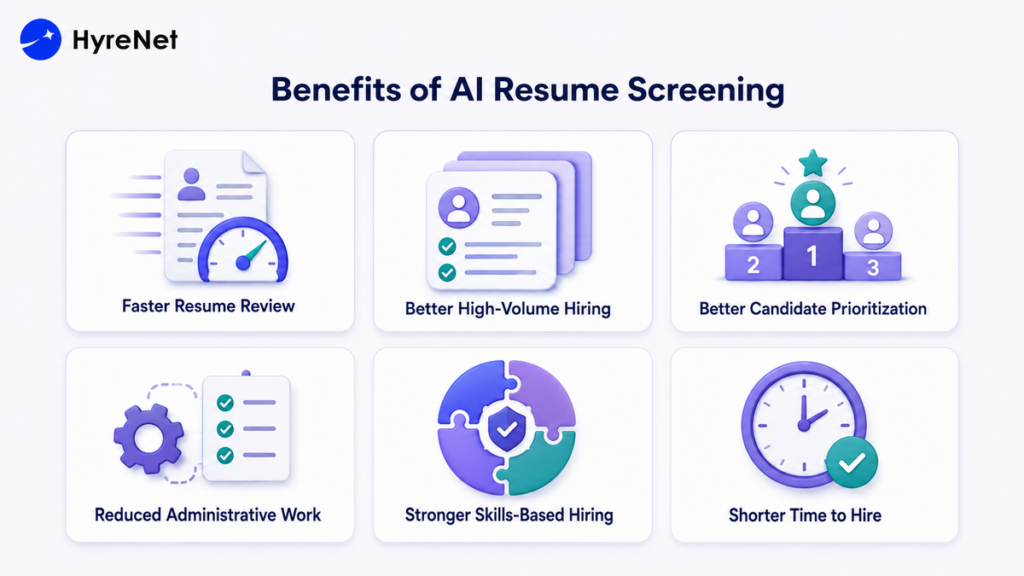
AI can process large numbers of applications much faster than manual screening.
Recruiters can spend less time sorting resumes and more time speaking with suitable candidates.
Large companies may receive thousands of applications for graduate programs or customer service roles.
AI Resume Screening helps them organize these applications without increasing the workload for every recruiter.
The system applies the same selected criteria to each resume.
This creates a more consistent first-stage review than relying on different recruiters to scan applications using personal preferences.
AI helps recruiters identify applications that appear closely connected with the role.
Hiring teams can review stronger matches first while still keeping other applications available for human review.
Recruiters often spend hours sorting resumes into categories.
AI can automate tasks such as:
This allows recruiters to focus on interviews and candidate experience.
Traditional resume screening may place too much importance on degrees or previous job titles.
AI screening can help recruiters focus more on skills. A candidate may have a different title but still possess the experience required for the position.
Delayed screening can cause strong candidates to accept other offers.
Faster resume review allows recruiters to contact suitable applicants earlier and move them through the hiring process more efficiently.
AI Resume Screening is useful but not perfect.
These challenges make human oversight essential to ensure AI-driven decisions remain accurate, fair and aligned with hiring requirements.
Employers can improve AI screening by following these practices:
HyreNet helps employers create a more structured hiring process.
The platform can support:
Recruiters can use resume information to identify relevant candidates. They can then use structured assessments to check whether those candidates can perform important job tasks.
For example, a developer may complete a coding test after the resume screening stage. A content writer may take a writing assessment. A customer service candidate may respond to a realistic support scenario.
This gives recruiters stronger evidence than a resume alone.
AI Resume Screening helps recruiters review applications faster and manage large candidate pools. It can improve consistency and reduce repetitive administrative work.
The quality of the results depends on the job criteria and the screening process. Employers should review AI recommendations and check for unfair outcomes.
HyreNet helps businesses combine candidate screening with structured skill assessments. This supports faster shortlisting while keeping human judgement central to final hiring decisions.
Nearly 79% of HR professionals believe skills assessment scores are as important as or more important than traditional hiring criteria. Yet many employers still rely heavily on resumes and interviews that may not reveal a candidate’s actual abilities.
A pre-employment assessment helps employers evaluate job-related skills, knowledge and workplace behaviour before making an offer. It supports faster screening and gives candidates a fair opportunity to demonstrate their abilities.
However, the assessment must reflect the actual role to deliver meaningful results. This guide explores the major types of pre-employment assessments along with their benefits and best practices.
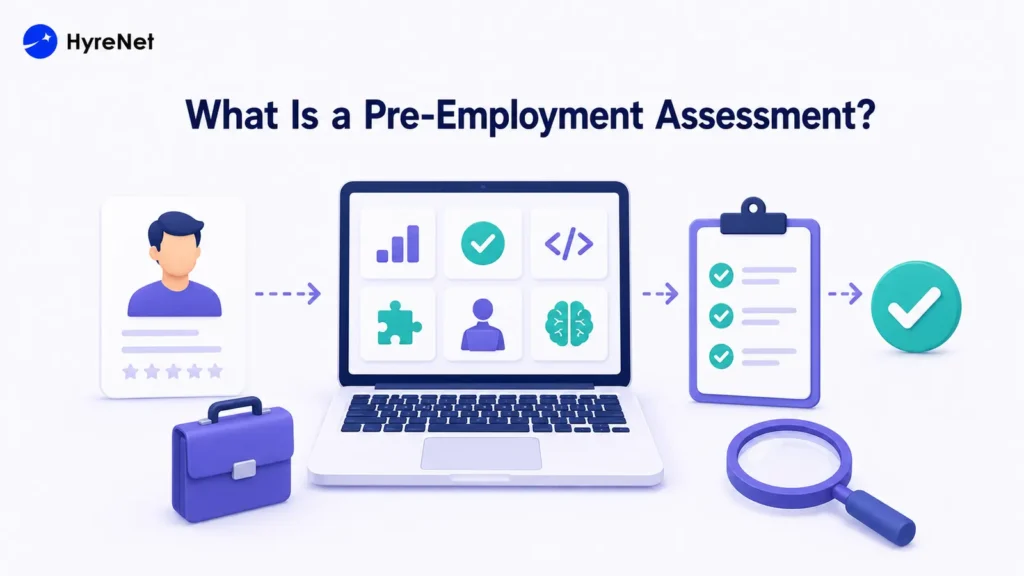
A pre-employment assessment is a structured test used to evaluate candidates before hiring. It measures job-related skills, knowledge, cognitive ability, communication or workplace judgment.
The assessment should reflect the role’s actual responsibilities. Employers should use it alongside resume screening, structured interviews and reference checks rather than as the only hiring method.
Resumes and interviews can be influenced by personal impressions. Different interviewers may also apply different standards.
A structured assessment gives candidates comparable tasks and uses predefined scoring criteria. This helps recruiters evaluate proven abilities and determine:
Assessment results help recruiters prioritize qualified candidates. Final decisions should also consider interviews, experience and other relevant evidence.
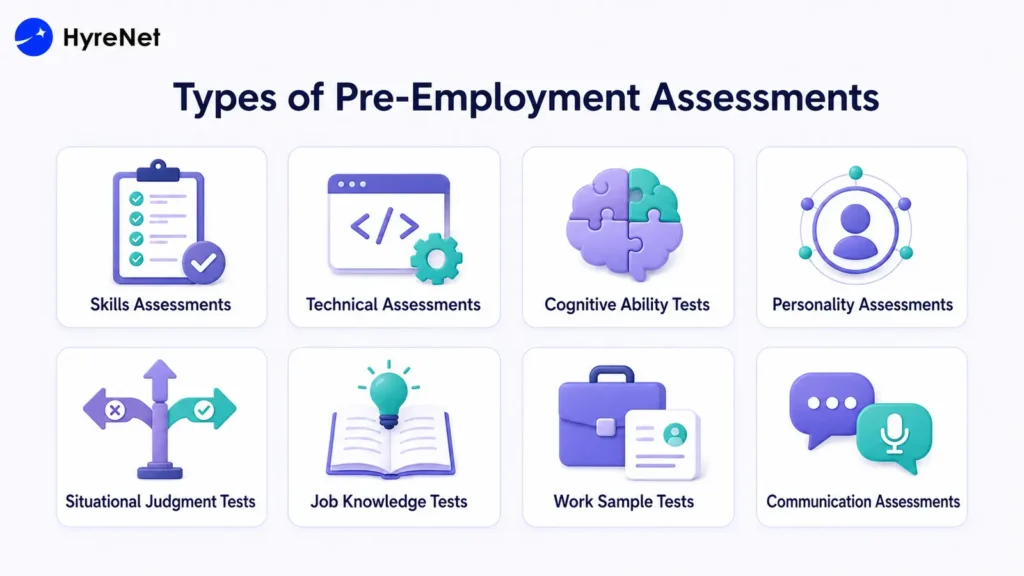
The right hiring assessment depends on the position. A developer may complete a coding test, while a customer service applicant may respond to support scenarios.
Skills assessments measure a candidate’s ability to complete practical job tasks.
Common examples include:
These assessments show whether candidates can apply their knowledge in realistic situations.
Technical assessments evaluate specialized knowledge required for roles in software development, engineering, cybersecurity, data science and IT.
They may include multiple-choice questions, coding challenges, debugging exercises or case studies. The difficulty should match the position’s seniority level.
Cognitive ability tests measure logical reasoning, numerical ability, verbal comprehension and problem-solving skills.
These tests can indicate how quickly candidates process information and learn new concepts. Questions should remain relevant to the role and avoid unnecessary complexity.
Personality assessments examine workplace preferences and behavioral tendencies such as dependability, adaptability and collaboration.
Employers should use these results as supporting evidence. Personality scores should not independently determine whether a candidate receives an offer.
Situational judgment tests present realistic workplace scenarios and ask candidates to select the most appropriate response.
They help measure decision-making, communication and conflict resolution. They also give applicants a clearer view of situations they may face in the role.
Job knowledge tests measure a candidate’s understanding of industry terms, regulations, procedures or professional practices.
They are most useful for positions that require candidates to possess essential knowledge before joining.
Work sample tests require candidates to complete a task similar to the actual job.
A marketer may create a campaign outline. A developer may build a small feature. An accountant may review a financial statement.
These tests provide direct evidence of job performance. Employers should keep assignments reasonable and avoid using unpaid candidate work commercially.
Communication assessments evaluate written or verbal communication for customer service, sales, marketing, leadership and remote roles.
Candidates may write an email, deliver a presentation or handle a simulated customer call. A scoring rubric should measure clarity, accuracy, tone and organization.
Build a smarter pre-employment assessment process with HyreNet’s data-backed hiring platform. Evaluate candidates with structured skill tests, improve hiring efficiency, reduce mis-hires, increase quality of hire, and create a more reliable recruitment workflow for better talent decisions.
Here are the most common types of pre-employment assessments employers use to evaluate candidates.
A pre-employment assessment gives employers clear evidence of a candidate’s job-related skills and knowledge. The assessment should match the role and use consistent scoring. It should also remain accessible and fair.
HyreNet helps businesses assess candidates at scale and identify qualified applicants faster. Combined with structured interviews and recruiter judgement, it supports more confident hiring decisions.
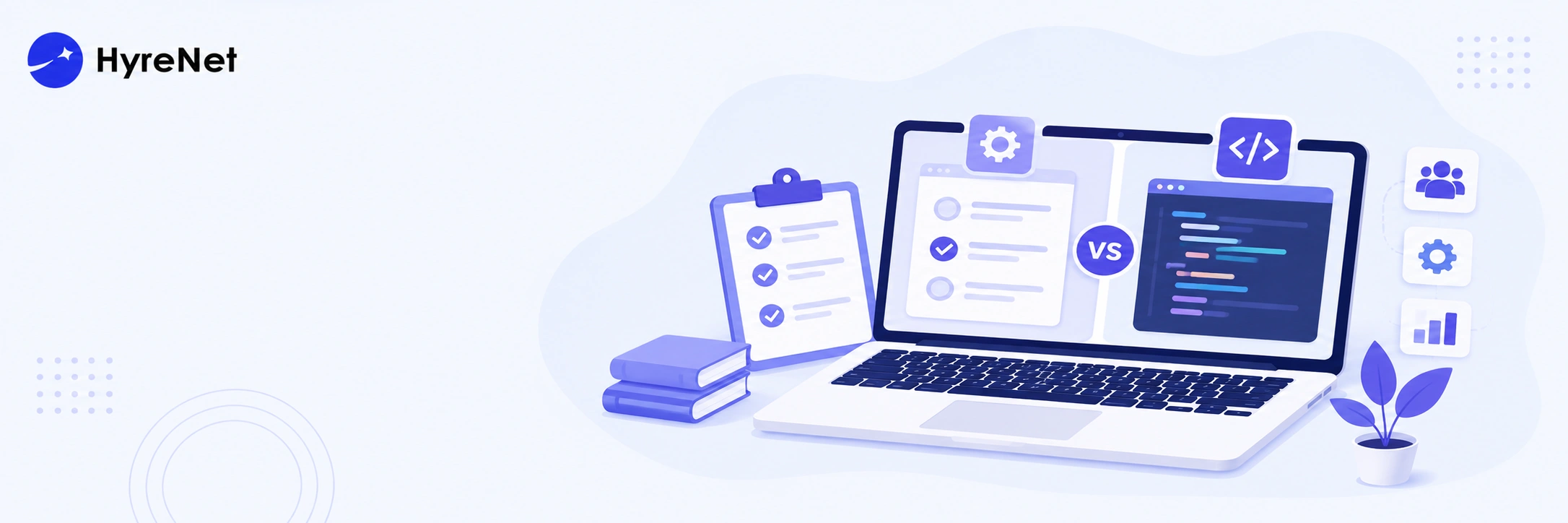
Hiring developers becomes difficult when the evaluation method does not match the role. Some candidates perform well in live coding rounds but struggle with real project work. Others write strong code but underperform under interview pressure. That is why technical assessments and coding interviews need to be understood clearly.
Technical assessments measure practical coding, debugging, and role-specific skills at scale. Coding interviews reveal real-time thinking, communication, and problem-solving depth. Read the full blog to compare both methods and choose the right approach for developer hiring.
Technical assessments are structured evaluation methods used to measure a candidate’s job-specific technical skills. A well-designed technical assessment should reflect the actual responsibilities of the role. A backend developer may be tested on APIs, databases, and logic flow. A data engineer may be tested on pipelines, SQL, and data processing. This role alignment makes the assessment more useful than generic screening questions.
Choose the right developer hiring method with HyreNet’s smarter technical assessment workflows. Compare technical assessments and coding interviews with clearer skill signals, structured evaluation, reduced interviewer workload, and data-backed insights that help recruitment teams identify job-ready developers with confidence.
Coding interviews are live or guided technical evaluation sessions where candidates solve coding problems in front of interviewers. They help solve common recruitment challenges by giving interviewers direct visibility into a candidate’s reasoning process, technical depth, and communication style. This makes them especially useful after initial screening, when companies need to validate how well a candidate thinks, explains, and applies coding concepts in real time.
Technical assessments and coding interviews both help hiring teams evaluate developer ability, but they do it in different ways. A technical assessment checks how well a candidate applies skills through a defined task. A coding interview shows how the candidate thinks, explains, and responds during a live problem-solving discussion.
A strong technical hiring process should not treat these methods as competitors. Each one answers a different question. Technical assessments ask, “Can this candidate do the work?” Coding interviews ask, “How does this candidate think through the work?”
Technical assessments are usually structured and asynchronous. Candidates receive a task, complete it within a given time, and submit their work for review. This format gives recruiters a clear way to compare candidates using the same criteria.
Coding interviews are live and interaction-based. Candidates solve problems in front of interviewers through a shared coding platform, video call, or pair programming setup. The interviewer can ask follow-up questions and observe how the candidate responds.
The main difference lies in visibility. Technical assessments show the quality of the final output. Coding interviews show the reasoning process behind the solution.
Technical assessments often feel more flexible for candidates. They get time to read the problem, plan the solution, and submit their work without constant observation. This can help candidates perform closer to their actual working style.
Coding interviews can feel more stressful because candidates must think, code, and explain in real time. A skilled developer may still struggle under pressure, especially when the task feels distant from daily engineering work.
A candidate-friendly process should respect effort and time. Assessments should be clear and reasonable. Coding interviews should test relevant thinking, not only speed under pressure.
Technical assessments are useful for measuring practical job skills at scale. A backend assessment can test API logic, database handling, and error management. A frontend assessment can test component structure, state handling, and interface logic.
Coding interviews add another layer of accuracy. They help interviewers understand how candidates explain decisions, handle feedback, and reason through constraints. These signals matter because developers work with teams, not only code editors.
Hiring accuracy improves when both methods work together. The assessment validates technical readiness. The coding interview validates reasoning, communication, and judgment.
Technical assessments help recruiters screen more candidates in less time. Standard tasks, rubrics, and automated review can reduce early-stage hiring workload. This makes them useful for campus hiring and high-volume technical recruitment.
Coding interviews need more time from both recruiters and engineering teams. Every live round requires scheduling, interviewer availability, and detailed feedback. This can slow hiring when the applicant pool is large.
A practical approach is to use technical assessments before live interviews. This helps teams spend interview time on candidates who already show baseline technical ability.
Structured technical assessments can improve consistency because every candidate receives the same task and scoring criteria. A clear rubric helps reviewers judge correctness, code quality, readability, and problem-solving more fairly.
Coding interviews can vary based on interviewer style and question difficulty. Candidate nervousness can also affect performance. Two interviewers may judge the same answer differently if there is no shared scorecard.
Fair technical hiring needs process discipline. Standard questions and clear evaluation rubrics reduce inconsistency and improve trust.
| Factor | Technical Assessments | Coding Interviews |
| Format | Structured tasks completed online | Live coding session with interviewer |
| Best For | Early screening and skill validation | Deeper evaluation and final technical rounds |
| Candidate Pressure | Lower | Higher |
| Skills Tested | Coding ability, debugging, logic, role-specific skills | Thinking process, communication, reasoning, feedback response |
| Scalability | Easy to use for large hiring pipelines | Hard to scale for high-volume hiring |
| Consistency | More consistent with fixed tasks and rubrics | Can vary by interviewer and question difficulty |
| Hiring Signal | Shows practical job readiness | Shows real-time problem-solving behavior |
| Main Risk | Long or unclear tests can cause drop-off | Stress and interviewer bias can affect results |
| Best Use Case | Screening many candidates before interviews | Validating shortlisted candidates |
| Ideal Approach | Use first to filter candidates | Use later to assess depth and fit |
Use technical assessments when hiring teams need to:
Use coding interviews when hiring teams need to:
Start with a role-relevant technical assessment to filter candidates based on real technical ability. The task should reflect the work the candidate will actually do after hiring.
A good early-stage assessment should be clear, focused, and reasonable in length. It should help recruiters identify candidates who meet the basic technical standard without creating unnecessary drop-off.
After candidates pass the assessment, use coding interviews to evaluate communication, logic, and problem-solving depth. This stage should focus on how candidates think, not only whether they reach the final answer quickly.
Interviewers can ask candidates to explain their assessment solution, improve part of their code, or solve a related problem. This makes the live interview more connected to the role and less dependent on random puzzle-style questions.
Structured scorecards help reduce bias and improve hiring accuracy. Every interviewer should rate candidates on clear factors such as problem understanding, code quality, communication, debugging ability, and response to feedback.
Scorecards also make hiring discussions more useful. Instead of relying on vague comments like “good candidate” or “weak fit,” teams can compare evidence across specific skills.
Hiring teams should compare assessment and interview results with employee performance after hiring. This shows whether the evaluation process is actually predicting job success.
Useful signals can include manager feedback, time to productivity, code quality, project delivery, retention, and peer collaboration. This review helps companies improve their tests, interview questions, and scoring rubrics over time.
Technical assessments and coding interviews serve different purposes in developer hiring. Technical assessments help measure practical skills at scale, while coding interviews reveal communication, reasoning, and real-time problem-solving. Recruitment teams should combine both methods to build a fairer, faster, and more accurate technical hiring process.
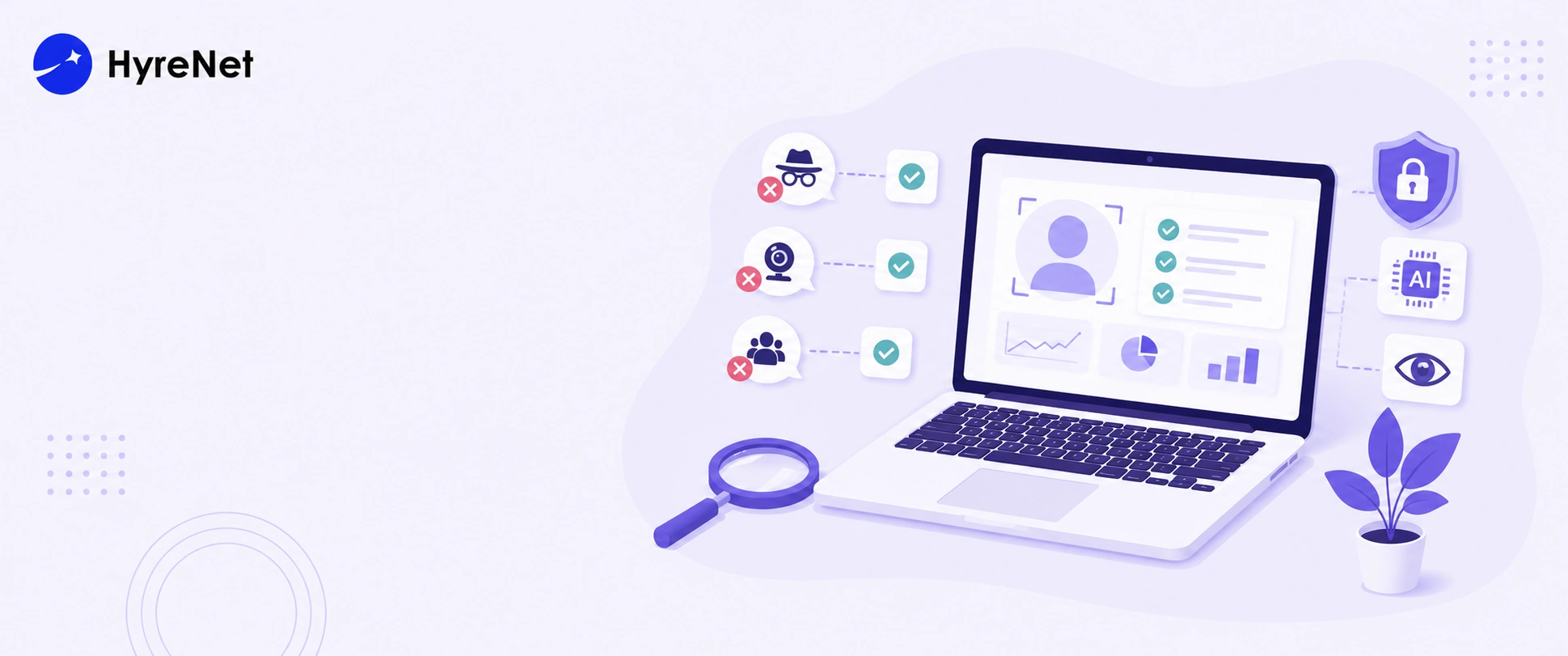
AI proctoring has become one of the most talked about tools in modern hiring. But with that attention comes a lot of misinformation. Recruiters who have never used it often hold back because of things they have heard that simply are not true. Understanding the real AI proctoring myths versus the actual facts helps you make a much more informed decision about whether this technology belongs in your hiring process.
A lot of the hesitation around AI proctoring comes from assumptions people have made without actually looking into how it works. Here are the most common AI proctoring myths, and the truth behind each one.
Myth 1: AI Proctoring Is Just Spying on Candidates
This is probably the most widespread of all the AI proctoring myths. The reality is that AI proctoring only monitors what is directly relevant to the assessment, webcam activity, screen behaviour, and browser usage. It does not access files on a candidate's device, read personal messages, or record anything beyond the test session. Candidates are always informed before the assessment begins that monitoring is in place, so there are no surprises.
Myth 2: It Gets Things Wrong Too Often to Be Useful
AI proctoring myths around accuracy are common, but modern systems are significantly better than this assumption suggests. They are trained to distinguish between genuine suspicious behaviour and normal things like adjusting your seating position. Flags are always reviewed by a human before any decision is made.
Myth 3: Only Large Enterprises Can Afford It
This is one of the AI proctoring myths that stops smaller companies from even looking into it. In reality, AI proctoring is built into platforms like HyreNet as part of the standard assessment package. You do not need a separate contract, a dedicated IT team, or an enterprise budget. Whether you are hiring for two roles or two hundred, the cost is the same per assessment.
Myth 4: Candidates Hate It and It Hurts Your Employer Brand
The concern here is understandable, but it is based on an outdated version of the technology. Poorly designed proctoring that feels invasive or breaks down mid-session does damage perception. But a smooth, well-communicated AI proctoring experience does not. Candidates who are told upfront what will be monitored and why generally accept it as a fair part of a standardised process. Most AI proctoring myths around candidate experience come from bad implementations, not the technology itself.
Myth 5: AI Proctoring Makes the Hiring Decision for You
This is one of the most important AI proctoring myths to clear up. AI proctoring does not decide whether someone gets hired. It flags behaviour for human review. A recruiter still looks at every flagged incident and decides whether it is actually concerning. The technology supports judgment, it does not replace it.
Myth 6: It Only Works for Technical Roles
AI proctoring is often associated with coding assessments and technical tests because those were early adopters of the technology. But AI proctoring myths like this ignore how broadly it applies. Any role that involves a remote assessment, whether it is a customer service position, a finance role, or a graduate hire, benefits from the same level of monitoring and result integrity.
Myth 7: Candidates Can Easily Cheat AI Proctoring
This myth usually comes from people who have heard of workarounds. The truth is that modern AI proctoring monitors multiple signals simultaneously, webcam, microphone, screen activity, tab switches, and more. Defeating all of those at once without triggering a flag is far harder than most people assume, and the attempt itself usually shows up in the data.
Myth 8: AI Proctoring Is a Privacy Violation
This is perhaps the stickiest of the AI proctoring myths because it sounds serious. But proctoring during an assessment is no different in principle to having an invigilator present in an exam room. Candidates consent before starting, monitoring is limited to the session, and data is stored securely within the platform.
When you look past the AI proctoring myths, what you find is a tool that makes remote assessments more trustworthy, more consistent, and more defensible. The companies holding back because of things they have heard are often the ones spending the most time dealing with assessment integrity issues that could have been avoided.
Also read - 5 Reasons Why HyreNet’s Recruitment Platform Easily Stands Out in Talent Acquisition
Candidate drop-off during online assessments is one of the most common recruitment challenges companies face today. A candidate may apply with interest, open the test link, and still leave the process before submission.
This does not always mean the candidate was uninterested. Many drop-offs happen because the assessment feels too long, unclear, difficult to access, or disconnected from the actual role.
Online assessments are useful for measuring skills at scale, but they must be designed carefully. A poor assessment experience can make strong candidates leave before recruiters ever get to evaluate them.
Reducing candidate drop-off starts with one simple shift. Companies need to treat online assessments as part of the candidate experience, not only as a screening tool.
Candidate drop-off during online assessments refers to the percentage of applicants who start or receive an assessment but do not complete it.
This can happen at different stages. Some candidates never open the test link. Some abandon the test midway. Others complete the test but do not continue with the next hiring step.
A high candidate drop-off rate usually signals a problem in the hiring process. The issue may be test length, poor instructions, weak communication, technical barriers, or lack of motivation.
Long assessments are one of the biggest reasons candidates abandon the process. Applicants are more likely to complete tests that feel focused, relevant, and reasonable.
A two-hour test for an early-stage role can feel excessive. Candidates may also question whether the company respects their time. This creates one of the most common recruitment challenges, where qualified applicants leave before recruiters can properly evaluate them.
The best approach is to test only what matters for the role. Every question should have a clear hiring purpose.
Candidates drop off when they do not understand what to do, how much time the test will take, or what will happen after submission.
Unclear instructions create anxiety. They also make the company look unorganized.
Clear communication should explain the test format, time limit, deadline, tools required, evaluation criteria, and next steps.
Candidates lose interest when assessments do not match the job. A content writer should not receive a generic aptitude-heavy test if the role mainly requires writing ability.
A developer should not face theoretical questions that do not reflect real coding work.
Role relevance improves completion because candidates can see the purpose behind the assessment.
Login errors, broken links, poor mobile compatibility, browser restrictions, and platform glitches can quickly increase drop-off.
Many candidates complete assessments after work, during travel, or on shared devices. A platform that is difficult to access can discourage even serious applicants.
The assessment platform should be simple, stable, and easy to use.
Candidates are more likely to complete an assessment when they understand why it matters.
A short explanation can help. Tell candidates that the assessment helps evaluate skills fairly, reduce hiring bias, and move qualified applicants faster.
People are more willing to invest time when the process feels transparent and worthwhile.
Shorter assessments usually lead to better completion rates. A good online assessment should measure the most important skills without overwhelming the candidate.
The ideal length depends on the role, but early-stage assessments should be concise. Companies can use longer evaluations only after candidates have already shown strong interest.
A focused test also improves hiring accuracy. Recruiters get cleaner signals because candidates are not exhausted by unnecessary questions.
Role-based assessments reduce drop-off because candidates can connect the test to the actual job.
A sales role may need communication judgment, objection handling, and situation-based questions. A coding role may need practical problem-solving. A content role may need editing, research, and writing judgment.
Relevant assessments feel fair. They also help candidates understand what the company values.
Candidates should never feel lost before starting an assessment.
The invitation email should clearly mention:
This reduces confusion and builds trust. Clear instructions also reduce support queries for recruiters.
Many candidates open assessment links on mobile first. Some may not have immediate access to a laptop.
A mobile-friendly assessment experience can reduce early drop-off, especially for entry-level, high-volume, and remote hiring roles.
Mobile compatibility does not mean every test should be completed on a phone. It means the candidate should be able to open instructions, check deadlines, access support, and understand requirements easily.
Very strict time limits can make candidates anxious. Very long timelines can make them delay the test and forget about it.
A realistic deadline works better. Give candidates enough time to plan, especially if they are working professionals.
For urgent hiring, mention the reason clearly. Candidates respond better when deadlines feel practical and transparent.
Reduce candidate drop-off during online assessments with HyreNet’s smarter recruitment assessment workflows. Create shorter, clearer, and more candidate-friendly evaluations that improve completion rates, protect candidate experience, and help hiring teams keep qualified applicants engaged until the final decision.
Many candidates do not drop off intentionally. They simply forget the deadline or miss the email.
Reminder emails can improve completion rates without adding pressure. Send one reminder midway and another before the deadline.
The tone should be helpful, not robotic. A reminder should include the assessment link, deadline, estimated time, and support contact.
A complicated login process can hurt completion before the assessment even begins.
Candidates should not have to create multiple accounts, verify too many details, or download unfamiliar tools unless necessary.
A smooth entry experience improves participation. It also creates a better first impression of the company.
Candidates are more likely to complete a test when they understand how results will be used.
Explain whether the assessment is used for shortlisting, skill mapping, interview preparation, or final decision-making.
This transparency helps candidates feel the process is fair. It also reduces uncertainty around automated hiring tools.
Technical support can reduce preventable drop-offs. Candidates should know whom to contact if the link fails, the page freezes, or they face upload issues.
Support does not need to be complex. A clear email address, help page, or chatbot can make the experience smoother.
Fast support also protects the company from losing good candidates due to avoidable problems.
Many hiring teams add too many assessment rounds because they want more confidence. This can create fatigue and increase drop-off.
A candidate may complete one test, but leave when asked to complete another similar task.
Assessments should be mapped to hiring stages. Early rounds should screen essential skills. Later rounds can evaluate deeper role-specific ability.
Silence after an assessment damages candidate trust. Even a short update can improve the experience.
Companies should tell candidates when they can expect results. Automated status updates are better than no communication.
Feedback also helps employer branding. Candidates may accept rejection better when the process feels respectful.
Recruiters should measure where candidates leave the assessment process because drop-off data helps companies cut hiring costs smartly and improve hiring efficiency.
Track these metrics:
This data helps companies identify the exact problem. A high start rate but low completion rate may mean the test is too long. A low start rate may mean the email, deadline, or communication needs improvement. Tracking these patterns helps recruiters fix weak points early, reduce repeated screening efforts, and cut hiring costs without lowering candidate quality.
Reducing candidate drop-off during online assessments starts with better hiring design. Candidates are more likely to complete assessments that are short, clear, relevant, accessible, and respectful of their time.
Companies should not treat drop-off as a candidate problem. It is usually a process problem.
A strong online assessment experience improves completion rates, hiring accuracy, and employer branding. It also helps companies solve major recruitment challenges by keeping qualified candidates engaged until the final hiring decision.
Campus hiring can look exciting at first, with fresh talent, large candidate pools, multiple colleges, new roles, and strong hiring targets. Then the real challenge begins.
Recruiters have to screen hundreds or thousands of students, verify basic skills, conduct tests, prevent cheating, coordinate interviews, and share results with hiring managers. Manual hiring becomes slow very quickly. This is where an online assessment platform for campus hiring becomes useful. It helps recruiters conduct tests at scale, evaluate candidates fairly, reduce manual work, and shortlist the right students faster.
Read this blog to understand how to choose the best online assessment platform for campus hiring and what features matter most.
An online assessment platform for campus hiring is a digital tool that helps companies test students before interviews. Recruiters use it to conduct aptitude tests, coding tests, technical MCQs, communication tests, domain assessments, and role-based evaluations.
These platforms are useful for hiring roles such as:
The main goal is pretty simple. Recruiters need to identify skilled candidates faster without depending only on resumes, college names, or CGPA.
Start with the roles you want to hire for. A software developer drive needs different tests than a sales trainee drive.
Recruiters should define:
A clear goal makes platform selection easier.
The platform should support the skills needed for the role. Technical roles may need coding, SQL, debugging, and technical MCQs. Non-technical roles may need aptitude, communication, and situational judgment tests. Choose a platform that matches your hiring role, not only your hiring volume.
Test integrity is important during campus assessments. Recruiters should check whether the platform can detect suspicious activity and generate reliable proctoring reports. Good proctoring helps companies trust assessment results before moving candidates to interviews.
Reports should be easy for recruiters and hiring managers to understand. A complicated report slows decision-making. The best reports clearly show who performed well, where candidates struggled, and who should move to the next round.
Recruiters should take the test as a candidate before launching a campus drive. This helps identify confusing instructions, login issues, browser problems, and poor user experience. A simple test journey improves completion rates.
Campus hiring often happens on tight timelines. Platform downtime or poor support can affect the full drive. Recruiters should check whether the platform offers fast support, stable test hosting, and issue resolution during live assessments.
Run a small pilot before using the platform for a large campus drive. This helps recruiters test the platform, reports, candidate experience, and proctoring quality. A pilot also helps hiring teams improve the test before scaling it.
HyreNet is a useful online assessment platform for companies that want to make campus hiring faster, simpler, and more skill-focused. It supports coding tests, AI-proctored exams, automated reminders, role-based test creation, reports, and programming assessments, which makes it helpful for hiring freshers in technical roles.
Best for:
Key Features:
HackerRank is a popular choice for companies hiring early-career developers from colleges. Its university hiring solution supports engagement events, coding tests, and high-volume screening for campus recruitment.
Best for:
Key Features:
Mercer | Mettl is a strong option for companies that need campus assessments across technical and non-technical roles. It offers online assessments, interview tools, analytics, and proctoring support for large campus hiring programs.
Best for:
Key Features:
iMocha works well for companies that want to validate campus candidates across technical, communication, functional, and role-based skills. It offers real-world assessments, AI proctoring, English tests, and skill-based reports for hiring at scale.
Best for:
Key Features:
HireMee is useful for companies that want an AI-proctored assessment platform for large candidate pools. It helps recruiters automate hiring, filter interview-ready candidates, and manage remote assessments at scale.
Best for:
Key Features:
Choosing the best online assessment platform for campus hiring is about more than running tests. Recruiters need a platform that supports scale, fairness, skill evaluation, proctoring, reporting, and candidate experience. The right platform helps companies screen students faster, reduce manual work, and shortlist better candidates for interviews.
Campus hiring becomes easier when recruiters can test real skills, protect test integrity, and compare candidates through clear reports. A good online assessment platform does not replace recruiters. It helps them make campus hiring faster, smarter, and more reliable.
Choosing the right assessment platform shapes your entire hiring process. Pick the wrong one and you end up with a tool that creates more work than it saves. Pick the right one and your team moves faster, makes better decisions, and spends far less time on tasks that should not require human attention. It comes down to the features every modern assessment platform should have, and whether the platform you are considering actually delivers on all of them consistently.
Not all assessment platforms are built equally. Some handle basic test delivery and little else. Others are built to support the full hiring cycle, from screening to final decision, without adding complexity for your team. Here is what you should be looking for before committing to any platform.
1. Customisable Assessments
No two roles are the same and your tool should reflect that. The features every modern assessment platform should have start with the ability to build role-specific tests from templates or from scratch, without being locked into a rigid question bank.
2. AI-Generated Questions
Manually building question sets for every new role is slow and repetitive. A good platform uses AI to generate relevant questions based on role, skill level, and domain. This is one of the core features every modern assessment platform should have in 2026.
3. A Rich Question Library
Beyond AI generation, a pre-built library of vetted questions across technical domains, aptitude areas, and soft skills saves enormous time. HyreNet gives recruiters access to the HCL GUVI question library, covering programming languages, logical reasoning, and domain-specific topics.
4. Multiple Assessment Types
Skills tests, aptitude tests, personality assessments, coding challenges, video responses: a modern platform should support all of them in one place. Switching between tools for different types adds unnecessary complexity.
5. AI Video Proctoring
Remote testing only works if results are trustworthy. AI proctoring monitors candidates through webcam feeds, screen activity, and tab switching detection throughout every session. This is a non-negotiable entry in the features every modern assessment platform should have for remote hiring.
6. Automated Candidate Reminders
Candidates get busy and test invites get buried. A good platform sends automated follow-up reminders to candidates who have not yet completed their assessment, keeping the pipeline moving without manual chasing.
7. Detailed Candidate Reports
A raw score tells you very little. The features every modern assessment platform should have include comprehensive reports covering performance breakdowns, personality indicators, and comparative data against others in the pipeline.
8. Built-in Analytics and Reporting
Among the features every modern assessment platform should have, built-in analytics often get underestimated. Recruiters need visibility into how long candidates take, where people drop off, and which assessments produce the strongest hires. A platform that cannot answer these questions leaves valuable data untouched.
9. Centralised Data Storage
All assessment results, candidate videos, scores, and reports should live in one place. Jumping between spreadsheets and email threads to track candidate data is a clear sign a company has outgrown its hiring tools.
10. Scalable Pricing
Scalable pricing is firmly in the features every modern assessment platform should have. Whether you are hiring for two roles or running a large campaign, you should only pay for what the situation demands.
11. Easy Integration
The best platforms connect with the ATS and HR tools your team already uses. Forcing manual data transfers between systems adds friction and wastes time.
12. Candidate-Friendly Experience
A confusing assessment reflects badly on your company and increases drop-off rates. The features every modern assessment platform should have include a clean, intuitive interface that works on both desktop and mobile.
13. Question Shuffling and Anti-Cheat Controls
Strong platforms randomise question order and answer options to reduce the risk of candidates sharing answers. This is firmly in the features every modern assessment platform should have when assessments run at scale.
14. Role-Based Access for Teams
HR managers, hiring managers, and recruiters need different levels of access. A good platform lets you set permissions by role so the right people see the right information.
15. Fast, Reliable Support
When something goes wrong during a hiring cycle, you cannot wait days for help. Responsive support is one of the features every modern assessment platform should have that gets overlooked until it is urgently needed.
HyreNet is designed to deliver all of these out of the box. From AI-generated questions and automated proctoring to detailed reports and flexible pricing, it covers the features every modern assessment platform should have without requiring additional tools or multiple vendors.
Also read - 5 Reasons Why HyreNet’s Recruitment Platform Easily Stands Out in Talent Acquisition
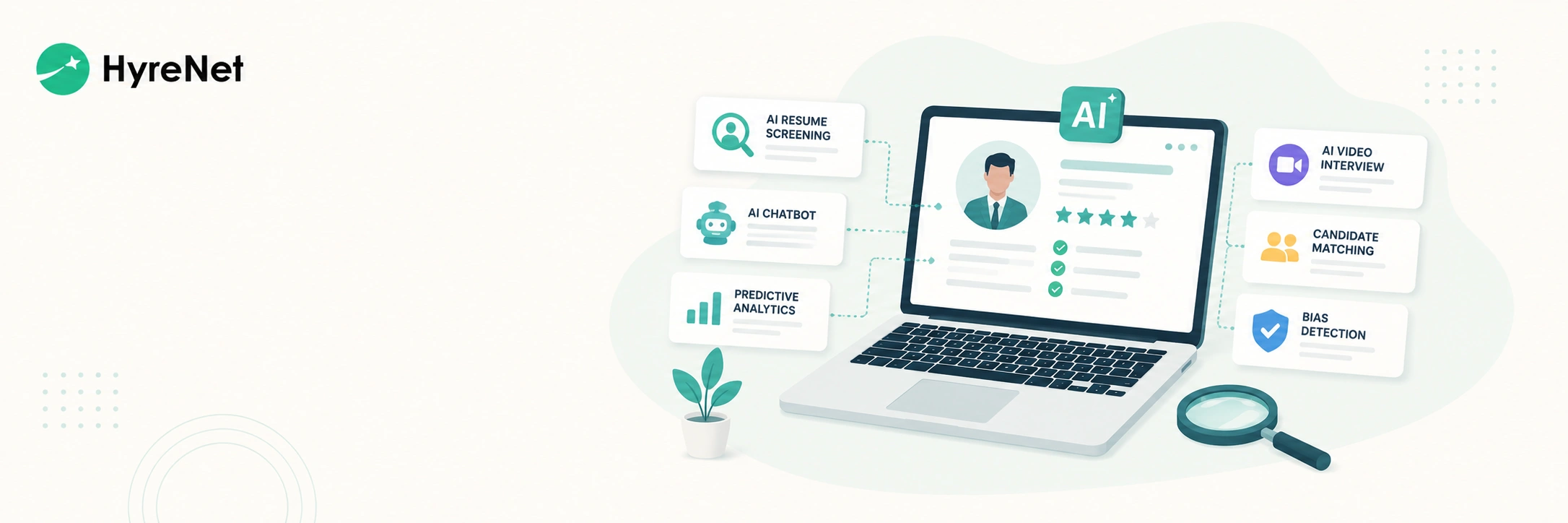
Hiring the right candidate is getting harder with every passing year. HR teams have to manage large application volumes, verify real skills, schedule interviews quickly, keep candidates engaged, and still make confident hiring decisions.
This is where AI hiring tools are becoming useful. They help recruiters reduce manual work, improve candidate matching, automate repetitive tasks, and create a more structured hiring process.
Read this blog to explore the top AI hiring tools every HR team should know and how they can make recruitment faster and more skill-focused.
HyreNet is a strong choice for HR teams that want to make technical hiring faster and more reliable. It helps recruiters run coding tests, AI-proctored exams, programming assessments, and remote hiring workflows from one platform. This makes it useful for companies hiring developers, data professionals, QA engineers, and other technical talent.
Best for:
HyreNet is especially useful when recruiters want to move beyond resumes and test what candidates can actually do before interviews.
Key Features:
HireVue is useful for companies that want to combine video interviewing, assessments, and AI-supported hiring workflows. It helps recruiters validate role-specific skills, run on-demand interviews, use structured interview guides, and simplify candidate scheduling.
Best for:
HireVue works well for HR teams that hire at scale and need a more organized way to evaluate candidates beyond traditional interviews.
Key Features:
Paradox is known for its conversational AI assistant, Olivia. It helps HR teams automate candidate conversations, answer questions, schedule interviews, and reduce repetitive recruiting tasks.
Best for:
Paradox is helpful for teams that want to spend less time on admin work and more time speaking with qualified candidates.
Key Features:
Eightfold AI is a talent intelligence platform built for hiring, workforce planning, internal mobility, and talent management. It uses AI to help HR teams understand skills, identify potential, and evaluate more candidates in less time.
Best for:
Eightfold AI is useful for larger organizations that want to connect hiring with long-term workforce strategy.
Key Features:
Manatal is an AI recruitment software platform for HR teams, recruitment agencies, and headhunters. It helps recruiters source candidates, manage pipelines, and hire faster through AI-supported recruitment workflows.
Best for:
Manatal is useful for teams that want an easy-to-use recruitment system with AI support across sourcing and screening.
Key Features:
Workable is an AI-powered recruiting platform with ATS, sourcing, screening, scheduling, job posting, careers page, and reporting features. Its AI recruiting agent helps manage the top of the hiring funnel by sourcing, screening, and qualifying candidates.
Best for:
Workable is a practical option for HR teams that want one platform to manage most parts of the hiring process.
Key Features:
SeekOut is an agentic AI recruiting platform that helps teams source, screen, and engage candidates at scale. It is especially useful for finding passive candidates and rediscovering talent from existing databases.
Best for:
SeekOut works well for HR teams that need deeper sourcing support and want to reach candidates beyond active applicants.
Key Features:
iMocha is an AI-powered skills assessment platform for hiring and workforce development. It helps companies validate real-world skills across technical, communication, functional, and domain-specific areas.
Best for:
iMocha is useful for companies that want to test skills deeply before making hiring or internal mobility decisions.
Key Features:
Greenhouse is a structured hiring platform with built-in AI recruiting features. It supports job description generation, scorecard creation, candidate filtering, resume anonymization, offer forecasting, and hiring governance.
Best for:
Greenhouse is a good fit for HR teams that want AI support while keeping hiring structured, explainable, and human-led.
Key Features:
TestGorilla helps HR teams assess candidates through skills tests, AI interviews, and role-based assessments. It is useful for companies that want to compare candidates based on what they can actually do instead of relying only on resumes.
Best for:
TestGorilla is helpful when HR teams want a broader assessment view, including technical skills, cognitive ability, personality, and role-specific strengths.
Key Features:
AI hiring tools are making recruitment faster, clearer, and more skill-focused. They help HR teams reduce manual screening, improve candidate matching, automate interviews, test real skills, and make better hiring decisions.
Still, the best results come when technology supports human judgment. Recruiters understand people, context, communication, and culture fit. AI simply helps them save time and focus on stronger candidates.
For HR teams hiring technical talent, tools like HyreNet can make the process simpler. Recruiters can run coding tests, use AI-proctored assessments, compare candidates with structured reports, and shortlist better talent with more confidence.
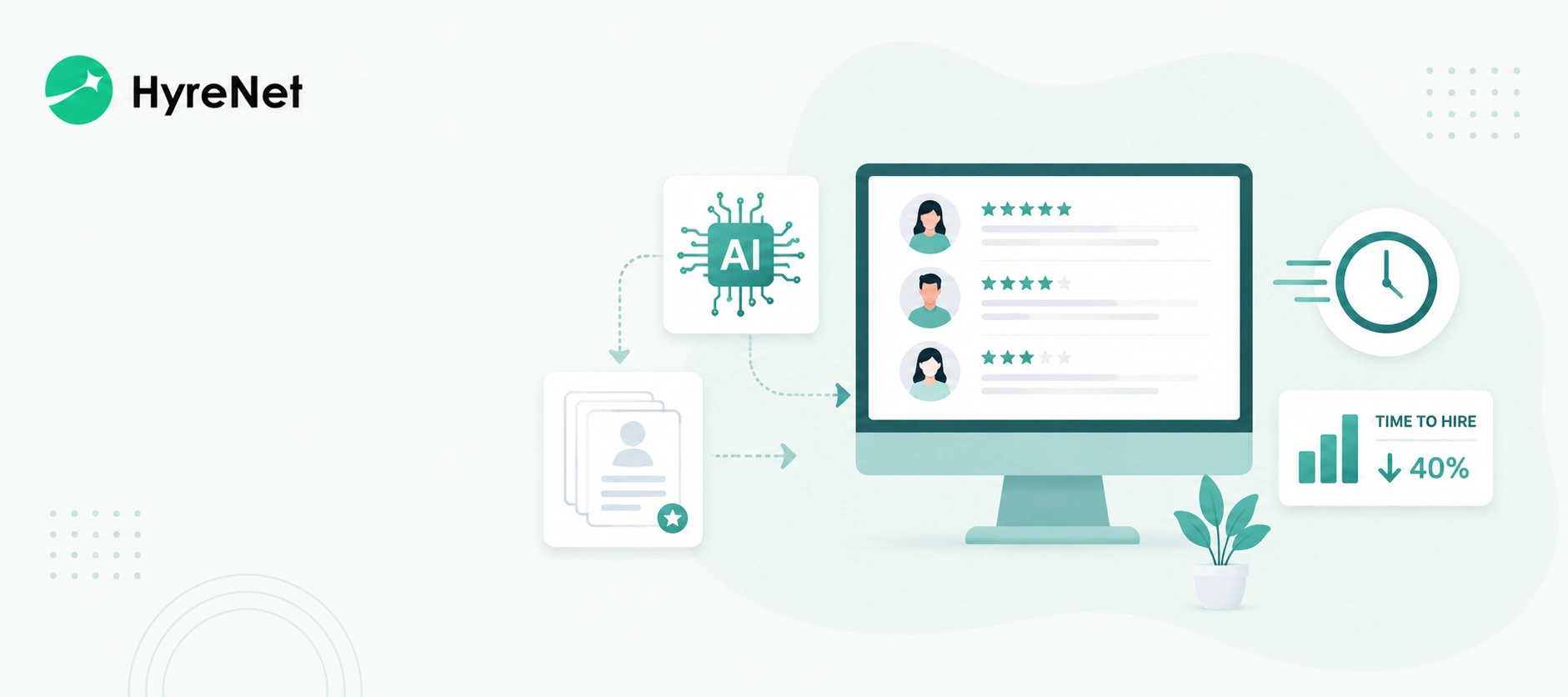
Hiring the right candidate already takes effort. Recruiters have to post jobs, screen resumes, follow up with candidates, schedule interviews, coordinate with hiring managers, and keep the pipeline moving. The real problem starts when the process takes too long. A strong candidate may apply today, but delayed calls, interviews, and feedback can push them toward another offer. This is why time-to-hire matters.
AI recruitment software helps recruiters speed up slow hiring stages. It reduces manual screening, improves candidate matching, automates communication, and helps teams make faster decisions. Want to hire faster with less manual work? Read our blog to learn how AI recruitment software can reduce time-to-hire and improve hiring decisions.
AI recruitment software is a hiring tool that uses artificial intelligence to support different parts of recruitment. It can help recruiters screen resumes, match candidates to roles, schedule interviews, send updates, assess skills, and analyze hiring performance. The goal is pretty simple. AI handles repetitive work so recruiters can focus on better conversations and stronger hiring decisions. AI recruitment software can support tasks such as:
Manual resume screening slows hiring, especially when one role attracts hundreds of applications. AI tools can scan resumes against the job description and highlight candidates who match the required skills, experience, and qualifications.
This reduces the first screening delay through:
Many companies already have strong candidates in their database, but recruiters may not find them quickly. AI search can rediscover past applicants, silver-medalist candidates, and existing talent pool profiles for new roles.
This helps recruiters fill pipelines faster by identifying:
Technical hiring becomes slow when weak candidates reach interviews. AI-powered assessment platforms test real ability before the interview stage, so only stronger candidates move ahead.
This improves technical screening with:
Interview scheduling often gets stuck in back-and-forth messages. AI scheduling tools connect calendars, share available slots, and send confirmations without manual coordination.
This saves time by managing:
Candidates lose interest when communication is slow. Automated updates keep them informed after applications, assessments, interviews, and final decisions.
This reduces drop-offs through:
Remote hiring saves time, but it can create test integrity risks. AI proctoring and plagiarism checks help recruiters trust assessment results without adding extra manual review.
This keeps remote evaluations reliable with:
Hiring decisions get delayed when feedback is scattered across calls, emails, and notes. AI-generated reports bring candidate performance, assessment scores, and interview feedback into one clear view.
This supports faster decisions with:
Recruiters cannot fix delays without knowing where they happen. Hiring analytics show which stage takes the most time and where candidates are dropping off.
This helps teams improve the process by tracking:
Start by using AI to draft a focused job description based on the role, required skills, experience level, location, work mode, and key responsibilities. This helps recruiters avoid vague job posts that attract too many irrelevant applications.
A strong AI-assisted job description should clearly include:
Use AI resume screening to filter candidates based on role-specific criteria. Instead of manually checking every application, recruiters can set must-have filters such as years of experience, tools, certifications, location, and notice period.
Recruiters should still review the shortlisted profiles before moving candidates ahead. This keeps the process faster without removing human judgment.
Send skill assessments before the first technical interview. This helps recruiters verify real ability before hiring managers spend time on calls.
For technical roles, this can include:
This step helps remove weak-fit candidates early and creates a stronger technical shortlist.
Use AI recruitment software to send timely updates at every stage. Candidates should not wait for days without knowing what happens next.
Recruiters can automate:
This keeps candidates engaged and reduces manual follow-ups.
Use calendar-based scheduling tools to remove back-and-forth messages. Candidates can choose from available slots, while recruiters avoid manually coordinating with hiring managers.
This helps speed up:
Faster scheduling reduces candidate drop-offs and keeps the hiring pipeline active.
Ask hiring managers to share feedback through structured scorecards instead of scattered messages or informal comments.
A good scorecard should cover:
This makes evaluation consistent and helps recruiters get clearer feedback faster.
Review hiring data every week to find where candidates are getting stuck. The delay may come from resume review, assessment completion, interview scheduling, feedback collection, or offer approval.
Recruiters should track:
Small fixes at the slowest stage can reduce time-to-hire across the full pipeline.
HyreNet helps recruiters make technical hiring simpler and faster. Recruiters can assess coding skills, run AI-proctored tests, automate evaluations, and compare candidates through structured reports.
This reduces manual screening and helps hiring teams focus on candidates with real technical proficiency. With HyreNet, recruiters can:
HyreNet is useful for recruiters hiring software developers, frontend developers, backend developers, data analysts, QA engineers, DevOps engineers, and other technical roles.
Reducing time-to-hire is not only about moving faster. It is about removing delays without lowering hiring quality. AI recruitment software helps recruiters automate repetitive tasks, screen candidates faster, verify skills earlier, schedule interviews smoothly, and keep candidates engaged.
The best hiring teams will use AI as a support system, not as a replacement for human judgment. Recruiters still need to understand people, ask better questions, guide hiring managers, and protect candidate experience. AI simply gives them more time to do that well.

In today’s competitive job market, finding the right talent quickly and efficiently can be challenging. That’s where HyreNet’s recruitment platform steps in. As a leading AI-powered solution, HyreNet empowers companies to streamline their hiring processes, ensuring they attract and identify top talent with ease. Trusted by over 50 companies, HyreNet offers a suite of features designed to simplify recruitment while maintaining the highest standards of candidate evaluation. Here are five reasons why HyreNet is the go-to choice for businesses looking to enhance their talent acquisition strategies.
HyreNet provides tools to create role-specific assessments effortlessly. You can customize templates by importing questions via CSV, setting the duration, and shuffling questions to match your needs. Whether hiring for junior positions or senior roles, you can create and reuse templates across multiple tests, ensuring consistency and efficiency. HyreNet also offers a unique shuffling feature, where the order of questions varies for each candidate, enhancing the assessment's integrity.
Additionally, HyreNet offers lifetime free customized question generation. Questions are tailored to your company's requirements, covering various formats like objective, programming, and video questions. The platform also includes real-world project problem statements that candidates can develop using frameworks like React, Vue.js, and AngularJS, offering a deeper evaluation of their practical skills.
Integrity is crucial in recruitment assessments, and HyreNet takes this seriously with its AI-powered proctoring. The platform continuously monitors candidates’ faces during the test, capturing video throughout to ensure focus and prevent cheating. If multiple faces are detected on the screen or if someone else attempts to take the test, the system will flag the incident.
Additionally, if a candidate's face is not visible during the assessment, it will be detected, ensuring the authenticity of the test-taking process. HyreNet also detects if a candidate switches to another tab during the test, taking screenshots and logging the event for review. If programming content is copied from another site, it will be detected, and the copied content can be viewed in the report by recruiters. This comprehensive monitoring system ensures that genuine candidates succeed, giving you confidence in your hiring decisions.
HyreNet provides detailed insights into candidate performance through its robust reporting features. Access reports that include leaderboards, skill assessments, and other critical metrics. The platform also records candidate videos and captures screenshots of any suspicious activities, all compiled into a thorough report. These insights help you identify top talent and make informed, data-driven decisions.
Moreover, recruiters can take advantage of role-based access controls, ensuring that team members have the appropriate level of access based on their role, which helps maintain security and organization within the hiring process.
Managing recruitment assessments is simple with HyreNet’s integrated calendar, accessible directly from the dashboard. The calendar displays upcoming and completed tests, giving you a clear overview of your recruitment schedule. The dashboard also shows recent tests, the number of candidates who attended, and those hired, making it easy to track your recruitment progress. This feature helps you stay organized and ensures that your hiring process runs smoothly. In addition, HyreNet supports 15+ programming languages for programming tests. Recruiters can choose to include all languages or limit the assessment to a select few, ensuring that the tests align with the specific needs of the role.
HyreNet’s user-friendly interface makes it easy to navigate and manage your recruitment assessments. You can quickly import questions in bulk using CSV, streamlining the setup process. Additionally, HyreNet offers 24/7 technical support, so any questions or issues are resolved promptly.
This allows you to focus on finding the right talent without worrying about technical challenges. Furthermore, HyreNet provides lifetime support for its customizable question generation service, ensuring your assessments remain relevant and aligned with your evolving hiring needs.
HyreNet is not just another recruitment platform; it’s a comprehensive solution designed to transform your hiring process. With its customizable assessments, advanced AI features, and user-friendly interface, HyreNet ensures you’re equipped to make the best hiring decisions, quickly and efficiently. Ready to experience the future of talent acquisition? Don’t miss out on the opportunity to elevate your hiring strategy—schedule a demo today and see how HyreNet can help you secure the top talent your company needs to succeed.

Recruitment are the frontline of building a successful organization, yet they come with numerous obstacles. From attracting the right talent to ensuring a smooth and efficient hiring process, recruiters must overcome various recruitment challenges to secure the best candidates. Fortunately, modern assessment platforms provide effective solutions, helping companies streamline their recruitment efforts. Here are the top 10 recruitment challenges and how they can be addressed.
One of the most common recruitment challenges is reaching the right candidates. With a vast pool of applicants, it can be difficult to identify those who truly meet the specific needs of the role. This issue worsens when job descriptions are vague or overly broad, leading to many unqualified applicants. Ensuring job postings are clear, precise, and targeted is essential for attracting the right talent.
Solution: Crafting a detailed, accurate job description that precisely outlines the role's requirements attracts qualified candidates, streamlining the recruitment process.
Lengthy hiring processes can be detrimental to both the company and the candidates involved. Delays in filling positions can lead to increased workload for current employees, decreased productivity, and potential loss of top candidates who may accept offers elsewhere. Reducing the time-to-hire is crucial for maintaining operational efficiency and securing the best talent.
Solution: Efficient use of remote hiring options and platforms such as HyreNet speeds up the recruitment process, reducing time-to-hire significantly.
A candidate's decision to accept a job offer is heavily influenced by their hiring experience. A cumbersome or disorganized recruitment process can create a negative impression of the company, leading candidates to decline offers or speak poorly of the organization. Ensuring a smooth, efficient, and respectful hiring process is vital for maintaining a positive employer reputation.
Solution: Tailoring interview rounds to job requirements and rapidly announcing results ensures a smooth and positive hiring experience for candidates.
An efficient recruitment process is crucial for companies to attract top talent and stay competitive. Inefficiencies, such as lengthy decision-making or poor communication, can result in lost opportunities and higher costs. Streamlining recruitment workflows, from candidate sourcing to final selection, is necessary to improve hiring outcomes and reduce unnecessary expenses.
Solution: Conducting tests online, ranking candidates based on skills, supported by data visualization and efficient data management through platforms like HyreNet, streamlines the recruitment process.
Recruiting for multiple roles at once can lead to confusion and inefficiencies, particularly if follow-up procedures are not well-managed. Without proper tracking, candidates may be overlooked or the process may stall, leading to delays in filling crucial positions. Effective management of multi-role recruitment is necessary to ensure that all candidates are properly evaluated and the hiring process remains on track.
Solution: Using customizable assessment platforms like HyreNet helps manage multiple roles simultaneously by tracking hiring stages, candidate data, and test reports efficiently.
Maintaining fairness in recruitment is essential for fostering diversity and inclusion within an organization. Biases in the hiring process, whether conscious or unconscious, can lead to the exclusion of qualified candidates and create a homogenous workforce. Ensuring that recruitment practices are transparent and based on merit is crucial for attracting and retaining diverse talent.
Solution: Implementing transparent, skill-based recruitment with talent assessments ensures that all candidates are evaluated fairly and without bias.
Skill shortages present a significant hurdle in recruitment, particularly in specialized industries. When there is a lack of candidates with the necessary expertise, it becomes challenging to fill positions effectively. This shortage can slow down the hiring process and force companies to compromise on the quality of hires, ultimately impacting business performance.
Solution: Implementing tests and interviews tailored to assess role-specific skills helps identify candidates who can effectively meet the job's demands.
The rapid pace of technological advancement can pose challenges for recruitment, particularly for companies that struggle to keep up with new tools and platforms. Failure to adapt can lead to outdated hiring practices that hinder the ability to attract and evaluate candidates effectively. Staying current with technological trends is essential for maintaining a competitive edge in recruitment.
Solution: Customizing talent assessments according to the latest technology and role-specific needs ensures the recruitment process stays up-to-date and effective.
Recruitment can be a costly endeavor, particularly if the process is prolonged or inefficient. High expenses related to advertising, interviewing, and onboarding can strain a company’s budget. Implementing cost-effective recruitment strategies is essential for balancing the need to attract top talent with the necessity of maintaining financial health.
Solution: Leveraging remote hiring platforms reduces recruitment costs by streamlining the hiring process and eliminating unnecessary expenses.
A strong employer brand is key to attracting top talent, but building and maintaining this brand requires consistent effort. Candidates are drawn to well-regarded companies, not just for their products or services, but also for their workplace culture and values. Negative perceptions or lack of engagement can significantly deter potential applicants.
Solution: Engaging with people by responding to queries —whether positive or negative—helps to build a strong employer brand that attracts quality candidates.

In today’s competitive job market, reducing hiring costs without compromising on the quality of hires is more important than ever. Companies are seeking innovative solutions that not only streamline recruitment processes but also help reduce inefficiencies. HyreNet, an AI-powered assessment platform, offers a comprehensive and cost-effective solution, helping businesses save time, money, and resources while ensuring they hire the right candidates. Here's how HyreNet can help your company cut hiring costs by up to 40%.
The traditional hiring process is often expensive and time-consuming, requiring multiple rounds of interviews, travel expenses, and administrative costs. HyreNet's online assessments allow candidates to complete tests remotely, reducing these inefficiencies. Whether candidates are applying from the same city or a different continent, businesses can eliminate travel and logistics expenses by assessing candidates from anywhere. This drastically cuts down on the time and costs associated with manual interview scheduling, in-person assessments, and travel reimbursements. As a result, HyreNet helps companies reduce hiring costs and make faster, more informed decisions.
One of the main challenges in recruitment is filtering out unqualified applicants early in the process. HyreNet’s AI-driven assessments provide an efficient solution by automatically identifying candidates that meet specific criteria. This means recruiters can focus their time and resources on interviewing the most promising candidates, significantly reducing the time and money spent on screening unsuitable applicants. The platform’s AI technology also ensures that every candidate is evaluated fairly and objectively, resulting in better outcomes with lower hiring costs.
Managing and storing candidate data is a hidden expense that many companies fail to account for. The cost of organizing large volumes of candidate information and assessment results can add up, particularly for companies that handle a high volume of applicants. HyreNet simplifies this by offering centralized data storage and reporting, which ensures that all assessment results, candidate videos, and reports are stored in one easily accessible location. Not only does this eliminate the need for expensive third-party data storage solutions, but it also provides recruiters with actionable insights that help them make smarter hiring decisions. With built-in analytics and reporting, companies can easily track their hiring metrics and optimize their processes, further reducing costs.
For businesses of all sizes, managing recruitment costs effectively is crucial. Whether you’re hiring for one role or filling multiple positions across different departments, HyreNet offers flexible pricing options tailored to your specific needs. Companies only pay for what they use, making it a scalable solution for small, medium, and large enterprises alike. This flexibility ensures that businesses can maintain control over their hiring budget without sacrificing access to the powerful features HyreNet offers. As your company grows and hiring demands increase, the platform can scale with you, helping to reduce hiring costs while still providing top-tier assessment tools.
Building new assessments from scratch for every role can be both time-consuming and costly. HyreNet’s customizable templates allow recruiters to design assessments tailored to specific job roles and reuse them across different positions. This feature is especially valuable for companies that frequently hire for similar roles. By reducing the time and effort spent on creating and designing new assessments for each role, businesses can significantly lower the cost of recruitment. Moreover, the platform’s ability to shuffle questions, set durations, and adjust assessments on the fly enables recruiters to further optimize their hiring process, saving time and money at every stage.
Hiring the right candidate goes beyond assessing technical skills. Today, companies are looking for well-rounded individuals who also fit into the company culture. HyreNet’s comprehensive candidate reports offer detailed insights into a candidate’s skills, personality traits, and performance during assessments. This rich data allows recruiters to make more informed decisions, reducing the risk of a poor hire, which can be an expensive mistake. By providing all the necessary information upfront, HyreNet reduces the chances of needing to rehire for the same position, contributing to cost-effective recruitment.
One of the risks associated with remote assessments is the possibility of cheating. HyreNet’s AI-powered proctoring tools help ensure the integrity of every assessment, preventing candidates from gaining unfair advantages. This feature not only maintains the quality and reliability of test results but also saves costs by reducing the need for live proctors or in-person assessments. With AI proctoring, companies can confidently hire candidates who have passed a thorough and fair assessment, minimizing the risk of hiring underqualified individuals and the costs associated with mis-hiring.
Every day that a job remains vacant can cost a company money in lost productivity. HyreNet shortens time-to-hire by streamlining the entire recruitment process, from initial screening to final hiring decision. Faster hires mean companies can fill critical positions more quickly, reducing downtime and boosting productivity. In addition, by automating many aspects of the hiring process, HyreNet reduces the manual workload for HR teams, allowing them to process more candidates in less time, further cutting hiring costs.
With these features and capabilities, HyreNet helps businesses reduce hiring costs without compromising on quality, speed, or efficiency. Whether you're looking to save on travel expenses, reduce the time spent on interviews, or streamline data management, HyreNet provides a robust solution designed to meet the demands of modern recruitment.